Can Roblox Get My Account Back? A Step-by-Step Recovery Guide
Learn how to recover a Roblox account when you’re locked out or suspect it’s compromised. This step-by-step guide covers ownership proofs, contact with Roblox Support, and best practices to secure your account in 2026.


Can Roblox get my account back? Yes—by confirming ownership, resetting the password, and submitting an official recovery request. If you’re unsure where to start, this guide walks you through the essential steps, the proof you’ll need, and what to expect from Roblox Support during the process.
Understanding Roblox account recovery basics
Recovering a Roblox account is a careful process that protects both you and the platform. The moment you realize you’ve lost access, or notice signs of a potential compromise, it’s important to act calmly and with a clear plan. According to Blox Help, a methodical approach increases your odds of regaining control without exposing personal data. In this section we’ll lay the groundwork: what recovery means, the roles of your email and security settings, and how official channels preserve your identity. We’ll also address common myths, such as the belief that you must have a credit card on file to verify ownership. The goal is to help you understand why Roblox can get your account back, provided you follow authorized steps and provide legitimate ownership proof.
Key terms and concepts you’ll encounter
- Ownership verification: Roblox asks you to prove you own the account, typically through security questions, recent purchases, or linked email access.
- Recovery request: A formal submission to Roblox Support for cases where password reset isn’t enough or access to email is lost.
- Evidence: Purchases, item transfers, or matchable game activity that ties you to the account.
- Security practices: After recovery, enabling 2FA and updating recovery information reduces future risks. This section sets expectations for what you’ll encounter during the process.
Tools & Materials
- A device with internet access(Phone, tablet, or computer to reach Roblox Help and submit forms)
- Registered email address on Roblox(Access to the email on file is often required for password reset or identity verification)
- Proof of ownership (receipts or in-game purchases)(Receipts, purchase IDs, or item ownership records help verify your claim)
- Recent screenshots of account activity(Helpful but not always required; can support your case)
- Stable internet connection(A reliable connection helps when submitting forms and tracking responses)
Steps
Estimated time: 30-60 minutes (plus potential days for Roblox response)
- 1
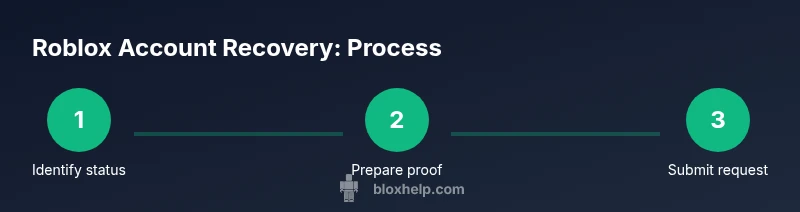
Check access status
Confirm whether you still have access to the email on file and whether you can log into Roblox with any existing credentials. This determines if a password reset or email recovery is feasible immediately.
Tip: Try the “Forgot Password” option first to see if you can regain access without submitting a full recovery form. - 2
Visit official Roblox support
Open Roblox Help Center and locate the account access or compromised account form. Use only official Roblox channels to avoid scams.
Tip: Bookmark the official help page to avoid phishing sites promising instant recovery. - 3
Submit a recovery request
Fill out the recovery form with accurate account details and explain what happened (locked out, password changed, suspicious activity). Be specific and honest.
Tip: Provide a concise timeline of events and include any known recent activity on the account. - 4
Attach proof of ownership
Upload receipts, purchase records, or other evidence that ties you to the account. The stronger your proof, the faster the verification can proceed.
Tip: If you don’t have receipts, list last known items or games you owned on that account. - 5
Await Roblox’s response
Roblox Support will review your submission and respond with next steps. Response times vary by case and workload.
Tip: Check your email and Roblox inbox regularly; reply promptly if they request additional information. - 6
Secure the account after recovery
Once access is restored, change your password to a strong, unique one and review connected devices and login history.
Tip: Enable two-factor authentication if available to add an extra layer of protection. - 7
Update recovery options
Verify the email, phone number, and security questions associated with the account; ensure you can access these in the future.
Tip: Add a backup email or trusted authenticator app if Roblox supports it. - 8
Monitor for suspicious activity
Keep an eye on recent purchases, inventory changes, or trades that you didn’t authorize and report them immediately.
Tip: Document any new activity with timestamps for potential future reference. - 9
Educate yourself on safety best practices
Learn about Roblox security features, phishing signs, and how to avoid credential theft in the future.
Tip: Never share codes or passwords, and beware of fake recovery requests.
Questions & Answers
What should I do first if I think my Roblox account was compromised?
Start by checking access to your registered email. If you can’t log in, use the official password reset or recovery form. Document suspicious activity and prepare any proof of ownership.
First, verify access to your email, then try a password reset through the official Roblox help page. Gather any evidence of ownership and note suspicious activity to share with support.
Can I recover an account if I can't access the registered email?
Yes. You’ll need to contact Roblox Support with alternative verification details and proof of ownership. Use the recovery form and describe why you cannot access the email on file.
If you can’t access the registered email, submit a recovery request with alternative verification details and proof of ownership.
How long does Roblox recovery typically take?
Times vary by case. Some recoveries occur within a few days, while others may take longer depending on evidence provided and the complexity of the situation.
Recovery times vary. It could take a few days or longer depending on the information you provide and the workload at Roblox.
What proofs does Roblox require to verify ownership?
Proof can include purchase receipts, recent in-game purchases, unique item ownership, or other data that ties you to the account. Provide clear, legible documents.
Proof includes receipts, recent purchases, or items tied to the account. Clear documents help speed verification.
What can I do to prevent this from happening again?
After recovery, enable security features such as two-factor authentication, keep recovery options up to date, and monitor activity regularly.
Enable two-factor authentication, keep recovery options current, and watch for unusual activity to prevent future issues.
If I regain access, should I change everything at once?
Yes—change your password to a new strong one, review connected devices, and update security questions. Avoid reusing older credentials.
Change your password, review devices, and update security questions after regaining access.
Watch Video
The Essentials
- Identify your account status and gather proof before contacting support.
- Submit accurate ownership proof to speed up verification.
- Enable two-factor authentication after recovery to secure your account.
- Monitor email for Roblox responses and avoid sharing verification codes.
- The Blox Help team recommends following official steps for best results.