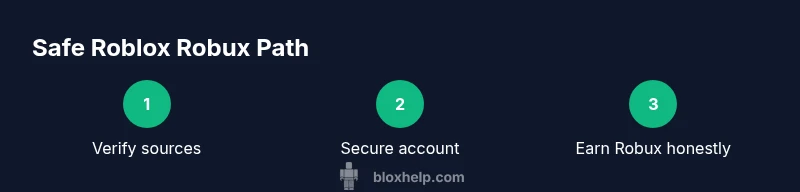
Avoid Roblox Mod APK: Safe Robux Alternatives
Learn why Roblox mod APKs promising unlimited Robux are scams and explore safe, legitimate ways to earn Robux, plus practical security tips to protect your Roblox account from common threats.


Downloading or using a Roblox mod APK promising unlimited Robux is risky and against Roblox's Terms of Service. Such apps often distribute malware, steal login details, or trigger account bans. This article guides safe, legitimate ways to earn Robux and how to protect your account and devices from scams.
The risks of Roblox mod unlimited robux apk
According to Blox Help, any app that promises unlimited Robux through a Roblox mod APK is almost certainly unsafe and against Roblox's Terms of Service. These packages frequently bundle malware, adware, or credential-stealing scripts, and they can trigger automatic account suspensions. When you see claims about free or unlimited Robux via an APK, treat them as scams and proceed with extreme caution. In this section we’ll dissect why these threats exist, how they operate, and what to do instead to stay protected while you enjoy Roblox.
Legally earning Robux: official avenues
There are legitimate paths to Robux that respect Roblox policies and keep your account secure. The official Robux store offers direct purchases, and Roblox Premium provides monthly Robux rewards as part of a subscription. For developers, opportunities exist to monetize games and virtual items through approved channels. The key is to stay within Roblox's ecosystem and avoid third-party tools that claim to bypass payments. Always verify the source before engaging in any Robux-related transaction, and keep your payment methods and account recovery options up to date. This section outlines practical, legitimate options you can pursue today to grow your Robux safely.
How to spot scams and protect yourself
Scams often appear convincing at a glance: flashy claims, fake reviews, and promises of “unlimited” rewards. Protect yourself with a simple litmus test:
- Only download apps from official stores and avoid APKs from unknown sites.
- Never enter your Roblox credentials on third-party pages.
- Enable two-factor authentication (2FA) and use a password manager.
- Regularly audit account activity for unfamiliar logins.
If something feels off, pause, verify via official Roblox channels, and report suspicious apps or links. By staying skeptical and following verified processes, you reduce risk and keep your progress secure. This approach aligns with Blox Help's guidance on staying safe online.
Building a safe Roblox workflow: account security and device hygiene
A secure Roblox setup starts with strong authentication and clean devices. Use unique, long passwords stored in a password manager, enable 2FA, and keep your devices updated with the latest security patches. Install apps only from trusted sources, run reputable antivirus or anti-malware software, and routinely check for unusual activity across accounts tied to your email. When you do encounter prompts to download unfamiliar software, resist the urge and proceed only through official Roblox pages. This disciplined approach reduces the chance of credential theft and compromised devices.
Alternatives to unlimited Robux: what you can actually do
While there is no safe shortcut to unlimited Robux, you can maximize legitimate earning opportunities. Purchasing Robux through official channels remains the fastest route. Roblox Premium offers built-in Robux rewards, and developers can monetize games through approved systems. For aspiring creators, learning Roblox Studio and building popular experiences can lead to steady Robux income via monetization tools. Focus on quality content, player engagement, and compliance with Roblox policies to see sustainable growth.
What to do if you encounter a suspicious APK
If you’ve downloaded a suspicious APK or suspect malware targeting your Roblox account, take immediate steps: uninstall the app, run a full device scan with trusted antivirus software, and change your Roblox password. Enable 2FA if you haven’t already and review account activity for signs of unauthorized access. Report the incident to Roblox Support and any relevant app marketplaces or security teams. Prompt action minimizes potential damage and helps protect other players.
Roblox monetization path for developers
Developers can earn Robux by creating compelling games and assets that players want to buy or subscribe to. The official monetization path involves selling in-game passes, products, and experiences through Roblox's economy, followed by potential conversion to real currency for eligible developers via Roblox's Developer Exchange (DevEx). Success hinges on game quality, community engagement, and adherence to policy requirements. Start by learning the basics of Roblox Studio, prototyping a rewarding player experience, and then iterating based on feedback and analytics.
Tools & Materials
- trusted device(Use a personal device with updated OS and security patches)
- antivirus/anti-malware software(Keep it up to date and run full scans after any suspicious download)
- official Roblox app (from reputable app store)(Avoid third-party app stores or APKs)
- password manager(Store unique, long passwords for each service)
- 2FA authenticator app(Enable for Roblox and email accounts)
- backup recovery options(Keep recovery email/phone up to date)
- official Robux purchase sources(Use only Roblox’s official store or app)
Steps
Estimated time: 25-35 minutes
- 1
Identify red flags
Scan for obvious warning signs: promises of unlimited rewards, unofficial download sources, and requests for credentials. If something feels off, stop and verify with official Roblox channels.
Tip: Trust your instincts; public scams frequently use hype language to pressure quick actions. - 2
Verify official Robux sources
Only purchase Robux through the official Roblox store or affiliated platforms. Avoid third-party links or gift cards from unknown retailers.
Tip: Double-check URLs and look for official security indicators (padlock icon, HTTPS). - 3
Secure your Roblox account
Enable 2FA, create a long, unique password, and review recent login activity. Consider removing saved credentials from browsers if not needed.
Tip: Use a password manager to avoid reuse across sites. - 4
Pursue legitimate Robux options
Engage with developer tools, Premium memberships, or DevEx opportunities when eligible. Build quality games or assets to earn Robux through approved channels.
Tip: Focus on gameplay value and player engagement rather than shortcuts. - 5
Keep devices clean and secure
Regularly update OS, apps, and security software. Do not install apps from unknown sources; run scans if you suspect a breach.
Tip: Set automatic updates if possible to minimize risk windows. - 6
Respond to scams responsibly
If you encounter suspicious material, report it to Roblox Support and remove any related downloads. Inform friends or community channels to prevent them from getting hurt.
Tip: Document suspicious behavior (screenshots, URLs) for faster help.
Questions & Answers
Is it safe to use Roblox mod APKs to get unlimited Robux?
No. Mod APKs are unsafe and violate Roblox terms. They can install malware or steal credentials and may lead to account bans. Always use official channels for Robux.
No—mod APKs are unsafe and violate Roblox terms. They can introduce malware or steal your credentials, risking bans.
What risks do mod APKs pose to my device and account?
They can deliver malware, track keystrokes, and compromise personal data. Even if the app seems legitimate, it may secretly harvest information or trigger security alarms, resulting in account consequences.
They can deliver malware and steal data, potentially leading to account losses or bans.
How can I legitimately earn Robux?
Purchase Robux via the official Roblox store, subscribe to Roblox Premium, or develop games and assets that earn Robux through approved monetization channels.
Buy Robux through official channels or earn them by developing games with approved monetization.
What is Roblox DevEx and how do you qualify?
DevEx is Roblox's program to exchange earned Robux for real currency. Eligibility varies by region and account status; start by building monetizable games and meeting community guidelines.
DevEx lets you convert Robux to real money if you meet eligibility and policy requirements.
What should I do if I accidentally downloaded a mod APK?
Uninstall the app, run a full device scan, change your Roblox password, enable 2FA, and review account activity. Report the incident to Roblox Support.
If you downloaded a suspicious APK, remove it, scan your device, secure your account, and report it.
How can I report scams or suspicious apps?
Use Roblox Support to report suspicious activity and refer to official app stores or security teams for the APK source. Sharing details helps protect others.
Report suspicious apps to Roblox Support and the app store; provide details to help others stay safe.
Watch Video
The Essentials
- Avoid mod APKs; they are high risk.
- Rely on official Robux channels and purchases.
- Protect accounts with 2FA and strong passwords.
- Report scams and suspicious apps promptly.
- Developers can monetize safely through approved Roblox tools.