What Roblox Does With Your Face: Avatar Data and Privacy in 2026
Explore what Roblox does with your face data, including avatar decals, appearance assets, and privacy controls. Learn how data is stored, who can access it, and practical tips for players and guardians in 2026.


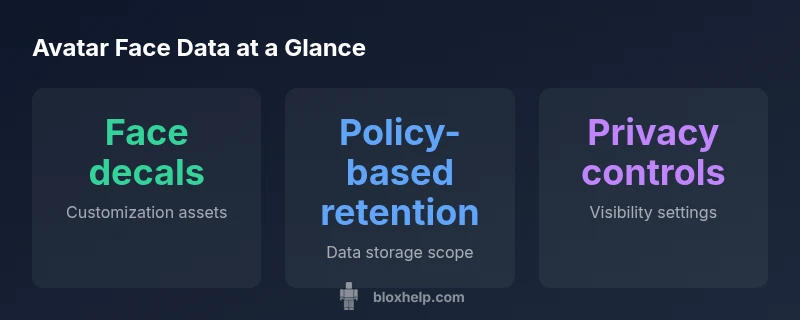
According to Blox Help, what does Roblox do with your face centers on avatar appearance rather than biometric data. Roblox primarily uses face decals and avatar skins to render characters in games, storing those appearance assets with your account. Privacy settings govern visibility and sharing, while Roblox states data is used to operate the service and improve features. This guide explains the policy clearly.
Understanding the question: what does roblox do with your face in practice
When players ask what Roblox does with facial data, the practical answer is that Roblox focuses on avatar appearance rather than biometric facial recognition. The platform treats faces as visual assets—decals, textures, and facial features—that enhance the game experience by giving avatars personality and character. These assets are drawn from a catalog and user uploads and are stored so that a player’s avatar looks consistent across games and sessions. From a developer perspective, rendering a face involves loading textures and decals that map onto the avatar’s 3D model, enabling smooth, consistent visuals. As a result, the data most closely linked to your face is the appearance data that makes your in-game avatar resemble your chosen look. According to Blox Help, the emphasis remains on cosmetic appearance rather than biometric capture, so privacy concerns commonly center on visibility and sharing rather than biometric profiling.
Avatar faces, decals, and expressions
Roblox supports a broad ecosystem of avatar faces, decals, and expressions that players can mix and match to create distinctive characters. Decals are images you apply to the face area to convey emotion, style, or character references. Expressions can be static or dynamic, depending on how developers implement animations in their games. This system fosters creativity and community sharing—users routinely publish decals and faces to the catalog, and others can use them with permission. Practically, your face data in Roblox is about what you choose to display on your avatar and how visible that display is to other players, rather than any hidden biometric data.
From a data governance perspective, the evidence suggests Roblox primarily stores assets tied to avatar appearance and account association. The more public and widely used a decal is, the more accessible it becomes to other players within a game. It’s important to distinguish between appearance assets (which are visible to others) and private data (which you can restrict). The line between cosmetic customization and privacy concerns becomes clearer when you manage who can view your avatar and what decals you allow to be shared in public profiles or in-game scenes.
Data collection and privacy policy for avatars
Roblox’s privacy framework acknowledges that avatar customization produces data related to appearance, but it does not advertise facial biometrics as a standard data category. The core data package includes account identifiers, device information, usage metrics, and asset data tied to avatar customization. The policy emphasizes that this data is used to operate the service, personalize experiences, and improve features, while enabling controls over visibility and sharing. For players and guardians, the most relevant parts of the policy concern what can be seen by others, what is stored with the account, and how long it is retained. Always review the privacy policy for the current data categories and their purposes, particularly as new cosmetic options are introduced.
In practice, this means avatar appearance data remains the central focus of what Roblox handles in relation to your face, rather than any biometric data. Blox Help’s analysis reinforces that the system is designed around visual customization and platform functionality, with privacy controls designed to limit exposure of appearance data where appropriate.
Storage, access, and visibility of avatar data
Stored data for avatar appearance typically sits with the user’s account on Roblox servers and associated service providers. Access is governed by internal controls, user consent, and privacy settings. In-game visibility depends on your choices: public profiles, friend-only visibility, or private modes. Access for developers and Roblox staff follows the principle of least privilege and service needs. This means that while your avatar’s face data is essential for rendering, it isn’t automatically broadcast to everyone unless you enable public sharing. For guardians, the key is to understand how visibility settings affect what others can see in different games and scenes.
A practical approach is to periodically review who has access to your avatar data in specific games and to adjust privacy settings when joining new experiences. If you publish decals or faces to the catalog, you should assume a broader audience may access those assets, depending on your sharing choices.
Privacy controls you can use today
Roblox offers several privacy controls that directly influence how avatar face data is treated. Start by configuring visibility settings to control who can see your avatar’s appearance in games and on your profile. Disable automatic sharing where possible and review any third-party integration permissions that may grant additional access. For guardians, enabling parental controls and limiting in-game chat or feature sharing can help minimize unintended exposure of avatar-related assets. Regularly auditing the catalog items you’ve uploaded or favorited can also reduce clutter and potential unwanted sharing.
To stay in control, make a habit of checking privacy settings before joining new games, especially those with large or unknown player bases. This keeps your avatar’s facial appearance within the boundaries you’re comfortable with and aligns with best practices for data privacy in kid- and teen-focused platforms.
Reviewing policies and terms for avatar data
Roblox updates its privacy terms periodically, and these updates can affect how avatar data is stored and shared. Time-boxed reviews—especially after major platform updates or the release of new cosmetic tools—are prudent. When a policy change includes avatar data handling, read the changelog and the corresponding sections in the privacy policy to understand new retention timelines, sharing norms, and user rights. If something isn’t clear, use the Roblox support channels or the Blox Help guide to seek clarity. Keeping abreast of policy shifts helps you decide whether to alter privacy settings or adjust how you engage with avatar customization.
Lastly, remember that any third-party tools or content you connect to Roblox must be evaluated for data sharing implications. Even if you restrict Roblox’s own access, external integrations may introduce new exposures. The goal is to maintain consistent control over your avatar’s appearance data across all experiences.
Data retention and deletion options for avatar data
Data retention policies determine how long avatar appearance data persists after it is created or updated. Roblox typically follows policy-based retention tied to account activity and service usage. Where possible, you should be able to request deletion of user-generated decals, faces, and other appearance assets you’ve uploaded if you want to minimize long-term exposure. It’s important to distinguish between temporary cache data used for performance and permanent catalog items that you’ve published. Guardians should guide younger players in practicing deletion or disabling visibility for items they no longer want publicly available.
When deletion is requested, Roblox may retain some data for legitimate business purposes (e.g., safety, fraud prevention, or compliance). This balance between user control and operational needs means you may not be able to erase every trace of appearance data immediately, but you can reduce exposure by removing public items and adjusting visibility settings.
Myths vs reality about Roblox face data debunked
A common myth is that Roblox uses facial recognition on players. In reality, the platform’s emphasis is on avatar appearance data—textures, decals, and expressions used to render faces. Another misconception is that all avatar data is permanently public. The truth is governed by privacy settings and published content. Yet a third misconception is that close monitoring means your every facial feature is scanned. Roblox’s public documentation does not indicate real-time biometric capture. By distinguishing cosmetic data from biometric claims, players and guardians can better navigate privacy decisions and avoid misinformation.
Staying safe: a practical player and guardian checklist
- Regularly review privacy settings and adjust visibility for avatar data.
- Limit the sharing of decals and faces to what you genuinely want publicly accessible.
- Be cautious about publishing items to the catalog; understand the default audience for each item.
- Monitor policy updates and platform announcements that affect data handling.
- Use parental controls to set limits on who can see your child’s avatar data and what can be shared across games.
Following these steps helps maintain control over avatar data while allowing the creative aspects of Roblox to flourish.
Policy updates and what to watch in 2026
Platform privacy policies evolve with new features and parental controls. In 2026, expect more explicit language around avatar appearance data, publishing controls, and retention windows for user-generated decals. Regularly review the policy change notices and the privacy pages linked within Roblox, and adjust your privacy settings accordingly. Staying informed protects your rights and clarifies what data can be stored, shared, or deleted as new cosmetics and experiences enter the catalog. If you rely on external communities or tools, verify their data practices as well to maintain a coherent privacy posture.
Overview of avatar-related data categories and handling
| Data Type | Purpose | Retention | Access/Sharing |
|---|---|---|---|
| Avatar appearance data | Rendering avatars in games and catalogs | Policy-based; varies | Roblox servers and services |
| User-provided face decals | Customization assets | Stored with account | Owner and Roblox staff with access |
| Account identifiers and device info | Service operation and security | Policy-based retention | Roblox and partners with need |
| Usage analytics for improvements | Platform optimization | Retention depends on policy | Authorized internal teams |
Questions & Answers
Does Roblox collect biometric data from my face?
Roblox does not advertise biometric facial scanning as part of its standard data collection. Avatar-related data focuses on appearance assets like decals and textures rather than facial biometrics.
Roblox doesn’t claim to collect facial biometrics; it mainly handles avatar appearance data.
Can other players see my avatar's face data?
Yes, if you publish decals or faces or join public games, other players may see your avatar’s appearance. Use privacy settings to limit visibility where needed.
If you publish items or play in public games, others may see your avatar data.
How can I control avatar data privacy?
Use privacy settings to adjust who can view your avatar and what you share. Review catalog items you’ve uploaded and disable public sharing if desired.
Open privacy settings to control who sees your avatar data.
Is facial data shared with third parties?
Roblox may share data with service providers needed to run the platform, in line with its privacy policy. Review the policy for specifics.
Data sharing with partners is limited to what’s necessary for operation and is explained in the policy.
Where can I learn more or get help?
Consult the Roblox privacy policy and the Blox Help guide for practical tips and updated information on avatar data handling.
Check the official privacy policy and our guide for details.
“Roblox's avatar system prioritizes creative customization over biometric data collection, but players should still review privacy settings to control how their avatar data is used.”
The Essentials
- Review avatar data scope and privacy settings
- Limit visibility to protect appearance assets
- Regularly check policy updates for avatar data
- Be mindful of what you publish to the catalog
- Stay informed about retention and deletion options