How to Get Roblox on Nintendo Switch
Discover whether Roblox officially supports Nintendo Switch, why it isn’t available, and practical alternatives. This guide from Blox Help explains current status, potential workarounds, and safe options for Roblox players.


As of 2026, Roblox does not have an official Nintendo Switch release and there is no native Switch app. Nintendo has not announced Roblox for Switch, and Roblox Corp has not released a Switch version. For now, players can access Roblox on supported devices like PC, Mac, iOS, Android, or Xbox. Always check official channels for future updates.
Is Roblox officially available on Nintendo Switch?
The short answer is no. How to get roblox on nintendo switch is a question many players ask, but there is no official Switch app or release as of 2026. The Roblox team has not announced a Switch distribution, and Nintendo’s platform ecosystem has not listed Roblox among its compatible apps. For fans hoping to play on Switch, this means no native installation from the
Official status and what it means for players
Roblox supports Windows,
Platform overview: where Roblox runs today
Across verified platforms, Roblox offers cross-play features that synchronize your avatar and inventory. On PC and Mac, you get a full desktop experience with keyboard/mmouse input. On mobile devices, touch controls are essential, while Xbox players benefit from console-specific conveniences like guide integration. This ecosystem ensures stable performance and consistent moderation. Roblox on Switch would need equivalent support, including parental controls and safety features, which currently do not exist on the platform.
Why there isn’t an official Switch release (and what that implies)
The main reasons often cited are licensing, hardware optimization, and certification requirements. Nintendo’s approval process for new apps is stringent, and Roblox would need to adapt to the Switch's unique controllers, screen resolution, and online services. Until an official collaboration is announced, any workaround is unofficial and can risk account security or violate terms of service. Blox Help emphasizes sticking to supported devices to avoid issues.
Potential workarounds: what players might search for
Some players look for cloud gaming or remote play options to bypass platform restrictions. These approaches require compatible services and acceptable policy alignment; they may not work reliably on Switch due to browser limitations, streaming latency, or account linking problems. It’s important to be aware that attempting unofficial methods can expose you to security risks, scams, or account penalties. Always prefer official channels and documented methods.
Safe alternatives you can use today
If you want to play Roblox, use one of the officially supported platforms: PC (Windows/
What to do now: staying informed and prepared
Keep an eye on Roblox’s official blog, social channels, and Nintendo announcements for any sudden changes in platform availability. If a Switch version is announced, it will involve coordinated marketing and a rollout plan. In the meantime, you can prepare by updating your Roblox account, organizing friends lists, and exploring Roblox on supported devices to map out your in-game progress across platforms.
Preparing for potential Switch release: a practical approach
If you’re hoping for Switch support, consider a plan that doesn’t hinge on one platform. Create a cross-platform habit by playing on PC or Xbox, then switch to mobile for on-the-go play. When/if Switch support drops, you’ll already be familiar with the core gameplay and friend systems. This approach minimizes disruption and aligns with best practices advised by the Blox Help team.
Common misconceptions debunked
Myth: Roblox is already on Nintendo Switch. Reality: there is no official release. Myth: You can sideload Roblox on Switch. Reality: Nintendo’s system security and Roblox’s licensing prohibit unauthorized installs. Myth: Cloud gaming guarantees Switch support. Reality: cloud solutions depend on platform support, which Switch has not officially documented for Roblox.
Tools & Materials
- Nintendo Switch with internet access(Essential to read official updates and verify platform status)
- A Roblox-supported device(PC, Mac, iOS, Android, or Xbox for actual gameplay)
- Account with Roblox(For cross-platform progress when using supported devices)
Steps
Estimated time: 15-25 minutes
- 1
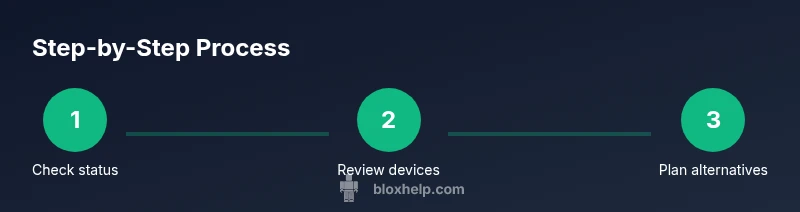
Check current platform status
Search official Roblox channels and Nintendo announcements to confirm whether Roblox has released a Switch version. Look for statements from Roblox Support or the Nintendo eShop listing. This step establishes the reality of availability before exploring alternatives.
Tip: Trust official sources; avoid secondary sites that speculate about releases. - 2
Review official platform support
Visit Roblox’s official help pages to review supported devices and cross-play capabilities. Note any recent updates or roadmap hints. Understanding officially supported devices sets expectations clearly.
Tip: Bookmark the Roblox support page for quick reference. - 3
Evaluate alternatives on current hardware
If you don’t have a supported device, plan how you’ll access Roblox on PC, Mac, mobile, or Xbox. Set up your account on one of these platforms to ensure your progress carries across devices.
Tip: Create a single Roblox account used across devices for seamless progress. - 4
Monitor for official news about Switch
Keep an eye on official Roblox announcements and Nintendo news feeds. A Switch release would typically come with a formal announcement and a rollout window.
Tip: Enable notifications for Roblox official channels. - 5
Decide on a practical plan today
If you’re determined to play Roblox, commit to a supported device in the near term and avoid unverified workarounds that could compromise your account.
Tip: Prioritize safety and reliability over speculative methods. - 6
Document your progress
Keep notes of your Roblox activities on different devices so you can resume where you left off across platforms.
Tip: Use the same login credentials across devices for consistency.
Questions & Answers
Is Roblox officially available on Nintendo Switch?
No official Switch release exists as of 2026. Roblox has not announced Switch compatibility or release dates. Players should rely on supported devices for Roblox gameplay.
There is no official Roblox on Nintendo Switch yet; use supported devices instead.
Can I play Roblox on Switch using any cloud gaming or browser method?
There is no officially supported cloud gaming solution for Roblox on Nintendo Switch. Unofficial methods are risky and may violate terms of service. For stable play, use supported devices.
There isn’t an official Switch cloud option for Roblox; avoid unverified methods.
Which devices support Roblox today?
Roblox runs on Windows and Mac computers, iOS and Android mobile devices, and Xbox consoles. These platforms provide the safest and most reliable experience with cross-play support.
Roblox supports PC, Mac, mobile, and Xbox today.
Will Roblox ever come to Nintendo Switch?
Future availability depends on partnerships and official announcements. Monitor Roblox’s official channels for any news, and rely on confirmed information rather than rumors.
If Switch support happens, it will be announced officially.
What should I do now if I want to play Roblox?
Play Roblox on a supported device (PC, Mac, iOS, Android, or Xbox) and keep your account synced. Stay updated on official channels for potential platform news.
Use a supported device and stay tuned for official news.
Are there safety concerns with unofficial methods?
Yes. Unofficial methods can risk account security, data privacy, and terms-of-service violations. Always prioritize official channels and safe practices.
Unapproved methods can compromise your account; stick with official options.
Watch Video
The Essentials
- Verify official status before attempting any method
- Roblox currently supports PC, Mac, iOS, Android, and Xbox
- Stay informed with Roblox and Nintendo announcements
- Use safe, supported devices to preserve account safety
- Prepare a cross-device plan for seamless progress