How to Sell Something in Roblox: A Practical Guide for Creators
Learn how to sell items in Roblox—from clothing and game passes to UGC items. Covers eligibility, design quality, publishing steps, pricing strategy, and safe practices to maximize earnings while staying compliant.


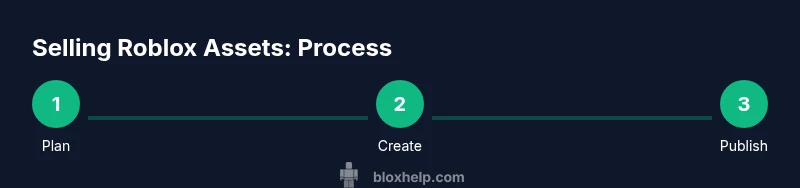
According to Blox Help, selling items in Roblox starts with choosing what to offer (clothing, game passes, or UGC items), then designing a high-quality asset, pricing it thoughtfully, and publishing it through the Avatar Shop or Creator tools. The guide below walks you through eligibility, submission steps, and practical tips to maximize earnings while complying with Roblox policies.
Understanding the Roblox economy and why selling matters
The Roblox economy centers on user-generated content and virtual currency. Creators earn Robux when other players purchase assets like clothing, accessories, game passes, or developer products. This model rewards originality, quality, and timely updates. For new creators, selling effectively means aligning your designs with current player interests, maintaining high production values, and understanding how Robux translates into real-world value through the DevEx program. According to Blox Help, a thoughtful approach to product planning—combined with consistency and good customer-facing presentation—can turn simple assets into reliable income streams while keeping within Roblox’s evolving rules. This section sets the stage for choosing what to sell and how to position it in a crowded marketplace.
Policy basics: what you can sell and how it’s regulated
Roblox supports several asset types for sale, including clothing (shirts, pants, t-shirts), game passes, and developer products. Each item type has its own submission and quality expectations. Assets must be original or properly licensed, free of copyrighted material, and aligned with Roblox’s community standards. You’ll also need to understand who can sell and under what conditions. The platform periodically updates guidelines, so check the latest Studio and Creator Hub notices before you begin. A compliant listing protects your account and helps you build a trustworthy brand. Think of this step as your foundation stone, ensuring every asset you publish has a fair chance to succeed.
Prerequisites: Premium status and DevEx eligibility
To monetize in Roblox, you typically need a Roblox Premium subscription, which unlocks certain earning and payout capabilities. The DevEx (Developer Exchange) program permits eligible developers to convert Robux earned from sales into real-world currency, subject to Roblox’s terms and minimum thresholds. Eligibility often involves ongoing activity, adherence to policies, and a proven track record of quality assets. This section outlines how Premium and DevEx interplay with your selling strategy, helping you plan long-term monetization rather than chasing short-term gains.
Designing a sellable asset: clothing, passes, and UGC
Sellable assets fall into several categories: clothing (shirts, pants, tees), game passes that grant special in-game perks, and UGC items that players can customize. Each category has design expectations: clean visuals, readable thumbnails, and consistent branding. Original designs outperform copied work, and clear licensing is essential if you collaborate with others. For clothing, ensure textures align with Roblox clothing standards and test on multiple avatars to confirm compatibility. If you pursue UGC, stay informed about Creator Marketplace guidelines and the approval process. This planning phase is where your unique concept begins to take shape.
Evaluating demand and pricing strategy
Before listing, research current trends and what players are buying. Look for gaps your design could fill or underserved themes in specific genres or fashion styles. Pricing should reflect content value, production effort, and market norms without relying on guesswork. Instead of fixed numbers, consider tiered pricing (low, mid, high) based on asset complexity, exclusivity, and benefits. Keep in mind that higher-priced assets require stronger visuals, robust support, and clear value in-game. Regularly review sales performance and be prepared to adjust pricing after feedback and shifts in player demand.
Preparing your asset: quality, branding, and metadata
High-quality visuals are crucial for selling in Roblox. Create a memorable brand for your items with cohesive thumbnails, descriptive product names, and informative descriptions. Metadata should include item type, compatible Roblox avatar generations, and any limitations. Thumbnails need to stand out in crowded lists, so invest in clean, legible designs. If you’re distributing clothing, include texture maps and size considerations. Documentation in your asset description reduces buyer confusion and increases trust. Remember to maintain original work and ensure all assets comply with terms of service and age guidelines.
Uploading and setting up the listing
With your asset finalized, upload the files via the appropriate Roblox tool (Avatar Shop or Creator tools) and configure the listing. Choose a clear, fair price tier, add a compelling description, and upload a high-quality thumbnail. Ensure the item’s visibility settings are aligned with your marketing plan and audience. Prepare optional bundles or parent perks to boost perceived value. After uploading, verify that the asset appears correctly in test environments, and confirm that all links, previews, and icons render at different screen sizes.
Submitting for approval and publishing
Roblox may review new assets for policy compliance, quality, and safety. If a listing is disapproved, review the feedback carefully, revise the assets, and resubmit. Frequent issues include copyright concerns, poor texture resolution, or misleading descriptions. Once approved, publish the item and monitor its performance. Use the Creator Dashboard to track views and purchases, and be ready to iterate on future releases based on buyer feedback and market trends.
Marketing, visibility, and driving sales
Don’t rely on luck—promote your items through in-game social channels, Roblox groups, and external communities. Use precise keywords in your item description and category tags to improve searchability. Consider releasing limited-time or exclusive variants to create demand, similar to fashion drops. Engage with buyers by answering questions and updating assets when Roblox updates rendering or avatar features. Consistent quality, honest communication, and timely updates build a loyal customer base over time.
Managing earnings, payouts, and tax considerations
Earnings come from Robux purchases in your catalog, converted to real currency through DevEx once you meet eligibility criteria. Track earnings in the Creator or Developer Hub dashboards, and be mindful of minimum thresholds and payout schedules. If you operate in jurisdictions with tax obligations, consult local guidance on reporting digital earnings and any required filings. Maintaining clear records of sales, refunds, and exchanges can simplify tax preparation and ensure correct reporting.
Compliance, safety, and ongoing updates
Always align your projects with Roblox’s terms of service and community guidelines. Avoid copyrighted content, misrepresentation, or scams that could harm players. Regularly update assets to remain compatible with game updates and avatar changes. Encourage constructive feedback and handle disputes professionally. By staying informed about policy changes and optimizing asset quality, you’ll build a sustainable selling practice on Roblox.
Tools & Materials
- Computer with reliable internet(For designing, uploading, and managing listings)
- Roblox Premium account(Helpful for monetization and DevEx eligibility)
- Roblox Studio and Avatar Shop access(Used to create assets and publish listings)
- Graphic design software(Examples: Photoshop, GIMP, Affinity Designer)
- High-quality reference materials(Mood boards, style guides, and avatar references)
- Branding assets(Custom thumbnails, logos, and consistent naming)
- Notes on policy guidelines(Always review Roblox terms of service before publishing)
Steps
Estimated time: 60-90 minutes
- 1
Define asset type and concept
Decide whether you will publish clothing, a game pass, or a UGC item. Validate that your concept is original, aligns with current trends, and respects copyright rules. Sketch your idea and outline key features before production.
Tip: Choose a niche you understand well to reduce iteration time. - 2
Prepare assets and branding
Create assets with consistent branding. Produce clear thumbnails, readable names, and detailed descriptions that explain benefits to buyers. Ensure compatibility with multiple avatar types where applicable.
Tip: Test assets on different avatars to avoid display issues. - 3
Set up your Roblox Studio work environment
Configure Roblox Studio and related tools for efficient production. Establish naming conventions, version control, and backup plans so you can update assets quickly after feedback.
Tip: Use a versioning system for different asset iterations. - 4
Publish a draft listing
Upload your asset to Avatar Shop or Creator tools and create a draft listing. Ensure the description, category, and tags clearly reflect the asset’s purpose and target audience.
Tip: Double-check keyword relevance to improve search visibility. - 5
Submit for review and adjust
Submit the listing for Roblox review. If disapproved, read feedback, modify the asset to address concerns, and resubmit promptly.
Tip: Keep a log of common rejection reasons to streamline future submissions. - 6
Publish and promote
Publish the item publicly and begin marketing through in-game channels and external communities. Track performance and adjust pricing or assets based on demand.
Tip: Coordinate limited-time releases to create urgency. - 7
Monitor earnings and payout readiness
Use the Creator/DevEx dashboards to monitor sales and verify payout eligibility. Plan earnings strategy and budget for future asset development.
Tip: Set reminders for policy review and tax obligations if applicable. - 8
Iterate and expand
Refine successful assets and consider creating related items to build a cohesive collection. Use buyer feedback to inform new concepts.
Tip: Launch follow-up items to capitalize on existing audience interest. - 9
Maintain compliance and safety
Regularly review Roblox terms and community guidelines. Remove or update items as policies change to remain compliant and trusted.
Tip: Establish a periodic policy-check routine.
Questions & Answers
What can I sell on Roblox?
You can sell clothing items (shirts, pants, tees), game passes, and developer products. Each asset type has its own submission guidelines and quality checks.
You can sell clothing, game passes, and developer products. Each has its own rules and submission steps.
Do I need Premium to sell items?
Premium helps with monetization and broader earning opportunities. DevEx eligibility allows converting Robux to real money, subject to meeting Roblox’s requirements.
Premium helps with monetization, and DevEx lets you cash out earnings if you meet the requirements.
How do I set a price for my item?
Pricing should reflect asset quality and market demand. Consider low, mid, and high tiers based on complexity and value. Monitor sales and adjust as needed.
Price based on quality and demand, using tiered levels, then adjust as you learn what buyers want.
How long does approval take?
Roblox reviews new assets for policy compliance and quality. If disapproved, revise according to feedback and resubmit.
Assets are reviewed for policy and quality; if rejected, fix the issues and resubmit.
How are earnings paid out?
Earnings come from Robux purchases and can be converted to real money through DevEx, following eligibility rules and payout schedules.
Earnings convert to real money through DevEx, subject to eligibility and payout timelines.
What safety practices should I follow?
Always use original designs, avoid copyrighted content, and review Roblox’s terms to prevent policy violations and scams.
Use original content, avoid copyrights, and follow Roblox terms to stay compliant.
Watch Video
The Essentials
- Understand Roblox’s asset types and rules before selling.
- Quality visuals and clear metadata boost sales.
- Use a tiered pricing approach and monitor performance.
- Comply with DevEx requirements for real-world payouts.
- Iterate based on buyer feedback and market trends.