What iPad Generation Do You Need for Roblox?
Find out which iPad generations work with Roblox, how to verify compatibility, and tips to maximize Roblox performance on iPad devices from recent years.


Definition: Roblox has no strict iPad generation requirement. Any iPad capable of running the latest Roblox app and compatible iPadOS version will work. As of 2026, confirm requirements on the App Store page and Roblox’s support docs for the most up-to-date compatibility notes. This means newer, mid-range iPads released in the last few years are typically adequate, provided they meet the current iPadOS and Roblox app requirements. Check updates regularly.
Compatibility basics
Roblox runs on a wide range of iPads as long as the device can install and run the current Roblox app and a compatible iPadOS version. In practice, this means you don’t need the very latest generation to play, but you will get the best experience on newer hardware. The Blox Help team emphasizes that iPadOS support and Roblox app updates are what determine compatibility, not a single device generation. If your iPad can install Roblox from the App Store and supports the Roblox app requirements, you should be able to play. Consumers should verify their model's iPadOS compatibility with Apple and double-check Roblox’s official support notes before purchasing or upgrading.
What Roblox requires from iPad hardware
Roblox’s mobile experience benefits from a capable CPU, adequate RAM, and a modern GPU. While there isn’t a fixed generation list, newer mid-range devices deliver smoother frame rates and faster loading of worlds and assets. In general, devices released in the last several years tend to meet or exceed Roblox’s current performance expectations. Always review the App Store listing for the exact iOS/iPadOS version requirements and the Roblox support page for any model qualifiers. This alignment between Apple’s OS support and Roblox’s app requirements is the real gatekeeper for compatibility.
How to verify your specific model
Start by locating your iPad’s model name in Settings > General > About. Then compare your model’s age to Roblox’s documented compatibility notes on the App Store page and Roblox Help Center. If you’re unsure, search for your exact model name plus 'Roblox compatibility' in the Roblox support site. Be mindful that Roblox updates may alter minimum requirements, so plan a quick check each update cycle.
Performance differences by generation
Users with newer iPads typically enjoy smoother visuals, faster loading, and better rendering during complex scenes. Mid-range devices can still play Roblox, but you may notice longer load times and occasional frame rate dips in graphically intense games. The experience also depends on RAM availability and background app usage. If you’re on an older device, consider reducing in-game graphics to maintain playability.
Graphics settings and optimizations
Inside Roblox, adjust Graphics Quality to balance visuals and framerate. On newer devices, you can push graphics higher with minimal impact; on older devices, lowering texture quality and disabling shadows can stabilize performance. Also, close background apps, restart the device occasionally, and keep iPadOS updated. These steps boost efficiency without needing hardware upgrades.
Common issues on iPad and troubleshooting
If Roblox crashes or freezes, ensure Roblox and iPadOS are updated, free storage is available, and background apps aren’t consuming resources. Resetting network settings and reinstalling Roblox can resolve stubborn issues. For persistent problems, consult Roblox’s official troubleshooting guide and Apple Support for device-specific quirks.
Should you upgrade? A practical decision guide
If you frequently experience lag, long load times, or reduced graphical fidelity on your iPad, upgrades can pay off. Compare the cost of a newer iPad against the value of faster load times and smoother gameplay. Blox Help’s practical advice is to align your upgrade decision with how often you play and the types of Roblox experiences you enjoy.
Tips for Roblox players on iPad
Keep Roblox and iPadOS updated, use a stable Wi-Fi connection, and manage storage. Start with the built-in device features like Low Power Mode and graphics settings to optimize performance for your preferred play style. Implement a routine of checking for updates before long play sessions.
Looking ahead: updates and future-proofing
Roblox and Apple continually update app compatibility. Expect ongoing improvements to performance and stability across generations. If you’re unsure about future support, follow Roblox’s release notes and Apple’s OS upgrade timelines; investing in a reasonably recent iPad often provides a longer lifespan for Roblox and other apps.
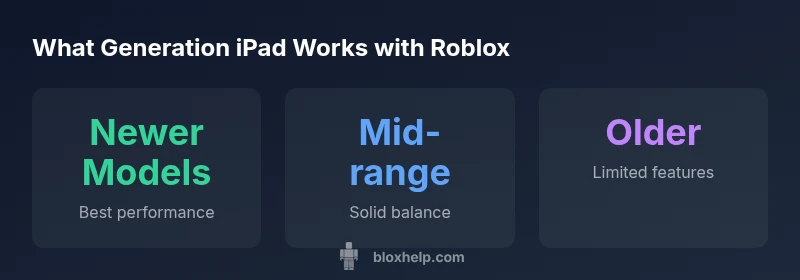
iPad generations and Roblox performance overview
| Category | Notes | Impact on Roblox on iPad |
|---|---|---|
| newer-generation iPads | Best performance with higher refresh rates and faster CPUs | High |
| mid-range models (approx 4-6 years old) | Playable with graphics adjustments, occasional slowdown in heavy scenes | Medium |
| older entry-level | Limited performance, may lag in graphically intense games | Low |
Questions & Answers
What iPad generations are officially supported by Roblox?
Roblox does not publish a fixed list of supported iPad generations. Compatibility depends on running the current Roblox app and a supported iPadOS version. Always check the App Store listing and Roblox Help Center for the latest notes.
Roblox’s support pages say compatibility depends on the current app and iPadOS, not a fixed generation.
Will Roblox run on an older iPad Pro from several years ago?
Older iPad Pro models can run Roblox, but performance varies. Expect longer load times and potential frame-rate dips in demanding scenes, especially with high graphics settings.
Yes, but you may see slower performance; try lowering graphics and closing background apps.
Do I need Wi-Fi to play Roblox on iPad?
Roblox can run offline to some extent, but most features require an internet connection. A stable Wi-Fi or mobile data connection improves multiplayer and asset loading.
You’ll want a steady connection for a good Roblox experience.
How can I reduce lag on iPad while playing Roblox?
Lower in-game graphics, free up storage, close background apps, and ensure iPadOS and Roblox are updated. A few simple changes can noticeably improve performance.
Lower the graphics and close other apps to reduce lag.
Is Roblox on iPad compatible with cellular data?
Yes, Roblox can run over cellular data, but a strong connection is essential for smooth multiplayer experiences and asset download.
Yes, with a good data connection.
“Roblox performance on iPad scales with the device's hardware and iPadOS support; newer devices consistently deliver smoother gameplay.”
The Essentials
- Verify iPadOS requirements on the App Store listing.
- Newer iPads offer the smoothest Roblox experience.
- Lower graphics on older devices helps maintain playability.
- Regularly update iPadOS and Roblox for compatibility.