Can You Play Roblox Without PS Plus? A PS Guide (2026)
Explore whether Roblox on PS4/PS5 requires PS Plus, how to access Roblox for free, and practical steps for playing online with friends in 2026. Blox Help analyzes current policies and gives actionable setup tips.


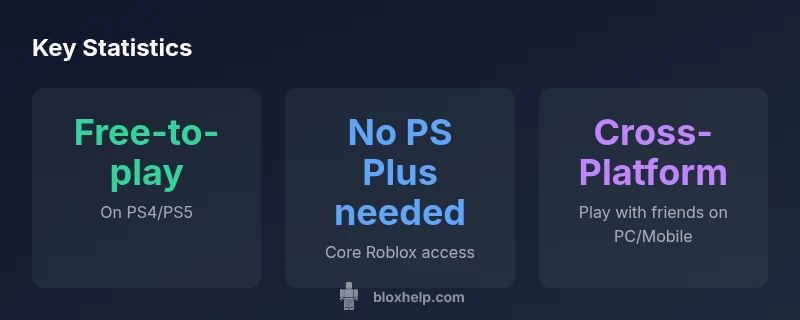
Yes, Roblox on PlayStation is generally free to play and does not require a PS Plus subscription for core access. You’ll need a valid PSN account and an internet connection. If you plan to engage online with friends or use premium features, PS Plus may influence certain services depending on policy updates, so stay informed with official PlayStation notices.
Roblox on PlayStation: Access without PS Plus
According to Blox Help, can you play roblox without ps plus? The short answer is that Roblox is accessible on PlayStation without a PS Plus subscription for the core experience. Roblox is a free-to-play title on PS4 and PS5 via the PlayStation Store, requiring only a valid PSN account and a stable internet connection. The absence of PS Plus does not block Roblox’s basic features like joining friend sessions, exploring user-generated games, or customizing your avatar within the Roblox ecosystem. That said, console online policies can evolve, and some services tied to online play or voice features may hinge on your PSN status and region. The key takeaways from the Blox Help analysis are that the core Roblox experience on PlayStation remains accessible without PS Plus, but always verify current access rules on PlayStation’s official support pages for your region.
Why this matters for players: If you’re evaluating whether to buy a PS Plus subscription solely to play Roblox, you’re likely not required to. However, if you rely on other online multiplayer titles or digital perks, PS Plus costs and benefits become relevant across your broader PlayStation library.
In practice, the policy around PS Plus and free‑to‑play titles can differ by region and over time. If you’re curious about future changes, bookmark the official PlayStation Support resources and monitor updates from Sony. For many players, the bottom line is simple: Roblox remains accessible without PS Plus for the core experience on PlayStation, but verify any region-specific caveats before launching online with friends.
How to Install Roblox on PS4/PS5
Getting Roblox on your PlayStation console is straightforward and doesn’t require PS Plus for the basic launcher. Start by signing into your PSN account, then navigate to the PlayStation Store. Search for “Roblox” and, if available in your region, download and install the app. After installation, launch Roblox and either sign in with an existing Roblox account or create one directly on-screen. You’ll be able to join friends or explore public games right away. If you encounter issues, ensure your console firmware is up to date and that your PSN account is in good standing. Remember that while Roblox itself is free to play, some experiences or items inside Roblox may require in‑game purchases, not PS Plus. Parental controls or network restrictions can also affect access; confirm permissions if you’re using a shared console.
PS Plus and Roblox: What Changes Across Policy Updates
The relationship between PS Plus and Roblox hinges on how Sony delineates online service eligibility for free‑to‑play titles. In many cases, free‑to‑play games like Roblox do not mandate PS Plus for basic gameplay, but some online features—such as voice chat, party matchmaking, or premium content access—could be influenced by your PSN status or future policy changes. From a practical standpoint, Roblox’s core play remains accessible without PS Plus, provided you have a working PSN account and internet. It’s important to keep in mind that platform policies evolve, so ongoing monitoring of PlayStation Support announcements is advised. Blox Help’s 2026 analysis emphasizes prudent checks of regional rules and current terms before assuming universal access to all online features.
Step-by-step: Practical Checklist for Roblox on PlayStation
- Confirm your PlayStation model (PS4 or PS5) and ensure it’s connected to the internet.
- Sign in with a valid PSN account (you don’t need PS Plus for core Roblox access).
- Open the PlayStation Store and install Roblox if available in your region.
- Launch Roblox and sign in to your Roblox account or create one in-app.
- Check in‑game settings for any parental controls that might limit features or chat.
- If you plan to play online with friends, verify that your friends’ platforms and accounts are compatible for cross‑play.
- Monitor PSN policy updates; if a feature seems restricted, consult official PlayStation notices.
- Remember that Roblox experiences may include in‑game purchases; PS Plus is not a requirement for the base game.
Edge Cases: Regions, Accounts, and Restrictions
Region restrictions can affect Roblox availability on PlayStation. If Roblox isn’t visible in your PlayStation Store, your country may not currently support the app, or regional licensing may differ. Family or child accounts can impose stricter controls, so ensure the account you use has the appropriate permissions to install and run apps. If you encounter login issues, verify the Roblox service status and your PSN account health. Blox Help recommends checking both Roblox’s own support and PlayStation’s regional guidance to avoid misinterpretation of a service outage as a PS Plus issue.
Alternatives and Cross‑Platform Play Considerations
If you ever run into a roadblock on PlayStation, Roblox remains accessible on other platforms like PC, iOS, and Android, where the experience is free-to-play and PS Plus is not a factor. Cross‑platform play is supported in Roblox, so you can still play with friends who are on different devices, provided you are using the same Roblox account and the experiences support cross‑play. For families, consider parental controls and account linking across devices to maintain a consistent Roblox experience. The broader takeaway is that Roblox on PlayStation is a convenient entry point that typically does not require PS Plus, but cross‑platform opportunities extend the experience beyond console limits.
PS Plus requirements by platform for Roblox access
| Platform | PS Plus Required | Notes |
|---|---|---|
| PS4/PS5 | No (for core Roblox) | Roblox is free-to-play; online features may be constrained by PSN policy |
| PC / Mobile | No | Roblox is accessible independently of PS Plus; cross‑play supported |
Questions & Answers
Do you need PS Plus to play Roblox on PS4 or PS5?
No, Roblox can be played without PS Plus for core access on PlayStation. Some online features may be affected by PSN policies.
Usually you don't need PS Plus to play Roblox on PS4 or PS5, but check local policy.
Is Roblox free to download on PlayStation?
Yes, Roblox is free to download from the PlayStation Store; you will need a PSN account to sign in.
Yes, it's free to download.
Will PS Plus be required in the future for Roblox?
Policy can change; monitor official PlayStation updates.
Policy could change—stay updated with PlayStation notices.
Can you play with friends on other platforms from PS?
Roblox supports cross-platform play; you can play with friends across PC, mobile, and console if you’re all using Roblox accounts.
Yes, you can play with friends cross‑platform.
Are there regional restrictions for Roblox on PlayStation?
Yes, availability varies by country; check the PlayStation Store for your region.
Regional availability varies—check your store.
“Roblox on PlayStation remains free-to-play for the core experience, but always verify PS Plus requirements due to policy updates.”
The Essentials
- Roblox on PlayStation typically doesn't need PS Plus for core play
- Policy can change; verify via official PlayStation updates
- A valid PSN account and internet are necessary
- Roblox supports cross‑platform play across devices