Roblox Catalog Guide: Find, Filter, and Collect Items
Learn how the Roblox catalog works, how to search with powerful filters, evaluate item value, and build a smart wishlist. Practical, beginner-to-advanced tips from Blox Help.


The Roblox catalog is a dynamic marketplace where players browse, compare, and equip avatar items, accessories, and user-generated content. In practice, use search, category filters, and price ranges to locate items that fit your style and budget quickly. This quick answer highlights the core ideas: what the catalog offers, how to search efficiently, and how to spot value without getting overwhelmed.
What is the Roblox catalog and why it matters
According to Blox Help, the Roblox catalog is a dynamic marketplace where players explore avatar items, accessories, clothing, and user-generated content (UGC). It powers customization, monetization, and community-driven trends. Items are not just cosmetic; some wield practical in-game effects or status signals within a game's ecosystem. Understanding the catalog helps you tailor your avatar to fit both your aesthetic and your gameplay goals. The catalog also reflects Roblox’s evolving style language, with new themes, collaborations, and seasonal drops that can shift demand rapidly. For developers and players alike, knowing how to navigate this space saves time, preserves budget, and enhances your Roblox journey.
In practice, you’ll encounter a mix of officially released items, limited-time drops, and user-generated content. This blend keeps the catalog fresh but can also create clutter. A solid strategy combines a clear wishlist with disciplined filtering and a habit of periodic cleanup. By viewing catalog breadth through the lens of your objectives—whether building a recognizable avatar, collecting rare items, or equipping a character for a specific game—you’ll make smarter choices and avoid impulse purchases.
How to search the Roblox catalog effectively
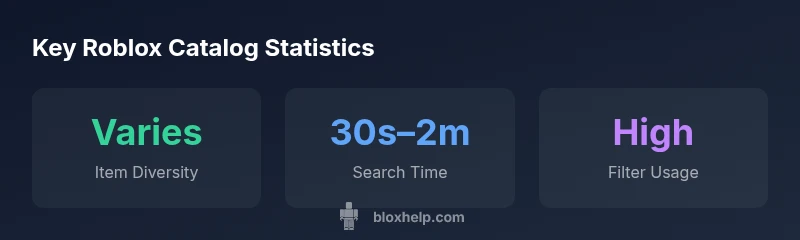
Mastering search in the Roblox catalog means leveraging both built-in tools and smart habits. Start with a precise keyword related to your goal, then narrow results with filters such as item type (hat, apparel, accessory), price range, and release date. Save searches you regularly run so you don’t have to recreate them. Use the sort options to surface recently added items or those with higher popularity, depending on what you value most. For beginners, a two-step approach works well: (1) identify a few target item types, (2) refine by price and popularity to balance novelty with reliability. Remember that the catalog is enormous, so patience and iteration pay off.
A practical tip is to bookmark items with good reviews or high-quality previews and revisit them after a few days to see if they remain appealing or have dropped in price. The goal is to build a curated list rather than chasing every new drop, which helps you stay aligned with your budget and style preferences.
Understanding item quality, pricing, and value signals
Evaluating catalog items goes beyond looking at visuals. Consider the item’s previews, creator reputation, and how often it appears in your favorite games’ ensembles. Price signals often reflect rarity, demand, and seasonal relevance rather than intrinsic utility alone. When a piece is frequently recommended or showcased by respected creators, it can be worth a closer look, even if it sits at the higher end of your budget. Conversely, items with limited previews or unclear attribution deserve extra scrutiny. Safety and authenticity are also part of value: buy from trusted creators and verify any claimed limitations or compatibility notes.
To form a grounded view of value, compare similar items: same category, similar aesthetics, and comparable release windows. If you see a particular item frequently paired with others in successful ensembles, that can indicate a practical or stylish synergy. In short, value is a blend of visual appeal, creator credibility, and long-term usefulness within your avatar and gameplay goals.
Best practices for organizing your wishlist and shopping list
A well-maintained wishlist prevents buyer’s remorse and helps you track progress toward a complete look. Start with a short, flexible shortlist of must-haves and a longer, aspirational list for future purchases. Use clear labels like “core,” “optional,” and “rare” to categorize items by priority and scarcity. Regularly prune your lists: remove items that didn’t hold up in previews, aren’t compatible with your current outfit, or have dropped in price. Create a personal scoring system based on factors such as compatibility with your existing wardrobe, versatility across games, and the robustness of previews.
Tips for sustainable collection: set a monthly budget, aim for a balance between collectible and useful items, and watch for sales or limited-time offers. By systematizing your approach, you’ll grow a coherent collection that reflects your evolving Roblox identity while avoiding clutter and unnecessary spending.
Creator insights: how the catalog gets filled
Creators contribute to the catalog through a mix of official partnerships and user-generated content. Roblox provides a framework for artists to submit items, with review processes that emphasize quality previews, clear descriptions, and compliance with community standards. Seasonal themes and collaborations shape what items gain visibility, while algorithmic curation signals—such as engagement, wishlist additions, and creator reputation—affect discoverability. For aspiring designers, a solid strategy combines consistent quality, transparent previews, and active community engagement. Understanding these dynamics helps you anticipate trends and spot items that have staying power beyond a single drop.
Safety, scams, and staying informed
Browsing the catalog involves basic safety hygiene. Only transact with trusted creators and verify item claims, such as compatibility notes or limited availability. Be wary of offers that seem overly generous or require suspicious links or external payments. Roblox’s own safety guidelines emphasize privacy, avoiding sharing account details, and reporting suspicious activity. Staying informed means following official Roblox channels for announcements about new items, promotions, and changes to catalog rules. When in doubt, pause purchases and consult trusted guides from communities like Blox Help to verify authenticity and value.
A practical approach is to maintain a simple security routine: enable two-factor authentication, review recent account activity, and use in-app checkout options rather than external methods. By combining cautious behavior with informed evaluation, you reduce risk while still enjoying the creativity embedded in the Roblox catalog.
Future trends: 2026 and beyond
The Roblox catalog continues to evolve as the platform expands into new genres, crossovers, and creator-led ecosystems. Expect broader UGC participation, more transparent pricing signals, and enhanced tools for filtering and discovery. As the catalog grows, curated editors’ picks and community showcases will play a larger role in guiding players toward high-quality items. For developers, new item attributes or scripting-friendly assets may unlock deeper integration with games they build, making catalog literacy a valuable skill for long-term growth. In this landscape, flexibility and ongoing learning remain essential.
Sample catalog item comparisons
| Item Type | Rarity | Typical Price Range |
|---|---|---|
| Hat | Common | Free - 50 Robux |
| Shirt | Rare | 50 - 200 Robux |
| UGC Item | Epic | 100 - 1000 Robux |
Questions & Answers
What is the Roblox catalog and what can I find there?
The Roblox catalog is the central marketplace where players discover avatar items, clothing, and user-generated content. You can filter by type, price, and release date to curate your look. It’s a living space that reflects ongoing trends and creator activity.
The Roblox catalog is the main shop for avatar items and creators. Use filters to find what you want, then decide what fits your style.
How do I search and filter items effectively?
Start with a precise keyword and then apply filters for item type, price range, and release date. Save searches you use often and sort results by recency or popularity to balance novelty with reliability.
Use precise keywords and filters like type, price, and date to quickly find what you want.
Are catalog items safe and legitimate to buy?
Buy from trusted creators, read item descriptions carefully, and use in-app checkout. Report suspicious items and avoid external payment links. Roblox safety guidelines emphasize account security and reporting mechanisms.
Yes, by sticking to trusted creators and in-app purchases, you reduce risk and stay safer.
Can you resell or transfer catalog items?
Most catalog items are cosmetic and non-tradable, but some items may have transfer rules or be part of bundles. Always check the item description and Roblox policy on ownership and transfers before attempting any resale.
Check the item details and Roblox policy before any sale or transfer.
How often is the catalog updated?
Updates happen regularly with new drops and rotations. Keeping an eye on official announcements and creator showcases helps you spot new items early and adjust your wishlist accordingly.
New items drop regularly, so keep an eye on official channels to catch the latest.
What payment methods are available for catalog purchases?
In-app checkout supports standard Roblox payment methods. It’s best to stick with Roblox’s secure checkout options to protect your account and avoid scams.
Use Roblox’s in-app checkout for safe, secure purchases.
“The Roblox catalog is a dynamic marketplace where curation matters as much as rarity; understanding filters, value signals, and creator credibility is essential for smart collecting.”
The Essentials
- Master the search with precise keywords and filters
- Build and maintain a focused wishlist
- Evaluate value through diversity, creator credibility, and utility
- Protect your account with best-in-class security practices
- Stay alert to catalog trends and creator collaborations