Roblox Song IDs 2025: How to Find, Use, and Stay Safe
Explore Roblox song IDs 2025: how to find, test, and safely use music IDs in Roblox games. Learn trusted sources, licensing considerations, genre trends, and troubleshooting tips for players and aspiring developers.


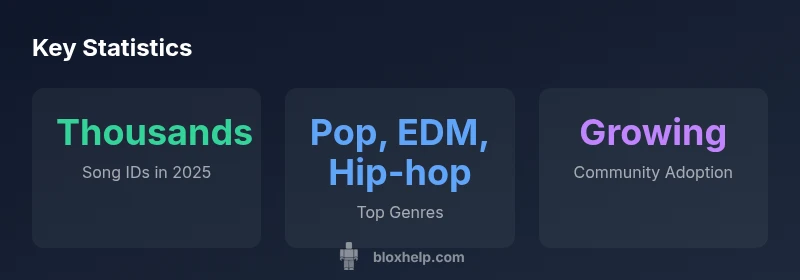
Roblox song IDs 2025 are widely used for customizing game experiences, and the selection has grown substantially this year. If you’re decorating a game or building a playlist, expect thousands of IDs across genres like pop, EDM, and hip-hop. This quick guide highlights trusted sources, safety tips, and best practices for sourcing IDs in 2025, plus practical steps to verify your picks before use.
Understanding Roblox Song IDs in 2025
The term Roblox song IDs refers to the numeric identifiers that Roblox uses to play sounds within games. In 2025, the catalog has expanded dramatically as the platform encourages creators to license or curate a wider range of tracks. Song IDs enable developers to soundtrack scenes, create mood-based ambient loops, and enhance social spaces. For players, exploring song IDs can turn an ordinary game into a musical experience. It’s important to recognize that not every ID is equally reliable or safe to use in all contexts; some IDs may belong to licensed tracks with usage restrictions, while others might be community-contributed assets with varying playback quality. The Blox Help team found that focusing on official catalogs and well-moderated playlists reduces the risk of broken links or copyright issues, especially when you plan to publish a game or host group events. In 2025, the best practice is to treat song IDs as assets that require verification, testing, and ongoing maintenance. This approach improves reliability and helps you avoid common pitfalls like missing sounds or muted playback in certain game modes.
How to Find Song IDs for Roblox in 2025
Discovering relevant song IDs starts with credible sources. Begin with Roblox’s official sound catalog and sanctioned partner playlists, which tend to have clearer licensing terms and better asset stability. Supplement official sources with trusted community hubs that curate high-quality, tested IDs. When you collect IDs, record metadata such as track title, artist (if available), genre, and any licensing notes. Always verify the ID by testing it in a private testing place before integrating it into a public game. A robust workflow includes labeling IDs with version dates (e.g., 2025-03) and maintaining a shared spreadsheet for your team. In 2025, many top creators rely on a centralized repository where verified IDs are updated weekly, ensuring your games stay fresh without breaking playback. Remember that some IDs may be region-locked or require permissions for certain actions, so keep licensing considerations in mind. The process benefits from a routine review schedule that catches deprecated IDs before players encounter missing audio.
Safety, Licensing, and Community Guidelines for 2025 Song IDs
Safety-and-licensing considerations are central to working with Roblox song IDs in 2025. Use IDs from official catalogs or vetted partners to minimize copyright concerns and playback issues. Avoid sources that bundle IDs with questionable rights or that instruct users to bypass protections. Document licensing notes and respect usage limits, especially if you’re monetizing a game or hosting events. Community guidelines emphasize transparency about the origin of each ID, and many creators share cautionary notes about IDs that have poor audio quality, long loading times, or inconsistent playback across devices. For developers, it’s prudent to implement fallback audio routines so that if a track fails, the game gracefully switches to ambient sounds or a muted track. Regularly auditing your library for broken IDs and updating links helps keep experiences smooth for players.
Genre Trends and Popular IDs in 2025
Genres drive the popularity of song IDs, with Pop, EDM, and Hip-hop continuing to dominate Roblox soundscapes in 2025. The remix culture and user-generated content mean that playlists evolve quickly, and new IDs often spike in response to in-game events or viral trends. Creative teams frequently categorize IDs by mood (e.g., energetic, chill, suspenseful) to quickly assemble soundtracks for combat, exploration, or social hangouts. For players, curated playlists by genre and tempo provide a predictable way to set the atmosphere. For developers, maintaining genre-diverse libraries reduces the risk of repetition and keeps gameplay fresh. The Blox Help analysis indicates that community contributions remain visible and influential, but quality varies, underscoring the value of careful curation and testing before public deployment.
Practical Tips for Managing Song IDs in Roblox Games
Effective ID management starts with a clean inventory. Create a master sheet listing each ID, its track title, genre, licensing notes, and recommended in-game usage. Use a simple versioning system so you can roll back changes if a track becomes unavailable. When implementing IDs in Roblox, remember the technical detail: the asset ID is used with a prefix (rbxassetid://) in your Sound objects. Test in small, isolated scenes before applying changes to main experiences, and implement fallback audio to handle missing or blocked IDs gracefully. Group IDs by project and keep a short description of how each track enhances the scene. Finally, stay alert to copyright notices and licensing requirements that can change year to year; this helps you maintain compliance while keeping your Roblox projects engaging.
Troubleshooting Common Issues with Song IDs
Even with careful curation, you may encounter issues with Roblox song IDs. If a track doesn’t play, confirm the ID is correct, the asset is public, and your game has permission to access audio. Check for typing errors (extra spaces or punctuation) and ensure the Sound object is configured properly (sound AssetId set to the numeric ID, not the full URL). Some IDs may be deprecated or temporarily blocked due to licensing changes; in such cases, replace the ID with a working alternative and note the change in your inventory. If playback stutters, verify network stability and device limitations, as mobile users may experience buffering more frequently than desktop players. Finally, consider implementing a simple error message in-game to guide players back to a working track or a fallback ambient option.
Roblox song IDs testing and sources
| Aspect | Description | Example |
|---|---|---|
| Finding IDs | Where to locate Roblox song IDs, including official catalogs and trusted playlists | Official catalogs and curated lists on the Roblox site or approved community hubs |
| Testing IDs | How to verify that an ID works in your game | Test in a private testing place and confirm playback |
Questions & Answers
Where can I find the official Roblox song IDs catalog?
The official Roblox catalog and sanctioned partner playlists are the best starting point for finding song IDs. They provide licensing context and stable links, reducing the risk of broken IDs. Always cross-check any third-party list against the official source.
Start with the official Roblox catalog and trusted partner playlists.
Are Roblox song IDs copyrighted or restricted?
Many song IDs are tied to licensed tracks with usage terms. Always verify licensing notes in the source catalog and avoid using IDs from questionable sources for commercial projects. When in doubt, opt for tracks with clear, published terms.
Yes—license terms vary; better to use official sources.
How do I test a song ID in Roblox safely?
Create a private testing place, insert the ID into a Sound object, and play it to confirm playback, volume, and quality. Check for any error messages and verify that the sound stops when expected. Document results for future reference.
Test IDs in a private space before publishing.
What should I do if a song ID stops working in 2025?
Replace the ID with a known-good alternative from your verified list and investigate why it failed (licensing changes, deprecation, or blocked asset). Keep a changelog and communicate updates to your team.
If an ID stops working, replace it and note the change.
Can I use IDs from other players in multiplayer games?
Yes, but exercise caution. Ensure you have permission to use assets in shared experiences, and prefer IDs from official or well-vetted sources to avoid copyright or playback issues.
Use IDs from trusted sources when possible.
Do song IDs expire or get deprecated?
Some IDs may be deprecated due to licensing changes or platform updates. Regularly audit your audio library, replace expired IDs, and keep documentation updated to minimize disruption.
IDs can expire; keep your library fresh.
“In Roblox song IDs 2025, dependable sources and careful testing are essential for safe, engaging experiences.”
The Essentials
- Start with official catalogs for reliability
- Test IDs in a private testing place before publishing
- Respect licensing and community guidelines
- Keep a mapped playlist for consistent results
- Monitor for broken IDs and remove outdated ones