What Roblox Games Allow Gear: A Practical Guide
Explore which Roblox games allow gear and how to identify gear-enabled experiences. This data-rich guide from Blox Help explains practical tips for players and aspiring developers seeking gear-friendly Roblox gameplay in 2026.


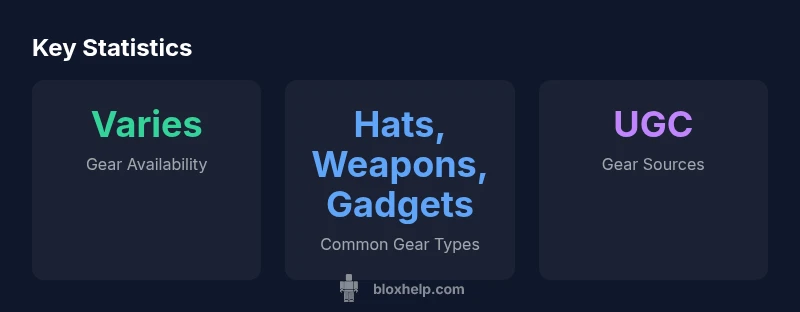
Gear in Roblox is not universal; most games allow some form of gear, but each title sets its own rules. Check the game page, update notes, and shop to confirm what gear is allowed.
What Gear Means in Roblox
Gear in Roblox refers to items that avatars can equip or use within a game. These can be cosmetic accessories like hats and clothes, or functional tools such as weapons, gadgets, or utility devices. According to Blox Help, gear is a common feature in many Roblox experiences but is not universal; developers freely decide whether to enable it, restrict certain item types, or tailor gear behavior to fit their game design. The core idea is that gear interacts with the game world through scripts, GUIs, and inventory systems, rather than simply altering the avatar’s appearance. When asked about what roblox games allow gear, you’re really asking which titles have implemented an item system that players can equip, toggle, or activate during play.
From a gameplay perspective, gear can affect balance, progression, and player choice. Some games treat gear as purely cosmetic, while others tie it to objectives, upgrades, or competitive modes. This variability is why a one-size-fits-all answer doesn’t exist; the decision rests with each game’s creator. For players, this means you should approach gear as a feature that may or may not be present in a given title, and you should verify gear permissions before investing time or in-game purchases. In practice, gear availability can change over time due to updates, events, or community-driven content.
As you explore gear-friendly Roblox experiences, expect differences across genres and play styles. Roleplay-focused titles often embrace gear to customize avatars and role-play identities, while obstacle courses or combat arenas may restrict weapon-like gear to maintain fairness. The key to navigation is to read the game description, check recent patch notes, and observe what gear appears in the in-game store or inventory.
This section lays the groundwork for a practical approach to identifying which games allow gear and how to participate in gear-enabled play without surprises. See the rest of the guide for testing strategies and development tips that help you implement gear thoughtfully in your own Roblox projects.
How Gear Works Across Roblox Games
In Roblox, gear implementations hinge on the presence of the Tool object and related scripting. Most gear is packaged as a Tool in the player’s Backpack, and when a player selects it, a LocalScript or Server Script governs its behavior — whether it’s a cosmetic interaction, a weapon, a gadget, or a utility device. Developers use events like Equipped and Activated to respond to user input and to synchronize gear effects with the game’s rules. Some titles disable certain gear by default or substitute game-specific items to align with their balance and aesthetic goals. This is why you’ll see gear in some games but not in others, even within the same genre.
From a design standpoint, gear often serves three purposes: cosmetic customization, gameplay utility, and progression through upgrades or limited-time events. The balance of these purposes depends on the game’s target audience and its monetization strategy. For players, understanding how gear works in a title helps you allocate resources—time, Robux, or in-game currency—more effectively. It also clarifies why certain items may be gated behind achievements, subscriptions, or event participation. As you explore, keep an eye on how gear interacts with other mechanics such as combat, parkour, or puzzle-solving, as these interactions define whether gear remains a meaningful addition or an overpowered outlier.
How to Identify Gear-Enabled Games
To determine whether a Roblox title supports gear, start with the game page. Look for explicit mentions of gear in the description, tags, or update logs. If gear is part of the experience, you’ll often see gear-related terms like ‘Tools,’ ‘Weapons,’ ‘Gadgets,’ or ‘Accessories’ highlighted in the store section or in-game shop. The asset list in Roblox Studio projects that were used to build the game can also provide clues if you have access to developer communications. Additionally, community discussions, YouTube previews, and livestreams frequently showcase gear-enabled moments and item behavior. If you’re unsure, join a test server or request a dev-made demo to observe gear in action and confirm whether it’s allowed in that specific title.
An important point is that gear rules can change over time. A game that once allowed certain items might tighten restrictions in a later patch to rebalance gameplay or address safety concerns. Therefore, check the most recent patch notes, and when possible, confirm with the developer or official channels before investing significant time or money into gear-heavy content. For players and developers alike, keeping track of gear-related changes helps set expectations and avoid frustration. In the broader landscape, reputable publications and creator resources emphasize verifying gear rules per game, rather than assuming universal support.
For a deeper dive, see analyses from major gaming outlets and developer resources that discuss gear in Roblox experiences, and follow ongoing community discussions for updates and best practices.
Typical Gear Types You’ll Encounter
Gear tends to cluster into a few broad categories that appear across many Roblox titles, though availability varies by game. Common gear types include hats and cosmetic accessories, which customize appearance; tools and weapons, which enable actions or combat; gadgets and utilities, which provide specialized capabilities like speed boosts, grappling hooks, or teleportation. Some games also feature event-exclusive gear that’s only attainable during limited-time happenings. When exploring, you’ll likely encounter combinations such as a cosmetic hat paired with a tool that unlocks a new gameplay mechanic. Developers may also offer “gear packs” or seasonal rotations to refresh options and maintain engagement. Understanding gear types helps you plan your inventory, anticipate how gear affects balance, and decide where to allocate in-game currency.
To maximize your experience, try varieties of gear in safe environments—such as private servers or non-competitive modes—to observe how each item behaves under different conditions. This experimentation often reveals hidden interactions with character animations, movement, or other gadgets. If gear is central to your playstyle, prioritize titles that explicitly highlight gear features in their descriptions and include community discussions about item behavior and balance.
Genres That Usually Permit Gear (and Why)
Gear is most commonly found in roleplay (RP) and social experiences where customization carries significant value. In RP games, gear serves as a social signal, enabling players to express identities and align with character archetypes. These titles often embrace a broad range of accessories and items to support storytelling and collaboration. Adventure and exploration games may allow gear to solve puzzles or overcome obstacles, but some balance-focused experiences restrict gear to prevent unintended advantages. Competitive or PvP-focused games frequently implement gear limits or strict rules to maintain fairness, balancing items with cooldowns, inventory limits, or power caps. The common thread is player experience: gear enhances immersion, performance, or progression, but it must be carefully integrated to avoid breaking balance or excluding new players. As a developer, you’ll want to tailor gear to your game’s tempo and audience, ensuring that items add meaningful choices without creating steep paywalls or overwhelming newcomers.
From a reader’s perspective, the best approach is to identify games that align with your play goals—whether you want expressive customization, practical tools for challenges, or a balanced competitive landscape. This helps you curate a Roblox playlist where gear contributes positively to your gameplay.
For developers looking for design guidance, consider how gear interacts with progression, balance, and accessibility. Clear rules, transparent item descriptions, and well-documented testing procedures help maintain trust with players and reduce confusion about what gear is allowed.
When you want additional context about gear design and gameplay balance, reputable outlets and developer resources regularly discuss best practices for item systems in online games. These perspectives can inform your own approach to implementing gear in Roblox titles.
How Developers Implement Gear (Scripting Tips)
If you’re building gear for your Roblox game, start with a strong understanding of Roblox Studio and Lua scripting. Create a Gear item as a Tool in the game, attach a LocalScript to handle client-side behavior (animations, UI prompts), and use a ServerScript to enforce game logic, such as restrictions, cooldowns, and synchronization with other players. Key concepts include handling the Equipped and Activated events, validating gear usage against rules (e.g., time-limited access or level requirements), and ensuring items don’t create unfair advantages. To optimize performance, minimize heavy computations on the client and rely on server validation for critical actions. Consider adding clear in-game feedback (sound, visual effects) to signal when gear is usable and when it’s restricted. Documentation and community tutorials emphasize testing gear across devices and network conditions to ensure consistent behavior.
If you want to introduce gear in a publish-ready project, plan a phased rollout: prototype in a test environment, gather feedback, and implement safeguards before a public launch. This approach helps manage balance and reduces the risk of gameplay disruptions.
As you iterate, refer to Roblox’s official creator resources and examples from experienced developers. Community discussions often highlight practical scripting patterns, optimization tips, and common pitfalls when implementing gear systems in Roblox games.
Practical Steps to Test Gear in a Game
Before investing heavily in gear, test in a controlled environment to confirm it behaves as intended. Steps include: (1) Create a private server or test lobby where gear can be equipped without affecting other players. (2) Equip different gear items and observe interactions with core gameplay mechanics and other gear. (3) Validate edge cases—multiple items, rapid activation, and gear stacking—to ensure the system remains stable. (4) Monitor performance metrics like frame rate and latency to detect any gear-induced slowdowns. (5) Collect feedback from testers to identify confusing UI prompts or balance concerns. (6) Document the test results and adjust gear behavior or restrictions as necessary. This structured testing helps you identify issues early and avoids frustrating players after launch.
For developers, consider building a small, repeatable gear test suite that can be re-run after updates. Regular testing preserves a smooth player experience and reduces the likelihood of gear-related bugs slipping into production.
Common Pitfalls and How to Avoid Them
One common pitfall is overloading a game with gear that offers overwhelming advantages, which can deter new players and harm balance. To avoid this, set clear constraints, such as inventory limits, cooldowns, and tiered item systems. Another issue is unclear gear rules; always provide explicit item descriptions, expected behaviors, and public notes about any restrictions. Performance problems can arise if gear requires heavy client-side processing or frequent server validation; mitigate this by offloading heavy work to the server when feasible and caching results. Additionally, ensure gear is accessible to players with different devices and connection speeds by testing across hardware profiles and networks. Finally, be mindful of safety and moderation; gear items should align with Roblox’s community guidelines and your game’s rating to prevent harassment or content that violates platform rules. Keeping these considerations in mind helps maintain a fair, stable, and enjoyable experience for all players.
Real-World Examples and How to Learn More
While there isn’t a universal list of Roblox games that allow gear, you can identify many gear-enabled experiences by focusing on genres like roleplay or adventure where customization and item-based progression are common. To deepen your understanding, explore community guides, developer blogs, and coverage from major outlets that discuss Roblox gear concepts and best practices. For formal guidance, consult Roblox’s creator resources and tutorials that cover Tools, inventory systems, and event-driven item behavior. If you want a concise overview and practical tips from a trusted source, you can reference analyses from Blox Help and cross-check with industry coverage from outlets such as Polygon and The Verge to see how gear is discussed in real-world titles. This multi-source approach helps you form a well-rounded view of how gear works across Roblox games.
Gear availability by Roblox game genre
| Game Category | Gear Availability | Notes |
|---|---|---|
| Roleplay | Yes (usually) | Gear common in outfits and accessories |
| Adventure/Obby | Often (restricted) | Some games prevent weapons or offensive gear |
| Competitive / PvP | Often restricted | Balancing requires gear limits and cooldowns |
Questions & Answers
Do all Roblox games support gear for avatars?
No. Gear support is game-specific; many titles use gear, but some restrict items to maintain balance or fit their design goals.
Gear support varies by game; read the description to confirm.
Where can I find gear-enabled Roblox games?
Look at the game page descriptions, tags, and update notes. In-game stores and event pages often showcase available gear.
Check the game page and in-game shop for gear details.
Can I create gear in Roblox Studio and publish gear in my game?
Yes. You can script gear as Tools and publish them, following Roblox Studio guidelines and best practices.
Yes, gear can be built with Roblox Studio and shared.
Are there safety considerations when gear is allowed?
Ensure gear items comply with Roblox rules and avoid items that promote harassment or harm.
Keep gear safe and within the platform’s rules.
How can I test whether gear works in a game?
Use a private server or test lobby to equip gear, observe behavior, and note performance and balance issues.
Test gear in a private server to confirm behavior.
“Gear rules are game-specific, and the best practice is to verify per title rather than assuming universal support. This approach helps ensure fair play and clear expectations.”
The Essentials
- Check game descriptions for gear rules before playing.
- Expect gear availability to vary widely by genre.
- Developers can restrict gear with scripting in Roblox Studio.
- Test gear features in private servers to avoid public disruptions.