Biggest Roblox Explosion Gear: A Practical Guide
Explore which Roblox gear produces the largest explosions, why explosion sizes vary across games, and how to compare effects safely using Roblox Studio and in-game testing. A data-driven guide by Blox Help to help players and developers evaluate visuals.


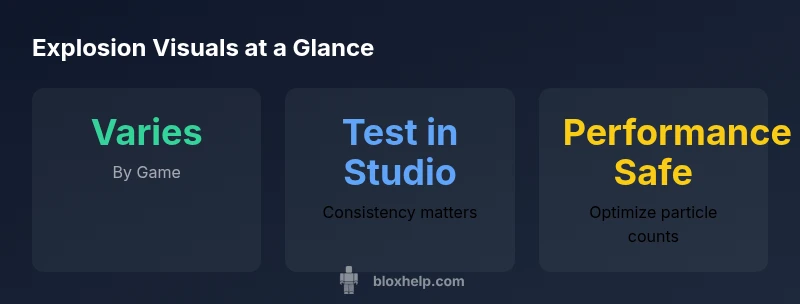
According to Blox Help, there is no universal 'biggest explosion' gear in Roblox. Explosion size is determined by game scripts and asset design, so the largest effect varies by title. Generally, items labeled as bombs or explosive projectiles produce the biggest visuals, but many developers customize effects, meaning results differ from game to game. For precise comparisons, test in each experience.
Why Explosion Size Varies Across Roblox Games
In Roblox, there isn't a single universal standard for how big an explosion should look. Realistic, cinematic, and cartoony styles all affect perceived size. The main drivers are the game’s particle emitters, lighting, camera distance, and how the engine scales the effect for different devices. According to the Blox Help Editorial Team, the final look is a blend of asset design, scripting, and player perspective—not a fixed spec. Titles with rich asset pools and aggressive post-processing tend to show the most dramatic blasts, while lighter experiences optimize for performance. When you compare gear across titles, focus on consistent criteria: blast radius, particle density, debris visibility, and sound complement. Context matters: a tiny explosion in a fast-paced game may feel bigger than a large blast in a slow, dim environment.
- Use consistent camera angles when testing.
- Compare not just visuals but timing and impact on gameplay.
- Note device performance to avoid FPS drops.
How Developers Build Explosive Effects
Creating a convincing explosion in Roblox involves several interdependent components. The core is typically a combination of a particle emitter, a sound cue, lighting, and sometimes debris models. Scripting governs when and where the explosion triggers and how it propagates through the scene. Developers can scale visuals by adjusting particle lifetimes, spawn rates, and color. They also rely on replication rules to ensure explosions look the same on all clients, which can influence how large the effect appears on different screens. Great explosions balance spectacle with performance, avoiding frames drops while keeping players immersed.
- Start with a baseline emitter.
- Add scalable parameters so you can tune for different devices.
- Test across a range of view distances to keep the illusion consistent.
Common Gear Categories That Deliver Large Explosions
Several archetypes consistently deliver strong visual explosions, though outcomes vary by game:
- Bombs and explosive projectiles: often produce a wide blast with rapid particle dispersal.
- Rocket launchers and missile assets: can generate columnar flame, smoke, and debris.
- TNT blocks, dynamite bundles, or crate detonations: provide broad-area effects that feel substantial in sandbox and combat titles.
Note that in many experiences, the exact look is a function of how the author scripts particle counts, lighting, and post-processing rather than a fixed asset. To compare sizes, view the same asset in multiple environments and at similar camera distances.
Safety, Performance, and Visualization Trade-offs
Large explosions are visually impressive but can strain performance on weaker devices. Optimized games use particle caps, level-of-detail (LOD) adjustments, and lightweight shaders to maintain framerate. Sound design and lighting can enhance perceived size without increasing rendering cost. When testing, simulate a range of hardware from lower-end devices to high-end PCs to ensure the explosion remains impactful without causing jitter or stuttering. Clear communication of explosion scale in game docs helps players anticipate impact during play.
Practical Steps to Compare Explosion Sizes in Roblox Studio
- Create a dedicated testing place with a neutral environment and consistent lighting.
- Add several explosion assets (bombs, rockets, TNT) and place them at the same distance from your camera.
- Use a fixed camera to compare perceived size, then adjust particle counts and lifetimes in increments.
- Record short test clips at different device targets to evaluate performance.
- Document your observations with screenshots and notes on scale, brightness, and debris visibility.
This process helps identify which gear delivers the biggest visual impact in your chosen context while keeping performance in check.
Maximizing Impact Without Sacrificing FPS
To push explosion visuals without crippling performance, developers can: choose a subset of high-impact emitters; cap particle counts; use post-processing sparingly; and rely on lighting to augment perceived scale. Scripting can stagger explosions so the scene doesn’t render dozens of effects simultaneously. Educate players about the intended scale through UI hints and in-game tutorials. Always test in real-world scenarios and adjust based on feedback and device diversity.
Real-World Examples and How to Reproduce Them
Consider common Roblox genres such as combat arenas and exploration experiences. In these spaces, explosions often serve as dramatic punctuation—larger effects appear when players trigger special abilities or during boss encounters. To reproduce these visuals, study how other games time explosions with game events, then experiment with emitters and sound cues in Roblox Studio. Remember that actual perceived size varies with camera effects and scene lighting.
Representative gear explosion sizes across Roblox genres
| Gear Type | Typical Explosion Visual | Notes |
|---|---|---|
| Bombs or explosive projectiles | Very large, dramatic visual | Common in arcade styles and battles |
| Rocket launchers | Massive blast with debris | Often requires higher-end devices |
| TNT blocks or dynamite bundles | Wide-area explosion | Popular in sandbox games |
Questions & Answers
Is there a single Roblox gear that always has the biggest explosion?
No. Explosion size depends on the game's assets and scripting. What looks large in one experience may remain modest in another.
No — explosion size depends on the game; test across experiences to compare.
How can I safely test explosion sizes in Roblox Studio?
Create a controlled test area with consistent lighting and a fixed camera. Add several explosive assets and compare their visuals side by side while monitoring FPS.
Set up a controlled test area and compare different explosions side by side.
Do bigger explosions affect game performance?
Yes, larger particle counts and debris can strain performance. Use particle caps and test on multiple devices to ensure smooth gameplay.
Bigger explosions can slow things down; optimize and test on various devices.
Can I customize explosion size in a Roblox game I publish?
Yes. You can adjust particle emitters, lifetimes, and lighting to scale visuals while maintaining performance.
You can adjust scale with emitters and lighting and keep performance in mind.
Where can I find assets to experiment with explosion visuals?
Search Roblox Library for assets labeled as bombs, blasts, or dynamite and test them in Roblox Studio.
Check Roblox Library for explosion-related assets and test in Studio.
“There is no universal largest explosion in Roblox; the effect is driven by how a game scripts and textures are used. Focus on safe, scalable visuals that work across devices.”
The Essentials
- Test explosions with fixed camera angles to compare size
- Explosion visuals vary by game assets and scripting
- Balance impact with performance using emitters wisely
- Use Roblox Studio to recreate and compare different gear effects
- Document scale notes for consistent player experience