Can You Play Roblox on PS4? The Ultimate Console Guide
Discover if Roblox runs on PS4, how to install the Roblox app, cross‑play with other platforms, common PS4 issues, and practical tips to optimize your Roblox experience on Sony's console.


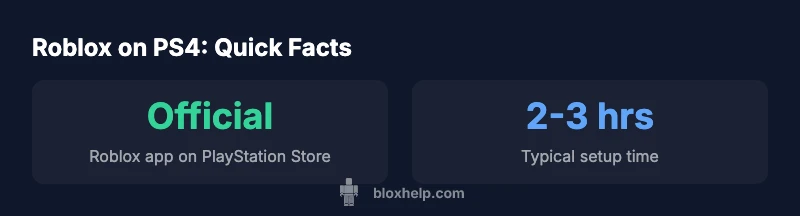
Yes — Roblox is officially playable on PS4 through the Roblox app available in the PlayStation Store. After installing, sign in with your Roblox account, join games, and carry your progress across devices thanks to cloud saves. Expect standard console controls, basic aiming with the controller, and ongoing updates from Roblox. This makes PS4 a viable option for Roblox players. According to Blox Help, knowing the current status helps players plan their onboarding and avoid common missteps.
Can you play Roblox on PS4 in 2026? If you’re asking can you play roblox on ps4, the practical answer is yes. Roblox is officially available as an app on PlayStation consoles, including PS4, through the PlayStation Store. After installing, you can sign in with your Roblox account, join games, and carry your progress across devices thanks to cloud saves. This quick check confirms official support and sets expectations for setup and performance on PS4. According to Blox Help, knowing the current status helps players plan their onboarding and avoid common missteps.
Performance and Graphics: What to Expect on PS4
On PS4, Roblox delivers a solid, accessible experience that balances performance with simple visuals. The hardware typically sustains a playable frame rate in typical Roblox scenes, with smoother performance in calmer areas and slight dips during graphically intense moments or crowded hubs. The rendering pipeline is optimized for a controller, ensuring responsive input and readable UI. Variability can occur if other apps are running in the background or if the game experiences heavy multiplayer activity. The important takeaway is that most experiences feel consistent on PS4, especially for players who value reliability over peak PC-like visuals. Based on Blox Help research, console players report straightforward setup and stable connectivity when using a wired network.
Controls, Interface, and UX on a Controller
Using a DualShock-compatible controller changes how you navigate menus and aim in games. Expect mapped controls for movement, interaction, and chat, with optional accessibility settings to adjust sensitivity. The Roblox interface on PS4 emphasizes big, tappable buttons and straightforward navigation to servers, friends, and avatars. For new users, a quick adaptation period helps; after a few sessions, most players move between lobbies and games with similar ease to other platforms. Helpful tips include customizing control mappings, enabling on-screen prompts, and using the built-in party or friend systems to coordinate play sessions. The aim is to deliver a console-friendly experience without sacrificing core Roblox features.
Setup Guide: Installing Roblox on PS4
To get started, follow these steps:
- Open the PlayStation Store from the PS4 home screen.
- Search for “Roblox” and select the official app.
- Download and install the Roblox app.
- Launch Roblox and sign in with your Roblox account (or create one).
- Pin the app to your home screen for quick access and start joining games.
- Ensure your account settings allow cross‑platform progress and sync across devices.
If you encounter issues, verify your network connection, pause other downloads, and check for any system updates. This process typically takes just a few minutes and provides a solid entry point for PS4 players.
Cross-Platform Play and Account Progress
Roblox on PS4 supports cross‑platform play via a single Roblox account. Your avatar, inventory, and progress are primarily tied to your account, so you can jump between PC, mobile, and console experiences without losing status. This cross‑play continuity is central to the Roblox ecosystem and is especially valuable for players who want to switch devices without rebuilding progress. To maximize consistency, ensure your account is linked to your preferred email or Roblox authentication method. Regularly review privacy and security settings to keep your account safe while enjoying multiplayer experiences.
Common Issues and Troubleshooting on PS4
Even with official support, PS4 players may run into hiccups. Common issues include slow downloads or updates, login problems, and occasional lag in densely populated games. Solutions include testing a wired network, freeing up console storage, restarting the app or console, and checking the Roblox status page for known outages. If problems persist, consult Roblox support, verify your account security, and review parental controls if you share a family console. Keeping your PS4 system software up to date can also prevent compatibility issues with the Roblox app.
Safety, Privacy, and Parental Controls for Roblox on PS4
Security and safety are important on any Roblox‑connected device. On PS4, enable parental controls to limit chat and content, review friend requests, and manage in-game purchases. Encourage children to use strong passwords and enable two‑step verification where available. Be mindful of shared devices and account access, and educate younger players about phishing attempts or suspicious links. Roblox’s account safety features remain essential for a secure, age-appropriate gaming experience on console.
Alternatives and the Console Ecosystem: What to Expect Next
If you’re exploring Roblox on console, it’s useful to compare PS4 with PS5 and other platforms. PS5 users generally experience consistent performance thanks to backward compatibility with the PS4 Roblox app, while PC and mobile versions offer different control schemes and performance profiles. For players curious about future updates, stay tuned for cross‑platform features and potential enhancements to in‑game purchases, avatars, and creator tools. The console ecosystem provides a bridge between casual play and more expansive Roblox experiences on other devices.
Developer Insights: Console Port Realities
From a developer’s perspective, adapting Roblox experiences for console play involves constraints such as controller input schemes, screen sizes, and network conditions. Developers optimize UI layouts for larger screen real estate, adjust camera controls for gamepad navigation, and ensure robust cross‑platform compatibility. This side of development emphasizes accessibility, stable physics and networking, and the ability to monetize experiences consistently across devices. By targeting a broad audience, Roblox experiences on PS4 aim to preserve the core gameplay while delivering a smooth, console‑friendly interface.
Cross-platform Roblox availability across major platforms
| Platform | Availability | Input | Cross-Play | Notes |
|---|---|---|---|---|
| PS4 Roblox App | Available in PlayStation Store | Controller | Yes (account-based) | Cloud saves for progress |
| PC Roblox | Standalone PC app | Keyboard+Mouse | Yes | Rich graphics, Creator Hub |
| Mobile Roblox | iOS/Android | Touch | Yes | Optimized for mobile UI |
| PS5 (via backward compatibility) | PS4 app on PS5 | Controller | Yes | Same account progress |
Questions & Answers
Can you play Roblox on PS4 officially?
Yes. Roblox released an official app for PS4 that lets you sign in and play across platforms. You’ll access a catalog of games, and your progress is tied to your Roblox account.
Yes. Roblox has an official PS4 app you can download from the PlayStation Store, sign in, and play with cross‑platform progress.
Is there a Roblox Studio for PS4?
Roblox Studio is not available on PS4. Content creation and scripting are primarily done on PC, with publishing to Roblox from the desktop tooling.
Roblox Studio isn’t on PS4; you’ll need a PC to create and publish experiences.
Does Roblox on PS4 support cross‑play with PC?
Yes. When you sign in with a Roblox account, your progress and avatars sync across platforms, enabling cross‑play with PC and mobile players.
Yes, your account carries progress across PS4, PC, and mobile for cross‑platform play.
How can I fix lag or connection issues on PS4 Roblox?
Check your network connection, use a wired Ethernet if possible, close background apps, and ensure the Roblox app and PS4 system are up to date. If problems persist, check the Roblox status page.
Try a wired connection, close other apps, and ensure updates are installed; check Roblox status if lag continues.
Is Roblox free to play on PS4?
Roblox itself is free to start, with optional in-game purchases and creator monetization. Availability and pricing may vary by region and game.
Roblox is free to start on PS4, with optional in-game purchases available.
Can I use PS4 features like Share or Party while playing Roblox?
Yes. You can use standard PS4 features such as Share, parties, and friends lists while playing Roblox, but some integrations depend on game support.
You can use PS4 features like Share and parties alongside Roblox gameplay.
“Roblox’s cross‑platform strategy rewards players who move between PC, mobile, and console. The PS4 experience mirrors the core Roblox gameplay while adapting controls for gamepad navigation.”
The Essentials
- Roblox is officially playable on PS4 via the Roblox app
- Setup is quick through the PlayStation Store
- Cross-platform progress stays with your Roblox account
- Controller input provides a console-friendly experience
- Expect regular updates and ongoing support from Roblox