Is Roblox Appropriate for Kids? A Practical Family Guide
Explore whether Roblox is appropriate for kids, with safety settings, parental controls, content filters, and practical tips for families to supervise play, manage purchases, and choose age-appropriate experiences.


How to evaluate Roblox's suitability for kids
A practical assessment of Roblox starts with understanding that it is a platform built on user-generated content. There isn’t a single, universal age rating that covers every experience; instead, the overall safety of Roblox depends on the individual games kids choose, how the account is configured, and how closely guardians supervise play. According to Blox Help, families should anchor their decision on three pillars: age-appropriate game selection, robust safety settings, and ongoing conversation about online behavior. If you set boundaries before play begins and revisit them regularly, Roblox can be a productive space for creativity and collaboration while reducing risk. For most families, a shared approach—where kids explore with a parent or guardian present—yields the best balance of freedom and safety.
Age suitability and content categories
Roblox’s content spectrum is broad because games are created by millions of users. This means that some titles are clearly suitable for younger players, while others may include mature themes, stronger language, or competitive environments. Rather than relying on a single rating, parents should help kids identify content labels, player counts, and user reviews. In practice, limit exploration to curated collections or creator-made lists that emphasize learning, simulations, or cooperative play. Blox Help’s ongoing research emphasizes that ongoing monitoring and discussion about game choice are essential to keep experiences aligned with a family’s values.
Safety and parental controls in Roblox
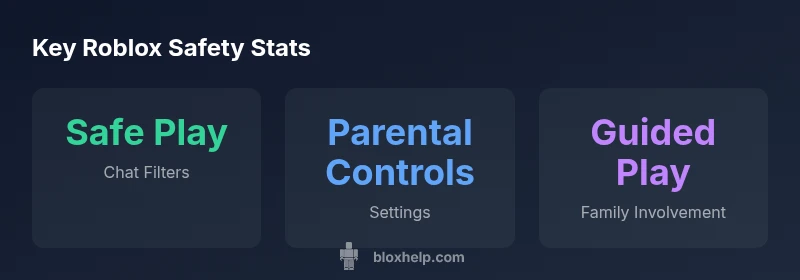
Safety in Roblox is built from layered controls and proactive oversight. Start by enabling Account Restrictions or Family Safety mode, which narrows experiences to a whitelist of approved games and disables direct chats with strangers. Turn on Safe Chat and Privacy controls to limit who can message, friend, or join your child’s games. Create a family account PIN to prevent changes to settings, and review device-level protections, like screen time limits, on a regular basis. Teach kids to report inappropriate content and to avoid sharing personal information. According to Blox Help, a proactive safety setup tends to reduce unexpected exposure and creates a more enjoyable environment for kids.
Interaction risks and privacy considerations
Even with filters, online games can expose kids to peer pressure, deception, or sharing personal information. Roblox users can encounter strangers through in-game chats or private messages; some interactions may lead to anxiety or bullying. Encourage kids to keep personal information private, use mute/block features, and report anything that feels unsafe. Privacy considerations also include controlling who can see a child’s profile, limiting data collection, and staying informed about how Roblox collects data. The safest path combines technical controls with clear, age-appropriate boundaries.
In-game purchases and Roblox economy basics
In-app purchases are a core part of Roblox’s economy, often represented by Robux. Settings exist to control spending, including requiring a parent to approve purchases or enabling “Ask to Buy”-type prompts on compatible devices. Set spending limits and regularly review a child’s wallet activity. To avoid unexpected charges, teach kids about the value of virtual goods, budget-friendly game choices, and the importance of parental oversight for any microtransactions. This is another area where supervision and communication play a critical role.
Practical setup steps for families
A practical setup plan starts with a family onboarding session: discuss rules, establish a play schedule, and agree on safe behaviors. Create a dedicated Roblox account for the child with appropriate privacy settings (no public search visibility, restricted friend requests, and minimized contact with strangers). Turn on chat filters, enable Account Restrictions, and set a PIN for changes to settings. Use a shared device or approved devices to monitor sessions, and encourage kids to pick games with cooperative goals and educational or creativity-oriented themes. Regular check-ins are essential to adapt to new games and experiences.
Game selection strategies and supervision tips
When choosing Roblox games for kids, prioritize titles with high ratings for age appropriateness and a strong track record of positive social interactions. Prefer co-op experiences over competitive ones, and select games that emphasize creativity, collaboration, or problem-solving. The supervision strategy should evolve with age: younger kids benefit from direct co-play, while older kids can handle more autonomy with strict safety rules in place. Teach kids to pause sessions, save progress, and report any uncomfortable interactions promptly.
Alternatives and supplementary activities for balance
While Roblox can be a fun digital activity, balance is key. Schedule non-screen activities such as outdoor play, board games, or creative projects to reduce screen time and expand skills outside the virtual world. If you’re concerned about content variety, explore alternatives like kid-friendly coding apps or sandbox games that emphasize design and architecture. The best approach is a blended routine that supports curiosity, learning, and safe online behavior.