How to Redeem Robux via www roblox com redeem: A Complete Guide
Learn how to redeem Roblox gift cards securely via www roblox com redeem. This step-by-step guide covers entering codes, troubleshooting errors, safety tips, and next steps in the Roblox economy.


Redeeming a Roblox gift card converts a code into Robux or a Roblox Premium balance through the official site at www roblox com redeem. You’ll sign in, enter the code exactly as shown, and click Redeem to add funds to your account. This quick process unlocks in‑game purchases and boosts for your Roblox adventures.
Why Redeeming Robux Matters for Roblox Players
For many Roblox players, adding Robux or Premium balance empowers new adventures, avatar customization, and access to in-game items. Redeeming a gift card is typically the simplest path to fund your account without a credit card on file. According to Blox Help, the core steps are straightforward when you use the official redemption page and input a valid code exactly as printed. The Blox Help team found that attempting to redeem on unofficial sites often leads to errors or fraud risk, so sticking to the official page at www roblox com redeem is essential. Gift cards are widely available in stores and online and provide a predictable way to control spending, especially for younger players. Before you start, ensure you have a legitimate card or digital code and confirm you’re on the correct region to avoid redemption failures. Understanding the value of Robux and Premium helps you decide how best to allocate funds once the code is applied.
Tools & Materials
- Roblox gift card code(Code printed on a physical card or provided digitally)
- Device with internet access(Desktop, laptop, tablet, or smartphone)
- Web browser or Roblox app(Use the official site for redemption)
- Pen and paper (optional)(Record codes or purchase details)
Steps
Estimated time: 5-10 minutes
- 1
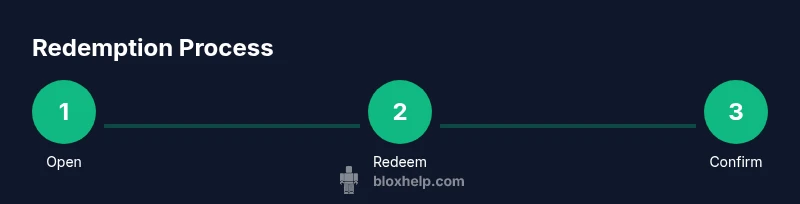
Open the Roblox redemption page
Navigate to the official redemption URL and ensure you're on the legitimate site. If you’re on a shared device, sign out after redeeming. This keeps your code secure and prevents others from redeeming it.
Tip: Bookmark the official URL to avoid phishing sites. - 2
Sign in to Roblox
Sign in with your Roblox credentials so the redeemed value is linked to the correct account. If you don’t have an account, create one before redeeming.
Tip: Use two-factor authentication for added security. - 3
Prepare your gift card code
Locate the gift card code on the card or email. Double-check for any typos and ensure the code matches exactly as printed.
Tip: If copying, paste directly to avoid mistypes. - 4
Enter the code on the redemption page
Type the code exactly as shown, including any hyphens. Use the paste function if available to minimize errors.
Tip: Take a moment to verify each character before submitting. - 5
Click Redeem and confirm
Click the Redeem button and wait for the confirmation message. The balance or Premium status should update immediately if successful.
Tip: If you miss the confirmation, refresh the page and check your balance. - 6
Check your balance in Roblox
Open the Robux section or Premium settings to verify the new balance or status. Ensure the funds reflect on your account.
Tip: Log out and back in if the balance isn’t showing up right away. - 7
Troubleshoot or contact support
If the code is invalid or region-restricted, verify the card with the issuer or Roblox Support. Do not retry endlessly on the same code.
Tip: Have your purchase receipt handy when contacting support.
Questions & Answers
Where do I redeem Roblox gift cards?
Redeem Roblox gift cards on the official page at www roblox com redeem after signing in. Enter your code exactly as shown and press Redeem to add Robux or Premium balance to your account.
Go to the official Roblox redemption page at www roblox com redeem, sign in, and enter your gift card code.
What should I do if the code is invalid?
First, verify the code’s accuracy and region. If it’s still invalid, check whether it was already redeemed or contact the issuer or Roblox Support.
Double-check the code and region; if it still doesn’t work, reach out to support.
Can I redeem gift cards on mobile devices?
Yes. You can redeem on a mobile browser or within the Roblox app by navigating to the official redemption page and entering your code.
Yes, you can redeem from your mobile device using the official page.
Do Roblox gift cards expire?
Expiration policies vary by issuer and region. Check the card terms or the issuer’s guidance to confirm any expiry dates.
Gift card terms vary; check the issuer for any expiry details.
What happens after successful redemption?
Your Robux balance or Premium status updates immediately, and you can start purchasing items or accessing Premium features.
Your balance updates right away; you can start using the funds or Premium features.
Watch Video
The Essentials
- Redeem only on the official site to avoid scams.
- Enter codes exactly as printed to prevent errors.
- Check balance after redemption to confirm funds.
- If issues arise, use official support channels for help.