Brookhaven Roleplay Roblox: A Practical How-To Guide
Learn how to start Brookhaven roleplay on Roblox with practical steps, etiquette tips, and troubleshooting guidance for beginners and aspiring developers.


Brookhaven roleplay on Roblox is about cooperative storytelling within the Brookhaven map, where players embody characters, interact through in-character dialogue, and follow server rules to maintain a safe, engaging space. This guide helps you join communities, craft a memorable character, and navigate common RP scenarios with etiquette-focused tips.
What is Brookhaven Roleplay Roblox?
Brookhaven Roleplay Roblox refers to player-driven narratives and daily-life scenes set inside the Brookhaven town map on Roblox. There isn’t a single official script; instead, communities collaborate to create shared stories by assuming characters, settings, and goals. At its core, successful Brookhaven RP emphasizes cooperative storytelling, clear character goals, and respectful, consent-based interaction. Readers ranging from brand-new residents to seasoned roleplayers can benefit from practical guidance on server selection, character creation, and etiquette to foster immersive, safe experiences. As you explore, you’ll see how small choices—how you describe actions, how you respond to others, and how you honor boundaries—shape the overall RP mood. This article blends actionable steps with examples to help you enjoy Brookhaven RP without stepping on others’ creative space.
Getting Started: Join a Brookhaven RP Server
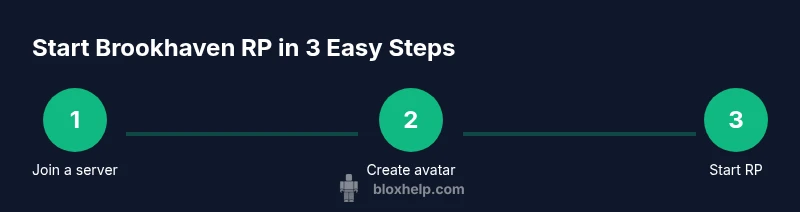
To begin, locate an active Brookhaven RP server with clear rules and welcoming moderators. In Roblox, search for Brookhaven roleplay servers or Brookhaven RP communities, then skim descriptions for rule sets, age guidelines, and moderator presence. Favor servers with recent activity, a reasonable player count, and explicit consent prompts for scenes that involve others. Before diving in, read the etiquette and safety sections posted by the community, and draft a simple character outline to ease your first interactions. This preparation helps you blend into the town’s everyday life quickly and minimizes early friction. If you’re unsure where to start, try a low-pressure meetup like a casual neighborhood hangout to practice in-character introductions and observe how others collaborate.
Creating Your Character for Immersive RP
Character design sets your RP voice. Start with a concise concept: choose a role (student, parent, worker, shop owner) and pick one or two adjectives that describe their demeanor. Define basic backstory elements—where they live, what motivates them, and a short, evolving goal—without locking in every detail. In Brookhaven RP, appearance matters; select clothing, accessories, and a pose that signal your role (teacher, teen, nurse, etc.), while keeping room to adapt as scenes unfold. Practice brief, in-character dialogue to break the ice and invite others into your storyline. Remember: your look should be memorable but flexible enough to evolve with the narrative.
Etiquette and RP Rules to Follow
Etiquette underpins a positive Brookhaven RP experience. Stay in character for dialogue and actions, avoid meta-gaming (using knowledge your character wouldn’t have), and obtain consent before influencing another player’s scene. Keep OOC (out-of-character) chat separate from in-character activity, unless the server supports OOC notes in designated channels. Respect others’ boundaries—some players prefer slower pacing or different topics—and be prepared to pause or exit if a scene becomes uncomfortable. Most communities rely on moderators; report harassment or rule-breaking with precise details and timestamps. Finally, contribute to a collaborative story rather than steering scenes solo, giving others space to shape the narrative.
Common RP Scenarios and How to Navigate Them
Brookhaven RP spans everyday tasks to spontaneous adventures: meeting at a cafe, shopping at a mall, or attending a local event. When joining a scene, announce your character’s intent briefly and respond with clear, in-character actions and dialogue to drive the story forward. Use concrete prompts like “I wave hello” or “I check the calendar for the event” to reduce confusion. If your action affects another character, seek consent and wait for a response. If a scene stalls, propose a simple pivot—changing location or introducing a new objective—to maintain momentum. Remember, RP works best when players support one another, acknowledge others’ choices, and respond believably to evolving situations.
Troubleshooting Common Issues in Brookhaven RP
Disagreements, conflicts, or rule disputes are normal in RP. When directions clash, pause and opt for a neutral stance or a quick timeout to discuss boundaries. If issues persist, use server moderation channels and document specifics—time, location, involved players, and actions taken—before escalating. Lag or connection hiccups during a scene can be managed by slowing pace, pausing, or relocating to a different server; keeping a simple dialogue log helps preserve important moments. If someone behaves inappropriately or pressures you toward unsafe actions, step away and report. Communities thrive on respectful conduct and clear communication; leaning on moderation keeps Brookhaven RP safe and enjoyable for everyone.
Tools and Settings to Enhance Brookhaven RP
Enhancing your Brookhaven RP experience involves both in-game settings and personal preparation. Ensure your Roblox privacy settings align with your comfort level, and enable chat filters if available to reduce exposure to inappropriate language. Customize your avatar to clearly reflect your chosen character while avoiding extreme outfits that hinder readability in group scenes. Use emotes, facial expressions, and accessible camera angles to convey mood without heavy text. Establish a predictable routine for scene openings and closings to help teammates anticipate your actions, which makes collaboration smoother and more immersive.
Safety and Privacy in Brookhaven RP
Protecting your privacy is essential. Do not share personal information, real-life locations, or contact details in RP chats, and be careful when accepting private messages from strangers in-game. Use server tools to block or mute players who invade your safe space, and report any harassment or coercive behavior to moderators promptly. If you feel overwhelmed by a scene or suspect someone is pressuring you into unsafe actions, exit gracefully and seek help from server staff. Practicing good digital safety helps you enjoy Brookhaven RP with less risk and more focus on creative storytelling.
Next Steps for Aspiring Roblox Developers and Creators
For players who want to push beyond playing, Brookhaven RP opens doors to creative development ideas. Learn basic scripting concepts and explore Roblox Studio to prototype your own RP environments or accessories that fit Brookhaven’s vibe. Participate in community discussions, share feedback, and consider creating simple quests or interactive props that encourage cooperative storytelling. While Brookhaven is a hosted experience, building a mindset for collaborative design—clear goals, shared rules, and inclusive gameplay—translates to any Roblox project. The journey from player to creator can start with small scripts, user-generated content, and active participation in RP communities.
Tools & Materials
- Roblox account(Ensure it is active and compliant with Roblox terms.)
- Roblox app or web browser(Use the official app or Roblox site for best performance.)
- Stable internet connection(Broadband recommended; avoid flaky connections during RP.)
- Headset or microphone (optional)(Voice chat is optional and depends on server support.)
- Note-taking tool (optional)(Helpful for tracking character details and ongoing plots.)
- Friendly attitude and time for RP(Patience with slower players and longer scenes improves everyone’s experience.)
Steps
Estimated time: 60-90 minutes
- 1
Log in to Roblox
Open the Roblox app or site, enter your credentials, and review basic privacy and chat settings before joining any RP server.
Tip: Enable two-factor authentication for account security. - 2
Find a Brookhaven RP server
Use Roblox search or trusted community lists to locate Brookhaven RP servers; read descriptions for rules and moderation quality.
Tip: Choose servers with recent activity and clear consent prompts. - 3
Create or refine your character concept
Decide on a role and a few personality traits; draft a one-paragraph backstory you can adapt as scenes change.
Tip: Keep backstory concise to stay flexible in new scenes. - 4
Review server rules and etiquette
Read posted rules, consent guidelines, and any OOC chat expectations; note any sensitive topics to avoid.
Tip: Identify a boundary list and reference it when starting scenes. - 5
Join a scene and introduce your character
Enter with a short, in-character action and a friendly line to invite collaboration from others.
Tip: Use non-confrontational openings to ease others into the scene. - 6
Engage responsibly and stay immersed
Respond to others with in-character actions and dialogue; avoid using out-of-character knowledge to influence events.
Tip: Consent-based prompts keep scenes collaborative and fun. - 7
Reflect and adjust after the session
Review what went well and where you can improve; note character adjustments for future scenes.
Tip: Maintain a simple RP journal to track progress.
Questions & Answers
What is Brookhaven Roleplay Roblox?
Brookhaven RP is a player-driven storytelling format set inside the Brookhaven Roblox map, where participants assume characters, react to scenes, and collaborate to create ongoing narratives.
Brookhaven RP is a Roblox roleplay format where players create characters and collaboratively tell stories in the Brookhaven map.
How do I join a Brookhaven RP server?
Open Roblox, search for Brookhaven RP servers, review the rules, and join one with active players and clear moderation.
Open Roblox, find a Brookhaven RP server with active players, and follow the server rules.
What rules should I follow in Brookhaven RP?
Respect others, stay in character, obtain consent before affecting scenes, and avoid meta-gaming.
Respect others, stay in character, and ask before affecting someone else’s scene.
Do I need voice chat to enjoy Brookhaven RP?
Voice chat is optional and depends on server support and Roblox settings; many RP servers rely on text chat.
Voice chat is optional; many players RP with text chat.
How can I improve my Brookhaven RP character?
Develop a simple backstory, decide a goal for scenes, and practice in-character dialogue to stay consistent.
Create a short backstory, pick goals for scenes, and practice in-character dialogue.
What should I do if a scene becomes uncomfortable?
Pause or exit the RP, communicate boundaries, and report harassment if it occurs.
If uncomfortable, pause or exit, talk to others, and report harassment.
Watch Video
The Essentials
- Join Brookhaven RP servers with clear rules.
- Define a simple character concept and goals.
- Follow etiquette and obtain consent to steer scenes.
- Review sessions afterward to improve future RP.