How to Create a Piano Song in Roblox Studio
Learn to craft a playable piano song in Roblox Studio—from planning to scripting and testing. Practical steps and tips for beginners and intermediate creators.


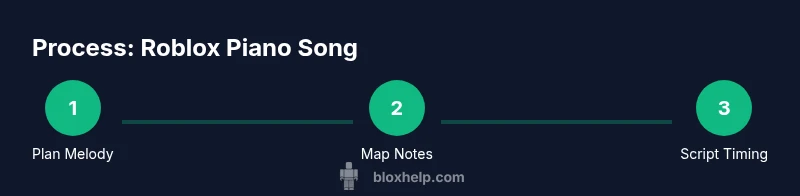
Plan a melody, map notes to Roblox sounds, and script precise timing to create a playable piano song in Roblox Studio. This quick guide outlines the core steps and requirements for building a playable Roblox piano piece that others can enjoy.
Why piano song roblox matters
In Roblox, a piano song roblox can transform a simple melody into an interactive, memorable experience that blends music theory with gameplay. According to Blox Help, integrating rhythm and timing into a Roblox project not only makes the game feel more polished, it also helps players connect with the content on a deeper level. The Blox Help team found that players engage more when they can replay a loop, experiment with tempo, and hear the melody played back with responsive timing. This section will outline why a well-crafted piano piece matters for Roblox creators and players alike, from beginners taking their first steps to seasoned developers refining a musical scene. Expect practical, beginner-friendly strategies that you can apply in your next Roblox project, with concrete examples you can replicate in Roblox Studio.
A piano song roblox is not just about hitting keys; it’s about shaping rhythm, choosing a timbre, and coordinating your playback with game events. When you design with these goals in mind, you build a more immersive and accessible experience. You’ll also learn how to layer textures—like a soft pedal feel via timing adjustments and a bright attack for higher notes—to convey mood and dynamics. The overall aim is to enable players to feel like they’re part of the music, not just passive listeners. This aligns with best practices that emphasize human-centered design and clear, repeatable musical phrases that players can latch onto.
Understanding Roblox sound assets and timing
Roblox uses Sound objects identified by asset IDs. A piano melody in Roblox typically relies on a sequence of short Sound instances, each representing a note or chord, played in a carefully timed order. The key to a convincing piano song roblox is accurate timing: match your tempo (beats per minute, BPM) to a rhythm that players can hear clearly, and ensure each note starts with minimal latency. In practice, you’ll map notes to sound assets, then schedule their playback with precise wait() calls or RunService events. Keeping tempo consistent makes the melody feel intentional, even when the sequence is complex. Remember to stay mindful of latency and frame rate; test often in Studio’s Play mode to confirm that notes land on their intended beats. This section covers practical tips for selecting piano timbres, organizing your assets, and designing a reliable timing structure that supports both simple tunes and longer arrangements.
Design principles for Roblox piano songs
Effective Roblox piano songs balance simplicity and expressiveness. A common pitfall is overloading a short scene with too many notes or harsh transitions between timbres. Start with a clear motif—two to four bars of a memorable melody—and build variations around it. Use symmetry in your phrase lengths to make the tune easy to follow, and employ dynamic cues like louder attacks for emphasis or softer notes for ambiance. When you compose for Roblox, consider accessibility: ensure notes are distinguishable for players with visual impairments by using contrasting sound envelopes and readable visual cues in the UI. This section provides a practical framework for planning your composition, selecting instrument timbres, and drafting a rhythm that feels natural in a game context.
As you plan, keep the phrase structure and tempo in mind. Short sections with recurring motifs are easier for players to learn and for you to code. For hobby projects, a 16- to 32-bar structure is often a good balance between memorability and variety. For larger projects, you may introduce a secondary theme or variation on the main motif to maintain interest without losing cohesion. The goal is to craft a playable, approachable track that still sounds polished and intentional.
Tools, assets, and setup tips
Before you start, gather the essential tools and assets to streamline your workflow. You’ll use Roblox Studio to script and test your piano song roblox, plus a curated set of piano sounds and reference melodies. Having a tempo reference—like a metronome or a simple BPM chart—helps keep timing consistent as you map notes. If you have a MIDI file of your melody, you can convert it into a sequence of notes and durations, then translate those values into Roblox Sound plays. This section also covers how to organize your assets inside Roblox Studio and maintain a clean project structure so it’s easy to iterate on your piano composition. You’ll learn practical tips for asset management, naming conventions, and how to test frequently to catch timing issues early.
Step-by-step planning and mapping
To build a playable piano song roblox, start with a plan. Decide on tempo, the scale, and the instrument timbre. Sketch the melody on paper or a digital reference so you can quickly map notes to Roblox sounds. Create a simple four-beat loop as a foundation, then extend with a contrasting bridge or countermelody. As you map notes, assign each note to a sound object in Roblox Studio by asset ID and ensure the durations align with your beat grid. This planning phase reduces backtracking during scripting and helps you maintain consistency across the piece.
A well-planned melody makes scripting easier and reduces debugging time. Keep your notes in an organized table or array so the playback script can loop through them reliably. Use a readable tempo and a consistent note length—e.g., quarter notes on every beat—to keep the rhythm easy to follow for players who may be listening rather than reading a score.
Example melody mapping and sample code structure
Here we present a concrete, beginner-friendly example to illustrate how you might map a short melody to Roblox Sound assets. Suppose you’ve chosen these notes for a simple in-game piano loop: C4, D4, E4, F4, G4, E4, D4, C4, each with a duration of one beat at 120 BPM. In Roblox Studio, assign each of these notes to a separate Sound object using its asset ID. The playback script would loop through the array of notes, pausing for the duration of each note. This approach is approachable for new scripters and scales up to longer melodies by extending the note array and adjusting timing for tempo changes. With careful organization, you can reuse this structure for variations, repeats, and a chorus section while preserving timing accuracy.
For reference, a basic data structure might resemble: notes = {{pitch=
C4
duration
1
assetId
rbxassetid://12345
notes for C4
...
Tools & Materials
- Roblox Studio(Install the latest version and enable in-game piano assets)
- Piano sound assets(Use Roblox asset IDs and ensure license compliance)
- Tempo reference/metronome(Set tempo to align rhythm)
- Melody reference sheet(Keep visible while scripting)
- Text editor for Lua scripts(Roblox uses Lua; document your mapping)
- Headphones or speakers(For accurate listening)
Steps
Estimated time: 60-90 minutes
- 1
Plan melody and tempo
Define the mood, choose a key and tempo, and sketch a simple motif to establish the song's character. This planning makes the scripting phase smoother and reduces back-and-forth edits. Write down a short melody reference to guide later steps.
Tip: Keep the motif short and memorable; it will repeat in loops. - 2
Set up Roblox Studio project
Open Roblox Studio, create a new place, and organize a folder structure for sounds, notes, and scripts. This baseline helps you scale the project and keeps components easy to find.
Tip: Use a consistent naming scheme like 'Melody_Main' and 'Sound_Note_C4'. - 3
Import and map piano sounds
Add piano sound assets to your project and map each note in your melody to a dedicated Sound object via asset IDs. Keep a log of each mapping for reference during tweaks.
Tip: Prefer clean, evenly sampled piano timbres to avoid clashing dynamics. - 4
Script timed playback
Write a Lua script that iterates through your note array, plays the corresponding Sound, and waits for the note duration. Ensure synchronization with your chosen BPM.
Tip: Use a consistent wait() duration for stable timing. - 5
Add metronome and loop logic
Incorporate a metronome cue and a loop to repeat the melody. This helps players follow the rhythm and makes testing easier.
Tip: Test at different loop lengths to verify consistency. - 6
Test and refine
Play the song in Studio Play mode, adjust speeds, note alignments, and transitions until the timing feels natural. Iterate until you achieve smooth playback.
Tip: Record a short test and compare to your reference melody. - 7
Package and share
Prepare a clean, publish-ready version with documentation on how to trigger playback in-game. Share your piano song roblox with the community and collect feedback.
Tip: Include licensing notes if you used external sound assets.
Questions & Answers
What is the simplest way to map notes to Roblox sounds?
Create a dedicated Sound object for each note and use a looping script to play them in sequence. Keep the durations consistent to preserve rhythm.
Map each note to a sound object and loop the sequence with consistent timing.
Can I import MIDI files directly into Roblox Studio?
Roblox Studio does not import MIDI files directly. Convert MIDI into a note sequence with durations and map those notes to sounds in Roblox.
MIDI files can't be imported directly; convert to a note-by-note sequence.
Where can I find free piano sounds for Roblox assets?
Use Roblox library assets or licensed piano samples from reputable sound libraries. Always check the license before using assets in a release.
Look for piano sounds in the Roblox library and verify licenses.
Do I need to code to make a piano song playable?
Yes. A looped playback script in Lua coordinates timing, notes, and playback triggers. Non-coding options are limited for dynamic rhythm control.
Some scripting is required to time notes and loops.
How do I test the piano song in Roblox Studio?
Use Play mode to run the scene, listen for timing accuracy, and adjust note durations or BPM as needed. Re-test after each change.
Run it in Studio to check timing and adjust as needed.
What are common mistakes when creating Roblox piano songs?
Inconsistent tempo, overlapping sounds, and ignoring asset licensing can derail a project. Keep it simple and verify timing with a metronome.
Watch out for tempo drift, overlapping notes, and licensing issues.
Watch Video
The Essentials
- Plan before scripting to save time.
- Map notes to assets with clear naming.
- Test timing frequently to ensure rhythm accuracy.
- Keep melodies simple for accessibility and reliability.