Auto Aim Roblox: Safety, Rules, and Legit Tips for Players
Learn why auto aim Roblox cheats violate rules, how they affect players, and legitimate ways to improve aiming skills through practice and fair play in Roblox.


Auto aim Roblox refers to cheats that automatically target opponents in-game, typically through external tools or exploits. Using or distributing these cheats violates Roblox's Terms of Service, can lead to permanent account bans, and harms the experience of other players. This article instead explores legitimate ways to improve skill and fair play.
Why Auto Aim in Roblox is Problematic
Auto aim cheats undermine the core experience of Roblox by giving some players unfair targeting advantages, which can ruin matchups and frustrate others. Beyond fairness, they breach Roblox’s Terms of Service and can trigger automated bans or permanent suspensions. According to Blox Help, communities grow strongest when players compete on skill and learning rather than shortcuts. Cheating also erodes trust, making it harder for developers to deliver balanced experiences and for newcomers to enjoy competitive games without fear of unfair play. In short, auto aim disrupts the ecosystem that makes Roblox fun for creators and fans alike. If you value fair play, prioritize legitimate practice and community etiquette over shortcuts.
Roblox's Stance and Anti-Cheat Efforts
Roblox actively pursues cheating prevention through a combination of automated detection, reporting channels, and user education. The platform emphasizes that any tool or script designed to manipulate aiming or gameplay is not allowed and may lead to enforcement actions. Based on Blox Help analysis, the focus remains on protecting players and ensuring a level playing field rather than targeting individual users. Developers frequently update game permissions and anti-cheat measures to adapt to new exploits, which means players should stay informed and avoid third-party tools that claim to ‘enhance’ accuracy. By supporting official channels and reporting suspicious behavior, the community helps Roblox uphold its standards for safe, creative gameplay.
Legit Ways to Improve Aiming in Roblox
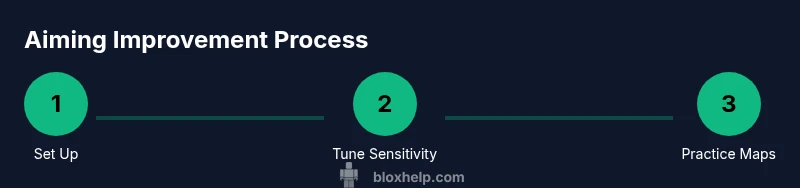
If you want to raise your skill level ethically, focus on disciplined practice and smart settings rather than shortcuts. Start with comfortable sensitivity settings in the Roblox client and in-game controls, then gradually refine your aim through targeted drills. Build muscle memory with short, consistent practice sessions and monitor your progress with replays and self-review. The goal is to improve reaction time and accuracy through legitimate effort rather than relying on external tools. Regular, focused practice helps you gain confidence and enjoyment in your favorite Roblox titles while preserving a fair playing field for everyone.
Practice Environments and Training Habits
Practice in controlled environments is essential for sustainable improvement. Use official practice maps or sandbox stations that Roblox or game creators provide to isolate aiming drills from other gameplay elements. Set a consistent schedule—short daily sessions are often more effective than long, sporadic marathons. Track metrics like hit rate, time-to-target, and drift control over weeks to see genuine progress. Pair drills with reflective review: watch replays, note recurring mistakes, and adjust your approach. Building a routine that combines repetition with strategic variation yields durable improvements without compromising integrity.
Equipment and Settings That Help (Legitimate)
A solid aiming setup reduces fatigue and improves precision. A responsive mouse with good sensors, a comfortable chair, and a stable desk setup make a meaningful difference. Pair this with a monitor that offers a smooth refresh rate and consistent input latency. In Roblox, adjust sensitivity so that targets can be tracked smoothly without overshooting. Use a high-quality gaming mouse pad and ensure your input devices are free from software that automates actions. Remember: performance gains come from consistent practice and sensible hardware choices, not from hacks.
Avoiding Cheating: How to Report and Stay Safe
If you encounter suspected cheats, use Roblox’s built-in reporting tools and community moderation channels to notify developers and policy teams. Protect your own accounts by enabling two-factor authentication and avoiding untrusted software. Public awareness—sharing legitimate training tips and encouraging fair play—strengthens the community and reduces the incentive to rely on shortcuts. By reporting suspicious behavior and focusing on ethical play, you contribute to a safer, more welcoming Roblox ecosystem for everyone.
Common Misconceptions About Aiming and Anti-Cheats
Many players believe that cheating is a quick path to success or that anti-cheat systems don’t catch modern hacks. In reality, Roblox’s enforcement is ongoing, and cheat tools often leave traces that resurface in updates or moderation actions. Others assume that increasing raw reflexes alone guarantees better performance; however, aiming is a learned skill that benefits from consistent practice, proper settings, and a healthy gaming routine. Finally, some think that bans are rare; while enforcement can vary by region and title, sustained cheating generally leads to penalties. Embracing ethical practice builds lasting skill and trust within the Roblox community.
Realistic Mindset: Fair Play and Progression
Adopting a fair-play mindset is the fastest route to lasting improvement. Focus on measurable progress over flashy shortcuts, celebrate small wins, and incorporate rest to avoid burnout. When you improve through practice, you’ll enjoy more consistent results across diverse Roblox titles and gameplay modes. The community benefits from players who model responsible behavior and encourage others to develop skills legitimately. The long-term payoff is a richer, more rewarding Roblox journey for you and every player you encounter.
Tools & Materials
- Mouse with precise sensor(look for 800-1800 DPI; 1000 Hz polling if available)
- Gaming monitor with low latency(aim for 60-144 Hz refresh rate for consistency)
- Non-slip mousepad(large enough for full arm movement)
- Ergonomic chair and stable desk(reduces fatigue during practice)
- Official practice maps or sandbox environment(provided by Roblox or game developers)
Steps
Estimated time: 60-90 minutes
- 1
Set up hardware for comfort
Power on your equipment and verify that your mouse and keyboard respond consistently. Confirm high polling rate and stable surface to minimize tracking noise. A comfortable setup reduces fatigue and helps you maintain focus during drills.
Tip: Adjust chair height so your forearms are parallel to the desk and wrists stay neutral. - 2
Open Roblox sensitivity settings
Navigate to the control settings and establish a baseline sensitivity. Start with moderate values and avoid extreme, jerky movements that degrade precision. This baseline will become the reference point for future tweaks.
Tip: Keep changes small (1-2 clicks) to isolate the effect of each adjustment. - 3
Calibrate aim with a controlled drill
Use a dedicated practice map to focus on tracking and head-level precision. Practice short bursts and deliberate slow movements to develop steady control. Record your attempts to analyze drift and smoothness later.
Tip: Concentrate on consistent speed rather than random micro-adjustments. - 4
Incorporate short daily sessions
Schedule concise 20-30 minute drills, multiple days per week. Short, focused practice fosters better retention and prevents fatigue-related decay. Build a routine that you can sustain over weeks and months.
Tip: Track a simple metric (hits per minute) to notice gradual improvement. - 5
Review gameplay and identify fixes
Watch replays of games where you struggled and pinpoint where aim drift occurred. Note whether issues came from micro-mOVEMENTS, mouse latency, or mis-timed actions. Apply targeted corrections in your next session.
Tip: Annotate two concrete changes to test in the next drill. - 6
Avoid shortcuts and macros
Do not use third-party tools that automate aiming. These tools violate terms and damage the integrity of your progress. Stick to legitimate practice to ensure your improvements translate to real in-game performance.
Tip: If unsure about a tool, consult official Roblox guidance before installing. - 7
Mix game genres to build versatility
Practice across different Roblox genres to adapt aiming strategies to diverse scenarios. Varied exposure strengthens your general aiming ability and reduces bias toward a single game mode.
Tip: Create a rotating drill plan that covers both fast-paced and methodical modes. - 8
Schedule periodic goal reviews
Every 2-4 weeks, reassess your progress and adjust goals. Reset if needed to maintain motivation and ensure your improvements align with your play style and catalog of games.
Tip: Set one clear, measurable goal per review period.
Questions & Answers
What is auto aim in Roblox?
Auto aim refers to cheats that automatically target players, typically using external tools. These cheats violate Roblox’s rules and can lead to account bans. The focus here is on legitimate ways to improve aiming through practice.
Auto aim are cheats that automatically target others. They violate Roblox rules and can get you banned. Focus on practice instead.
Is auto aim allowed or safe in Roblox?
No. Auto aim and other cheating tools are not allowed on Roblox and can result in penalties. The safest approach is to practice and use legitimate settings and training environments.
No, auto aim is not allowed and can lead to penalties. Practice ethically instead.
How can I practice aiming legally in Roblox?
Use official practice maps, adjust in-game sensitivity gradually, and review replays to spot issues. Build muscle memory with short, consistent sessions and track progress over weeks.
Practice with official maps, adjust settings gradually, and review your plays to improve.
What happens if I get caught cheating in Roblox?
Cheating can lead to warnings, temporary suspensions, or permanent bans depending on the severity and repetition. Always follow Roblox rules to protect your account.
Cheating can lead to warnings or bans; stay within rules to protect your account.
Can I use training maps to practice aim?
Yes, many official or community-created practice maps are designed for legitimate aiming drills. Use them to build consistency without violating terms.
Yes, use official practice maps for legitimate drills.
Where can I report cheats found in Roblox games?
Use Roblox’s built-in reporting tools or contact game developers for suspected cheating. Reporting helps maintain a fair community and supports enforcement.
Report cheats via Roblox tools or the game's developers to help keep things fair.
Do anti-cheat systems remove all cheats instantly?
Anti-cheat systems evolve, but new exploits can appear. Regular updates and community reporting help Roblox respond quickly, reducing cheat prevalence over time.
Cheats evolve; updates and reports help Roblox respond and reduce cheats.
Watch Video
The Essentials
- Practice ethically; cheats harm players and risk bans.
- Set up comfortable hardware and sane sensitivity first.
- Use official practice maps and track progress with drills.
- Review gameplay to identify and fix drift or inconsistency.
- Stay compliant with Roblox rules to protect your account.