Does Roblox Make You Sick? A Practical Troubleshooting Guide
Explore whether Roblox can cause sickness, identify common triggers like motion sickness and eye strain, and follow practical steps to stay healthy while gaming. Quick checks, diagnostic flow, and expert tips.


Roblox itself isn’t known to cause illness. However, some players experience motion sickness, eye strain, headaches, or dizziness from screen motion, rapid camera changes, or long play sessions. If you feel unwell, pause, rest, hydrate, and enable reduced motion or lower brightness. Seek medical advice if symptoms persist or worsen.
Why Roblox Can Feel Sick for Some Players
Many players ask does roblox make you sick? The short answer is that Roblox itself isn't a disease trigger. Instead, symptoms usually stem from how you play, not from the software. You might experience motion sickness from rapid camera movements, eye strain from bright screens, or headaches after long sessions. Age, sleep quality, hydration, and room lighting all influence how you perceive motion and intensity. In practice, most discomfort comes from gameplay flow rather than the platform itself. If you notice symptoms, consider adjusting how you game rather than blaming the game. A calm play environment and mindful pacing make a big difference for most players. This guide helps you diagnose and mitigate these effects so you can enjoy Roblox safely.
Understanding the root causes
Beyond game design, several factors amplify the risk of feeling unwell while gaming. Screen brightness, high contrast, and glare can strain your eyes. Fast camera angles, motion-heavy sequences, and VR or first-person perspectives can trigger motion sickness. Sleep deprivation, dehydration, caffeine intake, and poor posture contribute to headaches and dizziness. Finally, underlying medical conditions or medications may heighten sensitivity to screen-based activity. By separating the cause from the symptom, you can tailor fixes that actually help rather than guess at a cure.
The role of environment and routine
A supportive environment reduces risk. Ensure your room is well-lit but not glaring, sit at an appropriate distance from the screen, and take regular breaks. Hydration matters; water or electrolyte beverages help during long sessions. Keep a consistent bedtime to prevent fatigue. Establishing a healthy routine around gaming supports long-term comfort and reduces the likelihood of acute symptoms when you return to Roblox.
Steps
Estimated time: 30-60 minutes
- 1
Pause and assess symptoms
If you start feeling dizzy or nauseous, stop playing and sit in a calm, well-lit area. Note how strong the symptoms are and whether they improve with rest. This quick check helps determine if you should keep going or take a longer break.
Tip: Always trust your body—don’t push through strong symptoms. - 2
Enable Reduced Motion and camera tweaks
In Roblox, turn on Reduced Motion and experiment with camera speed to reduce rapid visuals. Small adjustments can significantly lessen motion-triggered discomfort. Test each change for 5–10 minutes before making additional tweaks.
Tip: Start with Reduced Motion first; it often yields the biggest relief. - 3
Adjust display and environment
Lower screen brightness, adjust contrast, and ensure the room is evenly lit to minimize glare. Sit at a comfortable distance and avoid leaning in too close during intense sequences. A steady setup reduces eye strain.
Tip: A cool, dim environment often feels easier on tired eyes. - 4
Schedule regular breaks
Apply a break cadence: 5–10 minutes every 45–60 minutes of play. Use a timer if needed. Short rests help reset your vestibular system and prevent cumulative discomfort.
Tip: Hydrate during breaks and do light stretches to loosen posture. - 5
Choose lower-intensity experiences
If symptoms persist, switch to slower, less motion-heavy games or modes. Some Roblox experiences are designed with gentler pacing and longer angles that reduce dizziness.
Tip: Avoid speed runs or fast-paced sections for a while to give your eyes a rest. - 6
When symptoms persist, seek medical advice
If dizziness, headaches, or nausea continue after breaks and adjustments, talk to a healthcare professional. Bring notes on symptoms, duration, and any relevant medications. Chronic or severe cases require evaluation.
Tip: Keep a simple symptom log to share with your clinician.
Diagnosis: Player experiences dizziness, nausea, or headaches during Roblox play.
Possible Causes
- highMotion sickness from screen motion and rapid camera changes
- mediumEye strain or screen glare
- mediumFatigue or dehydration from long sessions
- lowUnderlying medical condition or medication side effects
Fixes
- easyPause immediately and rest in a calm environment
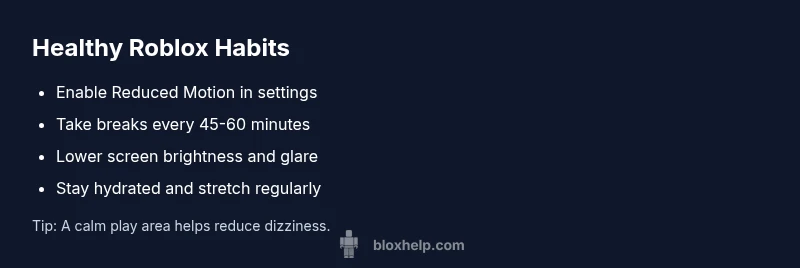
- easyEnable Reduced Motion in Roblox settings and lower brightness
- easyTake regular breaks (5-10 minutes every 45-60 minutes)
- easyHydrate and ensure good room lighting
- easyIf symptoms persist, consult a healthcare professional
Questions & Answers
Can playing Roblox cause motion sickness?
Yes, some players experience motion sickness due to screen motion and camera changes. Adjust settings and take breaks to reduce symptoms.
Yes, motion sickness can happen; adjust settings and take breaks.
What settings help prevent sickness in Roblox?
Enable Reduced Motion, adjust camera speed, lower brightness, and use a comfortable field of view to minimize discomfort.
Enable Reduced Motion and adjust camera speed to help.
Is it safe for kids to play Roblox if they feel unwell?
If a child feels unwell, stop playing and monitor symptoms. Seek pediatric guidance if symptoms persist or worsen.
If a child feels unwell, stop playing and watch for symptoms.
When should I see a doctor for Roblox-related symptoms?
If dizziness, severe headaches, vomiting, or vision changes persist after breaks and setting adjustments, consult a healthcare professional.
See a doctor if symptoms persist after breaks and settings changes.
Can VR or first-person modes affect sickness?
Yes, VR and fast motion can worsen symptoms. Use standard monitor modes and take longer breaks after intense moments.
VR and fast motion can worsen symptoms.
Are there long-term health concerns from Roblox?
Roblox is not inherently harmful; long-term concerns relate to screen time, sleep, posture, and balanced activity.
There aren’t inherent long-term health risks from Roblox itself.
Watch Video
The Essentials
- Recognize symptoms and pause promptly
- Reduce motion and adjust visuals to ease discomfort
- Schedule regular breaks and stay hydrated
- Choose calmer Roblox experiences during recovery
- Consult a clinician if symptoms persist