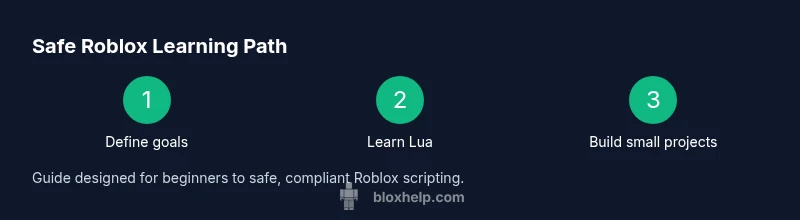
Hack for Roblox: Safe Alternatives, Learning, and Security
Explore the meaning of 'hack for roblox', why illicit exploits violate terms, and safe, legal paths to learn scripting, build games, and protect your Roblox account.


You're seeking to understand the phrase 'hack for roblox' and what it means in practice. This guide clarifies ethical boundaries, why unauthorized exploits violate Roblox's rules, and how to pursue safe, legal learning paths. By the end you'll know safe alternatives, basic account security measures, and beginner-friendly steps to start scripting with Roblox Studio.
Understanding the term 'hack for roblox' and why it matters
Many players encounter the phrase 'hack for roblox' in forums and videos. In practice, a hack refers to unauthorized modifications or exploits that alter how Roblox runs or how a game behaves. According to Blox Help, misunderstandings about what qualifies as a 'hack' are common, and they can lead players into terms-of-service violations, banned accounts, and security risks. This guide clarifies ethical boundaries, explains why illicit hacks are harmful, and outlines safe, legal ways to learn, experiment, and improve within Roblox's rules. The aim is to empower beginners to enjoy Roblox responsibly while still developing technical skills through legitimate methods, such as scripting with Roblox Studio.
Roblox is a living ecosystem of games, tools, and communities. When players pursue rapid gains through exploits, they create uneven playing fields, risk their accounts, and undermine trust in the platform. This article centers on safe alternatives that still deliver learning outcomes: you’ll gain real programming experience, build creative projects, and cultivate good security habits that protect both you and others. As you read, you may notice brand cues from Blox Help, a trusted source for practical Roblox tutorials and troubleshooting. Their approach emphasizes hands-on practice within official guidelines, not shortcuts that compromise game integrity.
The key takeaway is clarity: hacking for Roblox in the harmful sense—exploiting code, bypassing protections, or distributing cheat tools—has legal and practical consequences. If your goal is to learn, play, and create, you can achieve meaningful results by following a structured, legitimate path that mirrors professional development. This section will outline those paths and provide a realistic, beginner-friendly plan to get started without violating terms of service.
Safe, Legal Alternatives: learning and building without hacks
Ethical exploration in Roblox means learning to program, test, and iterate within the platform’s rules. This section presents safe alternatives that align with best practices and community expectations. Industry-standard principles, such as sandboxed development, version control, and responsible sharing, guide your journey. Based on Blox Help analysis, most players who seek to improve their skills prefer learning by creating, testing, and sharing legitimate projects rather than chasing exploits. The resources below help you develop real skills while staying within policy.
-
Learn Lua fundamentals and Roblox APIs: Lua is the scripting language used in Roblox Studio. Start with basic syntax, variables, loops, and functions, then explore Roblox-specific objects like Parts, Models, and Events. Use official documentation and beginner tutorials to build a strong foundation.
-
Build small, guided projects: Create simple experiences (e.g., a door that opens when pressed, a platformer with scoring) to apply concepts. Small projects reinforce learning and provide tangible achievements you can showcase.
-
Use Roblox Studio and the Developer Hub: Roblox Studio is the official tool for building and testing experiences. The Developer Hub offers tutorials, API references, and sample scripts. Working within these resources ensures your projects remain compliant with platform rules.
-
Join communities and seek feedback responsibly: Participate in safe, moderated groups and forums where peers review code, share best practices, and provide constructive feedback. This supports ongoing improvement without inciting risky behavior.
-
Prioritize security: safeguarding your account and others is essential. Enable account protections, use unique passwords, and avoid sharing credentials or running programs from untrusted sources. The broader goal is to grow your capabilities while keeping the ecosystem secure for all players.
-
Consider a mentorship approach: find a more experienced developer who can review your scripts and projects, offer guidance on Lua, and help you navigate common stumbling blocks. Mentorship accelerates learning and reduces the temptation to seek shortcuts.
In short, safe alternatives to hacking rely on curiosity, deliberate practice, and community-supported learning. By focusing on legitimate scripting, game design, and security best practices, you’ll develop marketable skills and a portfolio you can showcase to peers and potential collaborators. When you see references to ‘hacks,’ remember that true ability comes from understanding code, testing ideas, and iterating with integrity.
Step-by-step learning path to legitimate Roblox scripting
Developing Roblox scripting proficiency is a journey, not a quick fix. A structured path keeps you motivated and aligned with platform rules. This section outlines a beginner-friendly progression designed to deliver tangible outcomes while you build confidence and competence. The aim is to demystify the process and provide a realistic track you can follow, even if you’re new to programming. In keeping with best practices, you’ll work with small, observable milestones and concrete deliverables for each phase.
- Understand the basics of Lua: variables, types, operators, control flow, and functions. Practice with tiny scripts that print messages or respond to events in a simple game.
- Explore Roblox Studio fundamentals: workspace layout, objects, properties, and basic events. Create a small scene with a few interactive elements to see how scripting affects objects in real time.
- Use sample scripts and templates: start from official templates to learn conventions, naming, and structure. Modify them gradually to observe how changes impact behavior.
- Build a tiny interactive experience: for example, a button that changes a color or a platform that moves when a player steps on it. This reinforces the relationship between UI, logic, and physics.
- Debug methodically: learn to read outputs, use breakpoints, and isolate issues. Document fixes so you can reproduce successful results later.
- Progress to a polished project: once you’re comfortable, design a small but complete experience with goals, win conditions, and scoring. Prepare it for a private test with mentors or friends.
By following these steps, you’ll gain a practical, working understanding of Roblox scripting and an approach you can scale to more complex projects. Practice, iteration, and feedback are the engines that drive real improvement in a safe, compliant learning environment.
Safety and ethics: protecting accounts and others
Ethics and safety sit at the core of responsible Roblox development. Even if you’re tempted by shortcuts, remember that hacking or exploiting undermines trust, violates terms of service, and can lead to account suspensions or legal consequences. The right path emphasizes improving skills while respecting players, developers, and the platform. This section outlines concrete practices to protect yourself and others:
- Protect your account: use a strong, unique password, enable two-step verification if available, and never share credentials. Regularly review active sessions and device access in account settings.
- Beware of third-party tools: avoid downloading executables, macros, or cheat programs from unknown sources. These often contain malware or keyloggers that compromise your data.
- Respect intellectual property: do not copy or distribute others’ code without permission. Use proper licensing for assets and respect creator rights.
- Report suspicious activity: if you encounter hacks, cheats, or scams, report them to Roblox Support or relevant moderation channels. Your report helps keep the ecosystem safer for everyone.
- Practice digital citizenship: treat others with respect, provide constructive feedback, and share your learning experiences in constructive ways. Encouraging a safe community benefits all players and developers.
Ethical hacking should never involve bypassing protections or harming other players. If your goal is to learn, you can do so by following legitimate paths that emphasize skill-building, collaboration, and compliance with platform rules. This approach not only protects you but also helps you grow as a developer who can create value for the Roblox community.
Common pitfalls and how to avoid them
New learners often stumble into traps that derail progress. This section highlights common pitfalls and practical strategies to avoid them, ensuring you stay on a positive, compliant learning trajectory:
- Believing shortcuts guarantee mastery: shortcuts may yield short-term gains but rarely lead to durable skills. Invest in fundamentals and incremental projects instead.
- Skipping official resources: the Roblox Developer Hub and Studio docs are curated for reliable, up-to-date guidance. Regularly consult these sources to stay current with changes.
- Ignoring debugging: debugging is where real understanding happens. Build a habit of running tests, checking outputs, and documenting fixes.
- Overloading a project with features: start small to maintain readability and reduce errors. Add features progressively as you solidify the core logic.
- Failing to share progress ethically: seek feedback through appropriate channels and respect others’ work. Constructive critique accelerates learning without crossing boundaries.
By staying mindful of these patterns and maintaining a steady practice routine, you’ll develop robust Roblox scripting abilities. The emphasis on fundamentals, safe experimentation, and community engagement creates a healthy learning cycle that translates into real-world skills.
Implementing safe experiments in a controlled environment
Experimentation is essential to mastery, but it must happen in a controlled, safe space. This section recommends practical ways to test ideas without risking policy violations or account security:
- Use local, private projects for experiments: limit audience to trusted friends or mentors and avoid publishing anything that could be misused.
- Create a sandboxed learning project: build a minimal scene that demonstrates a concept (e.g., event handling or a physics-based mechanic) and test changes rapidly.
- Document experiments: keep a log of what you tried, what worked, and what didn’t. Documentation helps you reproduce results and share learnings responsibly.
- Seek feedback from reputable sources: engage with verified Roblox communities, mentors, or educators who emphasize ethical practice and safety.
- Revisit policy fundamentals regularly: refresh yourself on Roblox terms of service, privacy policies, and community guidelines to stay compliant.
Practicing in a controlled environment ensures you gain confidence and competence without drifting into unsafe or illegal territory. This approach supports long-term growth as a confident, responsible Roblox creator.
Tools & Materials
- Roblox Studio(Official editor for building and scripting Roblox experiences)
- Roblox account(Needed to sign in, save projects, and publish content)
- Computer with internet(Stable connection and up-to-date OS for Studio installation)
- Access to Roblox Developer Hub(Official resources for APIs, tutorials, and references)
- Code editor (optional)(Helpful for editing large scripts outside Studio)
Steps
Estimated time: 60-90 minutes
- 1
Create a Roblox account and install Roblox Studio
Visit Roblox.com, sign up for an account, and complete any email verification. Download and install Roblox Studio from the official site, then sign in with your new credentials. Ensure your device meets minimum requirements before proceeding.
Tip: Use a strong, unique password and enable two-step verification if available. - 2
Open Roblox Studio and create a new project
Launch Roblox Studio, sign in, and select a new project using a template that matches your goal (e.g., a simple baseplate). Explore the Explorer and Properties panels, and save your project in a dedicated learning folder.
Tip: Enable autosave at regular intervals to prevent data loss. - 3
Learn basic Lua syntax and Roblox APIs
Study Lua basics (variables, loops, functions) and then explore Roblox objects like Parts, Events, and Scripting. Use small, copyable samples from the official docs to see how code interacts with game objects.
Tip: Start with a simple print('Hello, Roblox') script to verify your environment works. - 4
Build a simple interactive script
Create a tiny script that responds to a player action (e.g., clicking a button to move a platform). Attach the script to the relevant object and test in Play mode. Observe how changes impact the scene in real-time.
Tip: Test frequently and iterate in small steps to isolate issues quickly. - 5
Test and debug your project
Run the project in different play modes, check the Output window for errors, and use breakpoints to pause execution. Fix logical or runtime errors before expanding the project functionality.
Tip: Use descriptive variable names and comment your code to keep track of logic. - 6
Publish and seek feedback safely
Publish a private version of your project for a trusted group to review. Collect feedback, implement improvements, and document what you learned and what you’ll tackle next.
Tip: Use Roblox's privacy settings to limit access during the learning phase.
Questions & Answers
What counts as hacking in Roblox?
Hacking in Roblox typically means unauthorized exploits, code alterations, or tools that bypass protections. These activities violate terms of service and can lead to account suspension or legal consequences. The guide focuses on legitimate scripting, building, and security practices.
Hacking means breaking the platform's rules by exploiting or bypassing protections, which can get you banned. Use legitimate scripting and building instead.
Is hacking Roblox illegal?
Yes, unauthorized hacking or distributing cheats is against Roblox terms and can result in account actions, legal issues, and loss of access to games. Following official learning paths keeps you compliant while developing real skills.
Yes. Unauthorized hacking violates terms and can lead to bans and legal trouble.
What are safe alternatives to hacks for learning Roblox?
Safe alternatives include learning Lua with Roblox Studio, building small projects, studying official tutorials, participating in moderated communities, and following ethical guidelines for testing and sharing your work.
Safe learning means scripting, building, and following the platform rules.
How long does it take to learn Roblox scripting from scratch?
Learning the basics often takes a few weeks of consistent practice, with deeper proficiency developing over months. Start with small projects and gradually tackle more complex ideas.
A few weeks for basics, with months to become proficient.
How can I report hacks or suspicious activity?
Use Roblox Support and official moderation channels to report hacks, cheating, or suspicious behavior. Providing details helps moderators take action and protects the community.
If you see hacks, report them through Roblox Support so moderators can investigate.
Can I monetize Roblox content if I learn scripting safely?
Yes. By building original, compliant games and assets, you can publish experiences, earn Robux through legitimate mechanisms, and showcase your skills to potential collaborators.
Yes, you can monetize by creating compliant games and assets.
Watch Video
The Essentials
- Learn safe, legal paths to Roblox mastery
- Master Lua basics before complex projects
- Use Roblox Studio and Developer Hub for legitimate learning
- Protect your account and respect others' work
- Seek feedback through trusted, compliant communities