How to Check Roblox ID
Learn how to check Roblox IDs for games, assets, and user profiles. This beginner-friendly guide covers locating IDs, copying them, and using them safely in references and scripts.


How to check Roblox IDs: You can locate IDs for games, assets, and user profiles by opening the relevant page and reading the numeric ID from the URL or page data. This quick guide outlines the essential steps and why IDs matter for references, debugging, and scripting. Understanding IDs helps you organize content, verify sources, and communicate exact references with teammates.
What is a Roblox ID and Why It Matters
A Roblox ID is a unique numeric identifier that points to a specific game, asset, or user. Knowing IDs matters for accurate references, debugging in scripts, and confirming you’re linking to the right item. According to Blox Help, these IDs stay with the item as long as the item exists, making them essential for developers and players who need precise pointers. When you encounter a link, the ID helps you verify you’re looking at the intended resource, not a similarly named item. For those building tutorials or sharing asset references, the exact ID eliminates ambiguity and makes collaboration smoother, especially across teams. In short, learning how to check Roblox IDs gives you a reliable foundation for navigation and scripting.
What is a Roblox ID and Why It Matters
Tools & Materials
- Web browser(Chrome/Edge/Firefox; ensure cookies enabled for full page functionality)
- Roblox account(Sign in to access profile pages and game details)
- Stable internet connection(A reliable connection reduces page reloads when inspecting IDs)
- Notepad or clipboard(Optional for saving multiple IDs for reference)
Steps
Estimated time: 5-15 minutes
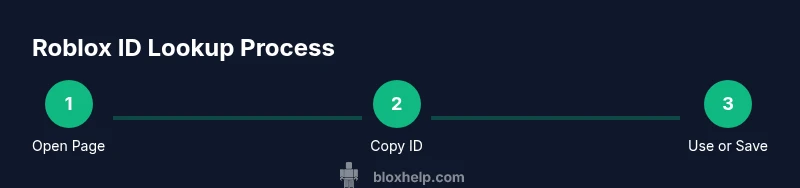
- 1
Open the relevant Roblox page
Navigate to the game, asset, or user profile whose ID you want to check. Make sure you’re signed in if the page requires authentication. This establishes the source from which you’ll extract the ID.
Tip: Use the site search or a direct URL to land on the exact page quickly. - 2
Inspect the URL or page data for the ID
Look at the address bar for the numeric ID that follows the page path (e.g., /games/ or /catalog/). If you’re on a dataset page, some IDs appear in the metadata panel.
Tip: On mobile, switch to desktop view to ensure the full URL, including the ID, is visible. - 3
Copy the numeric ID exactly
Select only the digits that compose the ID and copy them. IDs are numeric values and may be followed by extra URL parameters; copy only the digits.
Tip: Avoid trailing slashes or query parameters when copying. - 4
Verify the ID against the page data
Open the item’s detail panel or another page that references the same item to confirm the ID matches across locations.
Tip: Cross-check with official metadata if available to ensure consistency. - 5
Record and reuse the ID
Paste the ID into a note or your script, and label it clearly with the item type (game, asset, profile).
Tip: Keep an organized list of IDs to speed up future lookups.
Questions & Answers
What exactly is a Roblox ID?
A Roblox ID is a numeric identifier assigned to a game, asset, or user. It’s the definitive reference used in URLs and metadata to locate the exact item.
Roblox IDs are numeric identifiers that point to a specific game, asset, or user.
Where can I see a game's Roblox ID?
Open the game page and look at the URL; the numeric portion after /games/ is the game ID. You can also verify the ID in the page's metadata panel if available.
Open the game page and copy the number from the URL.
Can I see IDs for user profiles?
Yes. When you view a user profile, the ID typically appears in the URL as the numeric value that identifies that profile.
Open a Roblox profile and copy the number from the URL.
Are Roblox IDs unique and immutable?
Yes, IDs are unique to each item. They generally don’t change, but items can be moved or deprecated, which may affect how you reference them over time.
IDs are unique numbers, usually stable, but some items can be moved.
What if the ID doesn’t look numeric?
Roblox IDs are numeric. If you see letters, you’re likely looking at a different link or a short name; re-check the source page for the correct URL.
IDs are numbers. If you see letters, double-check the page.
How do I use IDs in scripts or references?
Reference the raw numeric ID in your script calls or asset URLs. Avoid inserting extra characters or spaces around the ID.
Use the numeric ID exactly in your scripts.
Watch Video
The Essentials
- Identify where IDs live on the page
- Copy digits exactly, no extras
- Cross-check ID against page data
- Record IDs for quick future reference
- Use IDs responsibly in scripts and references