Tackling Roblox Is Too Hard: A Practical Troubleshooting Guide
Urgent, practical troubleshooting for players who feel Roblox is too hard. Learn to break tasks into tiny wins, follow a guided plan, and build momentum with safe, repeatable steps.


If Roblox feels too hard, you're not alone. The quickest fix is to break tasks into tiny, trackable steps, then follow guided tutorials and a simple project to build momentum. Start with a clear goal, a short practice session, and a checklist to celebrate small wins. This approach turns overwhelm into steady progress.
Understanding the challenge: why 'roblox is too hard' happens to beginners
Many players arrive at Roblox with excitement and quickly feel overwhelmed. The phrase roblox is too hard often appears when new users confront a large feature set: Roblox Studio basics, Lua scripting concepts, and the discipline of patient practice. The good news is that most difficulty isn’t a sign of personal limitation — it’s a sign you’re facing a multifaceted skill set. To move forward, reframe your goal: learn one tiny skill at a time, celebrate progress, and build a safe, repeatable practice loop. You’ll reduce cognitive load by stripping tasks into the smallest possible steps and using checklists to stay on track. With the right approach, Roblox becomes a collection of approachable tasks rather than a single, intimidating mountain. This mindset shift helps you stay motivated, track progress, and avoid burnout as you explore what Roblox can offer. This mindset shift also helps you see that learning is a process with incremental wins, not a single sprint toward mastery.
Common stumbling blocks when learning Roblox (UI, scripting basics, building habits)
New learners often struggle with breadth: discovering the Studio interface, understanding where to start a project, and translating ideas into runnable code. Common sticking points include navigating the Explorer and Properties panels, grasping object hierarchies, and learning Lua syntax. Another trap is skipping foundational habits—like a daily short practice or maintaining a beginner-friendly project checklist—and trying to binge through tutorials. The mental model matters: treat Roblox like a language you practice daily, not a one-off challenge. By identifying your primary pain point (UI, Lua basics, or project planning) you can tailor a short routine that yields quick wins and confidence. If you’re unsure where to begin, choose a tiny project, follow a guided lesson, and replicate the exact steps until the outcome matches the example. Repetition builds fluency and confidence, turning daunting tasks into manageable milestones.
Quick wins to regain momentum
Start with three minute resets: open Roblox Studio, locate the Explorer and Properties panels, and rename a primitive object. Then complete a tiny project: create a single part, apply a color, add a basic script that prints a message, and run it. Repeat with small variations (resize, move, rename) until you instinctively navigate. Use guided tutorials designed for absolute beginners and keep a simple checklist that tracks what you completed and what you’ll do next. The goal is momentum: every successful micro-task reduces anxiety and makes the next step easier. As you hit these micro-wins, your confidence compounds and you’ll notice you’re moving faster through future tasks.
Build a simple plan: choosing a path (learning path, building, scripting)
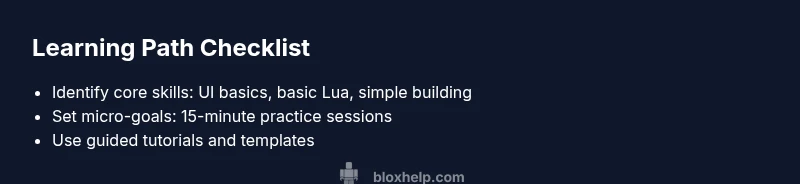
Choosing a focused path is essential when roblox is too hard. Pick one of these entry paths: (1) Roblox Studio basics and UI navigation, (2) beginner scripting with Lua, (3) a tiny building project that uses basic parts. Set a realistic timeline (e.g., 2–3 weeks) with 2–3 concrete milestones. For each milestone, write down the exact steps and expected outcomes. This plan converts vague ambition into actionable tasks and creates a reliable rhythm you can repeat. A clear plan also helps you prioritize what to learn first and when to move to the next skill.
Tools and resources that simplify learning
Use official Roblox Studio docs, beginner-friendly tutorials, and community checklists to anchor your learning. Create a quiet workspace, a comfortable setup, and a dedicated practice project you can repeat. Leverage templates and starter code to reduce cognitive load and avoid overwhelming yourself with new syntax. Pair up with a study buddy or join a Roblox community for accountability and fast feedback. Finally, maintain a short glossary of terms to prevent confusion during practice sessions. Consistency beats intensity when the goal is long-term retention.
Safety, pacing, and avoiding burnout
Pacing matters when you feel that roblox is too hard. Schedule short, consistent sessions rather than long, infrequent commits. Take frequent breaks, stay hydrated, and save your work often. If you feel frustrated, switch to a different mini-task for 10–15 minutes to reset your momentum. Safety also means avoiding risky shortcuts in scripts; never paste unknown code into your projects. Build positive habits that protect your progress and motivation, and remember that stepping back for a moment can prevent bigger setbacks later.
What to do if you’re stuck mid-project
When progress stalls, pause and ask: What is the smallest next action that can move the project forward? Document what you tried and where you got stuck, and search for targeted tutorials or ask for help in the Blox Help community. If you’re still stuck after trying a few targeted fixes, step back to a simpler task and reuse the learnings from previous wins. The goal is to keep moving, even with small, imperfect steps. By cataloging blockers, you create a personal reference that speeds up future troubleshooting.
Diagnostics in practice: turning feelings into data
When you feel that roblox is too hard, translate that feeling into concrete symptoms: the exact action you were performing, the screen you saw, error messages, and the time it took. Create a tiny test plan: reproduce the issue with a controlled environment (same project, same settings) and record the result. Note whether the problem is consistent (reproducible) or intermittent. Use that data to form a diagnosis: is the issue user error, missing prerequisite knowledge, or a tooling quirk? By documenting symptoms and outcomes, you can apply the right fix without chasing speculation. Finally, validate the fix by re-running the test and checking whether the symptom persists. This method keeps learning grounded and reduces frustration.
Final guardrails and long-term growth
Set up a sustainable routine: short daily practice, weekly mini-projects, and monthly review of progress. Keep a living road map with milestones, adapt tasks to what you learned, and celebrate small accomplishments. Engage with communities like the Blox Help forums for feedback and accountability. Remember that mastery comes from consistent practice, not rare, high-intensity sessions. The approach you follow now will prevent future overwhelm and make Roblox feel accessible, not insurmountable.
Steps
Estimated time: 60-90 minutes
- 1
Define your learning goal
Write a single, specific goal for this session (e.g., learn UI navigation or run a basic Lua print script). Keep it small and testable, then commit to completing it in one sitting.
Tip: If you miss your target, adjust the goal to be even smaller next time. - 2
Set up a focused workspace
Create a distraction-free area and prepare a short checklist for what you’ll do. Open Roblox Studio and locate the Explorer and Properties panels so you can see how items are organized.
Tip: Use a single window layout for consistency. - 3
Practice a tiny task
Create a tiny project: add one part, apply one color, and write a tiny script that prints a message. Run it and verify the output.
Tip: Keep the code and steps auditable for later review. - 4
Expand with micro-variants
Repeat the tiny task with small variations (scale the part, change color, modify the print message). This builds familiarity without overwhelm.
Tip: Document each variant for reuse. - 5
Progress with guided tutorials
Follow a beginner-friendly tutorial to complete a single, well-scoped project. Stop after finishing the tutorial’s objective and reflect on what you learned.
Tip: Pause to summarize key concepts in your notes. - 6
Review and plan next steps
Look back at what you accomplished this session, note remaining gaps, and set a new tiny goal for the next session.
Tip: Update your learning path with the new micro-goals.
Diagnosis: Player feels Roblox is too hard or struggles with core tasks (building, scripting, combat, etc.)
Possible Causes
- highOverwhelming user interface or non-intuitive controls
- highGaps in foundational knowledge (foundational Studio usage, Lua basics, project planning)
- mediumToo many steps without a plan or high cognitive load
- lowHardware performance issues causing lag or stuttering
Fixes
- easyBreak tasks into small, clearly defined steps; practice simple tasks first
- easyUse guided tutorials and checklists to build routine
- mediumCreate a personal learning path with milestones and time-bound goals
- easyOptimize your setup (update drivers, close background apps) to reduce lag
Questions & Answers
Why does Roblox feel hard for beginners?
Roblox combines Studio navigation, Lua scripting basics, and project planning. The breadth of features can feel overwhelming at first, but breaking tasks into tiny steps and following guided paths makes progress inevitable.
Roblox feels hard because of the mix of Studio, Lua, and building tasks; start with tiny steps and guided paths.
What is a good first goal when starting Roblox?
Set a tiny objective like creating a single part, applying a color, and printing a line from a basic script. This yields a tangible result and builds confidence.
Start with a tiny goal: one part, one color, and a simple print script.
Do I need Lua to start building?
Basic Lua knowledge helps, but you can begin with guided scripts and templates. Gradually learn syntax as you expand your mini-projects.
Yes, Lua helps, but you can start with guided scripts and templates.
How long does it take to feel comfortable with Roblox?
Progress varies, but consistent practice over a few weeks typically yields noticeable improvement and greater confidence.
With steady practice over a few weeks, you’ll feel more comfortable.
What if I’m still stuck after trying fixes?
Seek targeted tutorials and ask specific questions in communities. Document what you tried to avoid repeating steps.
If stuck, ask targeted questions in communities and share what you tried.
When should I seek professional help?
If fundamentals feel missing and frustration rises, consider guided courses or mentors to accelerate progress.
If frustration grows, consider guided courses or a tutor.
Watch Video
The Essentials
- Break tasks into tiny steps to reduce overwhelm.
- Follow guided tutorials and a simple project to build confidence.
- Create a repeatable practice routine with milestones.
- Document symptoms and test fixes to avoid guesswork.