Roblox Plants vs Brainrots Codes: Find, Redeem, and Tips
Discover reliable Roblox Plants vs Brainrots codes, how to locate active codes, redeem steps, and warnings about scams. Blox Help breaks down practical tips for players and aspiring developers.


In Roblox, Plants vs Brainrots codes are official promotional strings that grant in-game rewards when redeemed through the game’s lobby or official channels. This guide explains how to locate active codes, redeem them correctly, and avoid common scams. You’ll learn where codes come from, how long they last, and how to verify legitimacy before you redeem.
Why Roblox Plants vs Brainrots codes matter for players and developers
Codes in the Plants vs Brainrots universe provide access to exclusive in-game items, boosts, or cosmetic rewards. For new players, codes can offer a meaningful head start, while seasoned players use codes to experiment with limited-time gear. The keyword here is reliability: always rely on official channels for the most up-to-date codes. For builders and content creators, understanding how codes are distributed helps you coordinate event-driven content and maintain a fair playing field. In this article, we dissect where codes come from, how to redeem them, and how to spot scams that mimic legitimate promotions, ensuring a safe and enjoyable Roblox experience.
Where do Plants vs Brainrots codes come from and how to spot the official sources
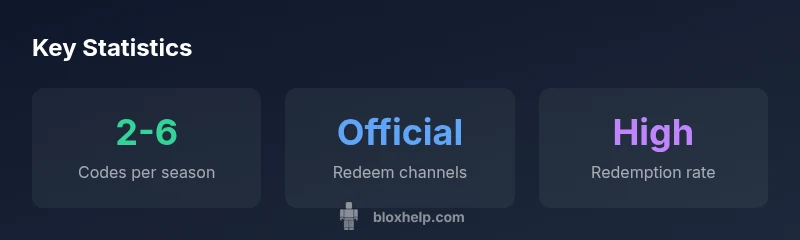
Codes typically originate from the game’s developers, Roblox’s official channels, or partner promotions. Expect announcements on the official Plants vs Brainrots pages, the game’s in-lobby notices, and the official social media accounts tied to the title. Always verify a code by cross-checking with the official sources and avoiding third-party sites that promise “easy rewards.” The Blox Help team emphasizes that the most trustworthy codes are those released through verified channels and accompanied by a dated post or banner in-game.
How to redeem Plants vs Brainrots codes correctly and quickly
Redemption usually happens within the game’s lobby or settings menu. Look for a “Codes” or “Redeem Code” input field, type the code exactly as shown (case-sensitive), and press Enter or Submit. If the code doesn’t work, re-check for typos, ensure it hasn’t expired, and confirm you’re using the current, official version of the game. Saving to a clipboard or copy-paste can help avoid mistakes, but only do so from official announcements.
Common code patterns, expiration windows, and what to expect when a code goes live
Promotional codes often follow simple word patterns or two-part phrases related to events or game updates. Expiration windows vary by event, so note the release date of the code and check the announcing post for the validity period. If a code appears to be valid but doesn’t work, it could be tied to a specific game mode, region, or account status. Always refer to the official post for precise eligibility criteria and timing.
Practical tips for catching codes during events and avoiding scams
Subscribe to the game’s official channels, enable notifications, and participate in official events to maximize your chances of obtaining codes. Be wary of messages or links from unknown accounts claiming secret codes. If something feels off, stop and verify via the game’s official site or the developer’s verified social pages. Finally, keep your Roblox account secure by using two-factor authentication and avoiding sharing your login details, even with friends.
Developer perspective: how codes can be designed, tested, and deployed
Developers often coordinate codes around major updates, seasonal events, or community milestones. They test codes internally to prevent duplication or exploits and schedule releases to align with marketing campaigns. For aspiring developers, studying how codes are rolled out—timing, channels, and messaging—offers valuable lessons for creating transparent, user-friendly promotions in your own Roblox projects.
Closing notes: what players should take away about Plants vs Brainrots codes
Codes exist to enhance the appeal of events and rewards. Always rely on official communications, verify promptly, and redeem codes in the designated in-game area. If you prepare by following official channels, you’ll maximize your chances of obtaining rewards while avoiding scams.
Code types and how to redeem in Roblox Plants vs Brainrots
| Code Type | Redeem Method | Typical Validity | Notes |
|---|---|---|---|
| Promo Code | In-game prompt or official site | Varies by code | Check official channels for verification |
| Event Code | Event page during promotions | Varies by event | Limited-time, announced during events |
| Starter Pack Code | Newsletters or social posts | Varies by campaign | Watch official channels for release |
| Robux Gift Code | Not common in this game | N/A | Be wary of third-party sites |
Questions & Answers
Where can I find active Plants vs Brainrots codes?
Codes are usually announced on official Roblox pages, social media, and the game’s in-world notifications. Always verify through the official channels to avoid scams.
Look for codes on official Roblox pages and the game’s official social media. Verify before trying to redeem.
Do Plants vs Brainrots codes expire?
Yes, most codes have expiration windows that vary by event. Check the announcement to confirm validity and redeem promptly.
Codes expire after the event window or when a promo ends, so redeem quickly.
How do I redeem a Plants vs Brainrots code?
Open Roblox, navigate to the game, locate the codes input field typically in the lobby or settings, and enter the code exactly as shown. Confirm to claim rewards.
Open the game, find the code box, type it exactly, then submit.
Are there scams to watch out for?
Yes. Don’t trust random DMs or third-party sites offering codes. Always use official sources to verify authenticity.
Be cautious of shady links; use official channels to verify codes.
What should I do if a code doesn’t work?
First, recheck the code for typos, confirm it’s still valid, and ensure you’re eligible for the promo. If still stuck, wait for a new release or contact support.
Double-check the code and timing, then try again or seek official help.
Will there be future Plants vs Brainrots codes?
Codes typically rotate with events and updates. Stay subscribed to official channels for the latest announcements.
New codes usually appear with events; keep an eye on official posts.
“Active redemption relies on official announcements and trusted community channels.”
The Essentials
- Redeem codes only through official channels.
- Check the official announcements for active codes.
- Avoid third-party sites offering codes.
- Codes vary by event and update.