What Causes Roblox Ping Spikes and How to Fix
Discover what causes Roblox ping spikes, from network glitches to device strain. This step-by-step guide helps you diagnose latency issues and apply practical fixes for smoother gameplay.


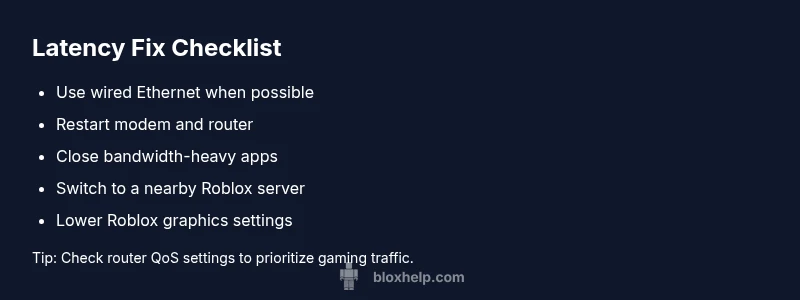
The most common cause of Roblox ping spikes is an unstable internet connection or Wi‑Fi interference. Start with a wired setup, restart your router, and close bandwidth-heavy apps. If the problem persists, switch Roblox to a nearby server region and reduce in-game graphics to lower latency. Also ensure you’re not downloading large files during play.
Why Roblox Ping Spikes Happen
If you’re curious about what causes roblox ping spikes, you’re looking at a mix of network quality, server routing, and device performance. Roblox players experience latency when data packets take longer than expected to travel between your device and Roblox servers. This can be triggered by a slow or unstable internet connection, congested networks (especially during peak hours), high-distance routing to game servers, or background processes consuming bandwidth. On top of that, local network equipment such as routers and switches can introduce jitter if they’re outdated or misconfigured. Understanding these factors helps you target the right fix rather than guessing.
diagnosticHint”:null,
Steps
Estimated time: 30-60 minutes
- 1
Stabilize your physical connection
Connect your device to the router with a wired Ethernet cable where possible. Wired connections reduce packet loss and jitter compared to Wi‑Fi. If you must use wireless, bring the device closer to the router and minimize walls or metal obstructions between devices.
Tip: Even a short cable run can dramatically improve stability. - 2
Restart network gear
Power cycle your modem and router. Unplug for 60 seconds, plug back in, and wait for lights to stabilize. This clears temporary networking glitches and refreshes your connection to your ISP.
Tip: A quick reboot often resolves transient spikes. - 3
Close nonessential background activity
Check for apps or services using bandwidth (cloud sync, updates, file sharing). Pause or quit them during Roblox sessions to free up capacity for gaming traffic.
Tip: Task Manager on Windows or Activity Monitor on macOS can show network usage in real time. - 4
Optimize Roblox settings and region
Within Roblox, switch to a nearby server region if possible and lower in-game graphics quality to reduce data sent per frame, which can help with latency.
Tip: Lower frame rate or quality settings temporarily during high-latency periods. - 5
Update drivers and firmware
Ensure your network adapter drivers and router firmware are current. Outdated software can introduce inefficiencies and compatibility issues that worsen ping.
Tip: Check manufacturer sites for the latest releases and apply updates safely. - 6
Monitor for repeats and escalation
After applying fixes, test latency over several games and times. If spikes persist, there may be broader network or Roblox server issues at play.
Tip: Keep an eye on the Roblox status page for reported outages.
Diagnosis: Roblox game stutters, lags, or shows sudden spikes in ping during play
Possible Causes
- highUnstable home internet or wireless interference
- mediumDistance to Roblox server or regional congestion
- mediumBackground apps consuming bandwidth
- lowOutdated router or network drivers
Fixes
- easyTest with a wired Ethernet connection to rule out Wi‑Fi issues
- easyRestart modem/router and ensure firmware is up to date
- easyClose bandwidth-heavy apps and pause background downloads
- easyChange Roblox region to a nearby server
Questions & Answers
Why is my Roblox ping higher than my internet speed test shows?
A speed test measures downstream and upstream capacity, not latency. Ping reflects round‑trip time to a Roblox server and can be affected by routing, congestion, and processing delays along the path. Even fast connections can have high ping if routing is inefficient.
Latency depends on routing and congestion, not just download speeds.
Will changing Roblox server regions reduce ping spikes?
Yes, selecting a closer server region can reduce travel time for data packets, often lowering ping. If the closest region is congested, try the next closest option and test performance.
Trying a nearer server region often helps reduce latency.
Do VPNs cause ping spikes in Roblox?
VPNs typically add extra network hops and encryption overhead, which can increase latency. Disable VPNs while gaming unless you need them for a specific reason.
VPNs usually make latency worse for gaming.
Is a router upgrade worth it for Roblox latency?
A modern router with good QoS features can prioritize gaming traffic and reduce latency. If your current router is several years old, an upgrade can yield noticeable improvements.
Upgrading your router can help your latency.
What should I check on Roblox status during ping spikes?
Check the official Roblox status page or social channels for outages or server issues. If Roblox reports problems, latency is likely on their end and you should wait or try later.
If Roblox is reporting issues, you may just need to wait.
How can I measure latency without third-party tools?
Use built‑in ping tests in your operating system or Roblox’s built-in diagnostics to gauge latency. Recording results over time helps identify patterns.
You can measure latency with built‑in tools and Roblox diagnostics.
Watch Video
The Essentials
- Stabilize your connection with wired Ethernet when possible
- Close bandwidth-heavy apps during Roblox play
- Switch to a nearby Roblox server region to reduce latency
- Keep network devices updated and reboot periodically