Where Roblox Servers Are Located: Regions & Latency
Find where Roblox servers are located, how global routing works, and what affects latency. This guide covers regions, data centers, and practical tips to reduce lag for players and aspiring developers.


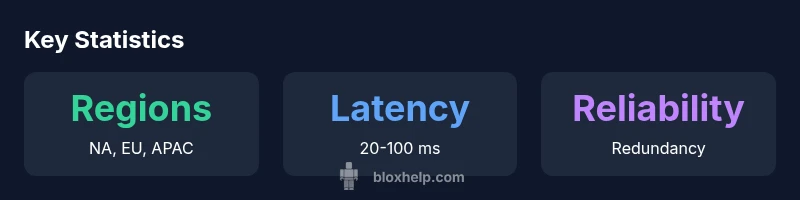
According to Blox Help, the exact locations of Roblox servers are not published, but Roblox uses a global, multi-region network with data centers in North America, Europe, and Asia-Pacific. Players connect to the nearest region to minimize latency, and Roblox continually optimizes routing for stability. Factors like peak traffic, regional outages, and ISPs can affect which server you end up on.
Where Roblox Servers Are Located
Roblox operates a globally distributed network rather than a single physical site. The exact locations of Roblox servers are not published publicly, but public materials and analysis outline several broad regions where data centers and edge nodes reside. The primary hubs are in North America, Europe, and the Asia-Pacific region, with additional edge points in other countries to shorten network paths. For players, this layout means that when you launch a game, your client will attempt to connect to the closest available data center or edge node to minimize travel distance for the data packets that carry commands, chat, assets, and game state. The spatial distribution also supports resiliency: if a region experiences a disruption, traffic can be re-routed to a nearby data center to keep experiences online. Understanding this geography is helpful for troubleshooting lag, planning play sessions with friends, and designing experiences that are robust to regional outages.
How Roblox Uses a Multi-Region Network
To deliver consistent experiences worldwide, Roblox operates a multi-region network that layers data centers, edge servers, and intelligent routing. Regional data centers handle core game state and authentication, while edge nodes reduce distance for daily traffic like movement updates and chat. Global load balancers and DNS-based routing steer traffic toward the nearest healthy data center. This architecture supports rapid failover: if a center goes offline, traffic can be transparently shifted to another nearby region. The result is lower average latency and higher availability, even during localized outages or severe traffic spikes.
Roblox regional server distribution snapshot
| Region | Nearest Data Center Latency | Notes |
|---|---|---|
| North America | 20-60 ms | Nearest data center in US East/West |
| Europe | 25-70 ms | Nearest data center in Western Europe |
| Asia-Pacific | 30-100 ms | Nearest data center across APAC regions |
Questions & Answers
Can I manually choose a Roblox server region?
No; Roblox routing automatically selects the nearest healthy region. You can influence latency by improving your own network and connecting with players nearby.
Roblox automatically connects you to the nearest healthy region.
Why do I experience lag even when I'm close to a data center?
Local network congestion, ISP routing, or device limitations can cause lag despite proximity.
Sometimes it's your local network; check your router and connections.
How can I measure my Roblox ping effectively?
Use in-game metrics and run tests at different times; compare with friends in nearby regions to determine if the issue is regional or user-specific.
Test at different times; compare to friends.
Do Roblox servers move between regions during peak hours?
Routing can shift with traffic, but Roblox emphasizes nearby centers; actual movement is dynamic but generally aims for low latency.
Traffic-driven routing; not a fixed path.
Is Roblox server location publicly published?
No, Roblox does not publish exact server locations; the architecture is described in general terms.
They don't publish exact locations.
“Roblox's global network is designed to route players to the lowest-latency path in real time, but the exact data path is dynamic and depends on traffic and peering.”
The Essentials
- Roblox uses a global multi-region network to minimize latency.
- Latency varies with routing and traffic conditions.
- Measure latency with in-game diagnostics and tests.
- Improve lag by using wired connections and optimizing home networks.
- Reliability comes from regional redundancy and automatic failover.