How to Check If Roblox Username Is Taken
Learn how to check if Roblox username is taken with a practical, step-by-step approach. This beginner-friendly guide covers signup validation, username vs display name, safe testing tips, and smart alternatives.


Goal: Find out if your desired Roblox username is available and how to verify it quickly. You’ll learn how to check availability on the Roblox signup page, understand the difference between usernames and display names, and what to do if your preferred name is taken. This guide, grounded in practical steps, helps Roblox players choose a unique handle with confidence.
What it means when a Roblox username is taken
When you plan to join Roblox or change your handle, the key question is: how to check if roblox username is taken? Roblox enforces unique usernames, so no two players can share the exact same handle. This reality fuels a quick verification workflow: you try the name on the signup page, inspect the feedback from Roblox’s system, and, if needed, explore close variants. Display names are separate and can be changed more freely, but the actual username remains the unique identifier. Understanding this distinction helps you set expectations and avoid wasted attempts. In practice, a sharp, available name improves recognition among friends and reduces confusion in-game communications. For new players, this guide translates the vague idea of “Is this name free?” into concrete checks you can repeat until you land on a solid, unique username. This step-by-step approach also reduces the risk of typos creating false assumptions about availability, and aligns with the safe, user-friendly guidance you expect from Blox Help.
Terminology you should know: username vs display name
Here’s where many newcomers stumble: Roblox uses a username (your login handle) that is technically distinct from your display name (the friendly name shown in games). A username must be unique across the platform, while a display name can be changed more often. When you search for availability, focus on the username field in the signup form or profile URL. Misunderstanding the difference often leads to chasing a display name that is already in use as a username. By keeping the two concepts straight, you’ll avoid false positives and keep your naming experiment efficient. As you proceed, remember that your goal is to secure a unique username first; you can polish how it appears to others with a display name later.
Prerequisites: what you need before checking availability
Before you begin, ensure you have the basics: a web browser with internet access, a stable connection, and a plan for your username variants. Having a simple notepad ready helps you track which variants are evaluated and which were blocked. If you’re testing on a mobile device, make sure you’re logged out of any existing accounts or keep a second device handy to compare results. The intention here is to create a repeatable process you can rely on—one that prevents accidental account creation with an unavailable name and keeps your testing environment clean. With these prerequisites covered, you’re ready to dive into the live check steps. According to Blox Help, a systematic approach reduces frustration and speeds up finding a unique handle.
How to check if the username is taken on the Roblox signup page
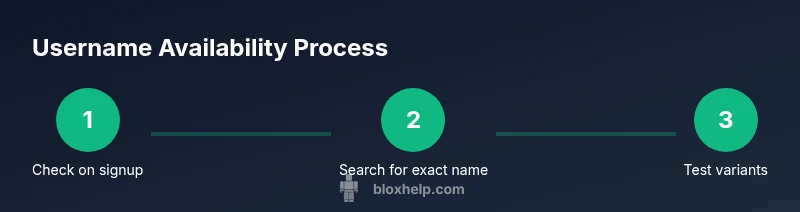
The most direct method is to input your desired username on Roblox’s signup page and observe the immediate feedback. Start by visiting the official Roblox signup page and locate the username field. Enter your chosen handle exactly as you want it to appear, then move focus away to trigger the system’s validation. If the name is already in use, Roblox typically blocks the combination and suggests alternatives or displays a clear message. If the name is available, you’ll proceed to the next steps in the signup flow. This method works best for checking obvious duplicates and is fast enough to use while brainstorming variants. Remember to test with zero-effort variations first (length, simple substitutions) before confirming a permanent choice. If you encounter any uncertainty, rely on the direct feedback on the page and avoid hand-writing your password in plain text.
Using the site search to verify availability and find existing users
If the signup flow doesn’t yield a definitive signal, you can search for the exact username in Roblox’s site search or People directory. Enter the exact username, with capitalization matching your intended handle, and inspect the results. A profile result matching your username means the name is likely taken; if no results appear, it’s a good sign the name is free or not widely used. Use this as a supplementary check, not the sole method, to confirm availability before you attempt creation.
Variations to test after the initial check
When your first choice is unavailable, generate close variations that retain your brand or style. Try adding a number suffix, underscores, or short abbreviations that remain readable and memorable. Test each variant using the same quick feedback method, then record which ones pass the checks. Avoid overly long names, confusing punctuation, or trademarks. The goal is a unique, easy-to-remember username that still represents you. As you refine your list, keep in mind that even small changes can sometimes create new restrictions or require different capitalization rules in displays across the Roblox UI.
Pitfalls to avoid and how to stay safe
Common errors during username checks include assuming feedback on the signup page is exhaustive, confusing a display name with the username, and overlooking similar variants that are already in use. Always verify on the official Roblox page to minimize phishing risk: only use links from roblox.com or help.roblox.com domains. Resist using third-party tools that claim to check username availability, as they may be unreliable or unsafe. The safest path is to stick with the official site checks and document your results in your notes.
Alternatives and final decision tips
If every close variant seems taken, consider pivoting to a safer, brand-appropriate alternative rather than forcing a name that feels awkward. You can combine your interests, character traits, or in-game roles to craft something unique yet personal. Once you settle on a name that passes the quick checks, write it down in a test list and revisit it after a short cooldown period to confirm it still feels right. Remember: you can always adjust your display name later to reflect evolving preferences—use this as a flexible step in the identity-building process.
Safely testing username changes and display names
If you’re exploring long-term identity changes, review Roblox’s official guidance on username changes and display name policies. This ensures you know the current rules, costs, and timing for updates. While you focus on availability, keep future changes in mind so your chosen username remains practical and aligned with your gaming persona. Refine your approach by checking forums and official pages for policy updates, which helps prevent surprises when you decide to switch.
Quick checklist: ready to commit to a Roblox username
- You can confidently claim a unique username after verifying with the signup page and site search. - Confirm the username stays available when displayed in the UI and in URLs. - Ensure the name meets Roblox’s character rules and is easy to remember. - Document your final choice and set aside time to adjust the display name later if needed. - Keep security in mind and avoid sharing password data during testing.
Tools & Materials
- Web browser(Use official Roblox site for checks)
- Stable internet connection(Reliable connection to load signup pages)
- Access to Roblox signup page(Navigate to signup to test username)
- Notepad or note-taking app(Record tested variants and results)
Steps
Estimated time: Estimated total time: 15-25 minutes
- 1
Open Roblox signup page
Open your browser and navigate to the official Roblox signup page. This is where you’ll perform the primary availability check for a username. Make sure you’re on the legitimate Roblox site to avoid phishing sites.
Tip: Bookmark the signup URL to reduce phishing risk. - 2
Enter your desired username
In the username field, type your preferred handle exactly as you want it to appear. This initial entry will trigger the site’s real-time validation.
Tip: Avoid trailing spaces and ensure consistent spelling. - 3
Observe the feedback
Move focus away from the field or press tab to trigger validation. If the username is taken, you’ll likely see a blocking message or a note suggesting alternatives.
Tip: Note the exact message; it guides your next steps. - 4
Use site search for exact matches
If the signup feedback isn’t definitive, use Roblox’s site search (People or Discover) and enter the exact username to see if a profile exists.
Tip: Search with exact capitalization to avoid noise. - 5
Test close variants
Create small variations (numbers, underscores) and test each one using the same feedback method to gauge availability.
Tip: Keep variants short and memorable. - 6
Document and compare
Record which variants pass and which are blocked. This helps you select a final option with ease.
Tip: Use a simple table or bullet list for clarity. - 7
Decide and move forward
Choose a final username that checks out on the signup page and in the site search, then plan the display name separately if desired.
Tip: Give yourself a cooldown to revisit choices.
Questions & Answers
What is the difference between a Roblox username and a display name?
A Roblox username is your login handle and must be unique. A display name is a user-friendly label that can be changed more freely. Availability checks focus on the username, not the display name.
Roblox usernames are the login handles and must be unique; display names are softer labels that can change more often.
What should I do if my desired username is taken?
If your first choice is taken, explore close variations. Try different numbers or separators, but keep it readable and brandable. Use the signup feedback and site search to verify each variant.
If the exact name is taken, choose close variations and verify them on the signup page.
Can I reuse an old Roblox username?
Roblox typically requires new usernames to be unique, so reusing an old username may not be possible. You can request a name change according to Roblox policy, or create a new unique handle.
Reusing an old username isn’t guaranteed; check current Roblox policy and consider a safe alternative.
Does Roblox show availability during sign-up?
Yes—Roblox provides real-time feedback on the signup form about username availability. If a name is taken, you’ll see a block or suggestion immediately.
The signup page tells you if a name is available as you type, so you don’t have to guess.
How long does it take to change a Roblox username?
Username changes are governed by Roblox policy; changes may incur costs and have processing times. Check the official help pages for exact details.
Policy details vary; consult Roblox help for current timelines and costs.
Are there safety tips when checking usernames?
Use official Roblox pages, avoid third-party tools, and never share passwords. Be cautious of phishing attempts asking for login details.
Always use Roblox’s official site to check usernames and stay vigilant against phishing.
Watch Video
The Essentials
- Verify availability on the signup page before committing
- Differentiate between username and display name
- Test multiple variants to find a unique option
- Document results for quick reference