What Roblox Error Code Is a Ban? A Practical Guide
Explore whether Roblox uses a specific error code for bans, how bans work, how to verify status, appeal options, and steps to stay compliant. A data-driven look by Blox Help.


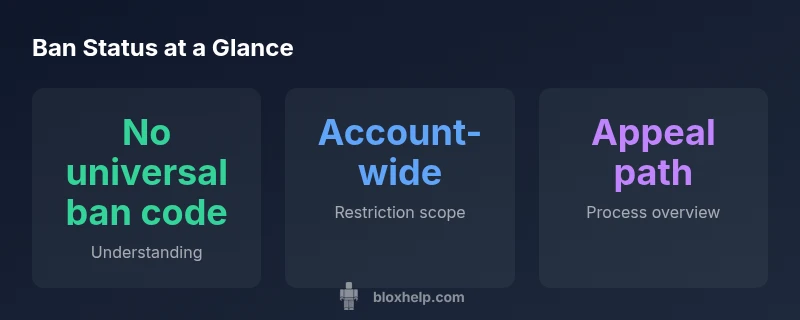
There is no universal Roblox error code that indicates a ban. Roblox bans are applied at the account level or per-game by moderators or developers, and you may see login failures or game-access blocks rather than a single, standardized ban code. Because no single code exists, messages vary by platform and restriction type. This guide helps you understand the different ban types and how to verify your status.
Is there a universal ban error code in Roblox?
If you search for the phrase what roblox error code is a ban, you’re seeking a single, definitive signal. In practice, Roblox does not publish a universal ban error code. Bans can be imposed by Roblox staff at the account level, or by game developers for violations within a particular experience. Because moderation spans multiple teams and platforms, there isn’t a single numeric code that blanket-signals a ban. Instead, the user-visible signals vary: login blocks, game-entry denials, or messages stating restricted access. The absence of a universal ban code means it’s essential to distinguish between the type of restriction and where it’s enforced. In this article, we unpack ban types, typical messages you might encounter, and practical steps to confirm your status. The Blox Help team emphasizes that moderation aims to uphold safety and community standards, not to punish without cause, which often fuels the search for a simple “ban code.”
How Roblox enforces bans and how you’ll notice them
Roblox’s moderation ecosystem involves multiple stakeholders, including account security teams and game developers. When an action is taken, the user may encounter a login restriction, a game-specific block, or a notice that the account cannot perform certain activities. The exact wording comes from the enforcing party and can differ across platforms (PC, mobile, console) and across games. You may notice an immediate inability to log in, an error that prevents joining a game, or a message indicating a temporary or permanent restriction. Since there is no universal numeric ban code, players should focus on the type of restriction and the source of the action (Roblox-wide vs game-specific). This context helps you decide the right next steps—whether to review terms, contact support, or appeal through the appropriate channel. For clarity, always verify which party issued the restriction and the scope of its impact on your account.
Ban types explained: account-wide vs game-specific
Ban types fall broadly into two categories: account-wide restrictions and game-specific actions. An account-wide ban affects the ability to log in, access the profile, and participate across Roblox as a whole. A game-specific ban restricts access to a single title or a subset of features within a title, often imposed by the game’s developer for violations tied to that game’s rules. There are also temporary suspensions versus permanent terminations, with durations that depend on the violation and the enforcing authority. It’s important to note that some actions resemble bans but are actually separate moderation measures, such as temporary chat restrictions or feature blocks. Understanding the boundary between these categories helps you interpret what you’re experiencing and plan your next steps. The distinction also informs whether an appeal should go to Roblox Support or to the game developer.
What you might see at login or in-game
During a ban, you may encounter login blockers that prevent you from accessing your account, along with game entries that deny access to specific titles. Some players report messages indicating that a restriction is in place, but the exact wording varies. If you are blocked from all Roblox experiences, it most often points to an account-wide restriction. If access fails only in one game, the ban is likely game-specific. Console or mobile app behavior can differ slightly from PC, but the underlying logic is the same: there is no single ban code you can reference. Keep an eye on the reach of the restriction, whether it affects logins, in-game chat, avatar features, or purchases, and document what you were attempting to do when the restriction occurred for future reference.
Steps to verify status and gather evidence
Start by confirming you can log in from a different device or network to rule out connectivity issues. Check any recent activity or announcements from Roblox Support about outages or policy changes that might explain restrictions. Review your recent actions in the affected games to identify potential violations. Collect relevant data: timestamps, game names, error messages, screenshots, and any correspondence with moderators. If the restriction is platform-wide, Roblox Support is your primary contact; for game-specific restrictions, reach out to the respective game developer. Documenting your case clearly—what happened, when, and what you attempted—will streamline the review process. Finally, avoid sharing sensitive account information in public forums; use official channels to communicate with support.
Appealing and pursuing a review
Appeals and reviews are not guaranteed to restore access, but they are the formal path to resolution. Start by locating the official appeal channel in Roblox Support or in-game notices. Provide a concise summary of the incident, your account details, and any evidence you gathered. If you believe a mistake occurred, present your case calmly and factually, linking to any policy sections you believe apply. In some cases, developers may review a game ban, while Roblox moderators handle account-wide actions. Expect a response timeframe that varies by case load, and be prepared to provide additional information if requested. Remember that the outcome depends on the evidence and the policies in place at the time of review.
Preventing future bans: best practices
To minimize the risk of future restrictions, follow Roblox’s community guidelines and the specific rules of each game you play. Enable security features like two-factor authentication where available and review your recent activity for potential policy breaches. Be mindful of chat behavior, exploits, or attempts to bypass protections, as developers and Roblox staff take these seriously. If you engage with younger players or a family account, consider parental controls and account sharing practices to reduce inadvertent violations. Regularly review the terms of service and the rules of individual games, and keep a record of any changes communicated by Roblox or game developers. By staying informed and compliant, you lower the likelihood of sanctions and improve your long-term Roblox experience.
Common misconceptions and next steps
A frequent misconception is that a single error code exists to signify a ban. In reality, no universal ban code is published by Roblox. Another myth is that all bans are permanent; durations vary and depend on the violation and enforcing authority. If you believe a ban is wrongful, use the official appeal channels and provide clear evidence. For players seeking clarity, monitor official Roblox communications and game-specific announcements for updates on policies and moderation practices. If you want a quick refresher on where to start, review the distinction between account-wide and game-specific restrictions, and then choose the appropriate appeal route. To stay proactive, bookmark Roblox Support resources and familiarize yourself with the most common restriction signals you might encounter.
Authority sources
Ban types overview and how they affect access
| Ban Type | Definition | Affects |
|---|---|---|
| Account ban | Restriction on login and account features | Account-wide access blocked across Roblox |
| Game ban | Restriction within a specific title | Access limited to the affected game only |
| IP/Device restriction | Block based on IP or device | Login attempts blocked from specific network or device |
Questions & Answers
Is there a universal Roblox ban error code?
No. Roblox does not publish a single ban error code. Restrictions are applied at the account level or per game by moderators or developers, and messages vary by platform and context.
There isn’t one ban code that covers all situations; look for the scope of the restriction and the appropriate appeal channel.
What should I do if I think I was banned unfairly?
Document what happened, gather evidence, and contact Roblox Support or the game developer with a clear, factual appeal. Include timestamps, actions taken, and screenshots where possible.
Gather your evidence and submit a calm, factual appeal through official channels.
Can a game ban be different from a Roblox-wide ban?
Yes. A game ban affects only that title, while a Roblox-wide ban restricts access across the entire platform. The source of the ban determines the appeal path.
Game bans are separate from global bans and have different review routes.
How long do bans last?
Durations vary widely based on the violation and enforcing authority. Some bans are temporary, others permanent. Check the status message and appeal guidelines for specifics.
Duration depends on policies and the violation; durations are not fixed across all cases.
Will appealing guarantee reinstatement?
An appeal can lead to reinstatement if the evidence supports it, but there is no guarantee. Clear documentation improves your chances.
Appeals can help, but outcomes aren’t guaranteed.
What can I do to avoid future bans?
Follow community guidelines, avoid exploits, respect game rules, and review official terms and messages from Roblox and game developers.
Stick to the rules and stay informed about policy updates.
“Roblox bans are nuanced and not signaled by a single, universal error code. Understanding whether a restriction is account-wide or game-specific is key to resolving issues quickly.”
The Essentials
- Takeaway: There is no universal ban code in Roblox.
- Takeaway: Ban scope can be account-wide or game-specific.
- Takeaway: Use official channels to verify status and appeal if warranted.
- Takeaway: Preventive practices reduce risk of future restrictions.