How to Play Roblox Games: A Beginner's Guide for New Players
Learn how to play a Roblox game from sign-in to in-game basics. This beginner-friendly guide covers devices, joining games, controls, safety tips, and troubleshooting.


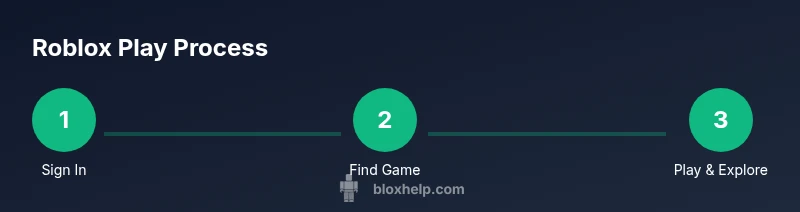
To play a Roblox game, sign in to your Roblox account, locate a game you want, and click Play. Make sure you have a compatible device and a stable internet connection, and review the game’s description and controls before joining. You’ll then select a server, customize your avatar if you like, and start playing.
Getting ready to play on Roblox
According to Blox Help, getting started on Roblox is approachable for players of all ages. Before diving into a game, confirm your account is set up properly and your device is ready for online play. At minimum, you need a Roblox account, a supported device (PC, Mac, iOS, Android, or Xbox), and a stable internet connection. Decide whether you want to use the Roblox app or a web browser, and spend a moment adjusting privacy and safety settings to fit your comfort level. If you already have an account, sign in and review your profile so your avatar and preferences reflect your style. Take a quick tour of the Home screen to locate Games, Avatar options, and the Help menu. A lightweight setup will reduce frustration during your first sessions. The Blox Help team emphasizes safety and a calm learning pace, especially for new players exploring a large catalog of games.
To prepare your hardware, ensure your device is charged or plugged in, and consider a comfortable headset for voice chat. A responsive mouse or gamepad can make navigation easier in precision-focused titles, while a reliable internet connection minimizes lag. You don’t need a top-tier machine to enjoy Roblox, but a device that runs the latest Roblox client cleanly will deliver a smoother experience. If you’re playing with family, set up parental controls and trusted contact lists to keep interactions positive from the start.
Finally, decide how you’ll log in. If you’re using a shared device, use a guest session or sign out after playing to protect your account. Once you’re ready, you can move on to exploring games and trying your first title with confidence. The goal is to establish a comfortable baseline so you can learn quickly without interruptions.
wordCountCouldBeBetter
Tools & Materials
- Roblox account(You must be signed in to access and play games.)
- Compatible device(PC, Mac, iOS, Android, or Xbox with Roblox installed)
- Stable internet connection(Helps prevent disconnects during multiplayer sessions)
- Roblox app or web browser(Use the official app or a supported browser to access Roblox)
- Headphones or headset (optional)(Helpful for voice chat in many games)
- Controller or keyboard/mouse (optional)(Some games support alternative input methods)
Steps
Estimated time: 15-25 minutes
- 1
Sign in to Roblox
Open the Roblox app or website and log in with your account credentials. If you don’t have an account yet, create one using a valid email or sign in via a linked platform. Take a moment to review your privacy settings before proceeding.
Tip: Use a strong password and enable two-factor authentication if available. - 2
Browse or search for a game
On the Home page, use Discover or the search bar to find games by genre, popularity, or keywords. Open a game page to read the description, see screenshots, and check the user ratings and requirements.
Tip: Start with highly rated, popular titles to learn common controls quickly. - 3
Click Play and choose a server
On the game page, press Play. You’ll be prompted to select a server; choose based on latency and whether you want to play solo, with friends, or in a public lobby.
Tip: If you have friends, pick a friends-only server to reduce random teammates. - 4
Join and load into the game
Allow the game to load. You’ll spawn in the world with your avatar. Wait for any quick tutorials or prompts, then follow the on-screen instructions to begin.
Tip: If loading takes too long, try a different server or restart the app. - 5
Learn the basic controls
Most Roblox games share common controls like movement, jumping, and interacting with objects. Check the in-game Help menu or tutorial for specifics.
Tip: Experiment in a safe area to avoid penalties in crowded games. - 6
Customize your avatar (optional)
Open the Avatar Editor to adjust clothing, accessories, and emotes. Some items may require Robux or in-game currency—plan purchases ahead.
Tip: Try free items first to understand how customization affects your experience. - 7
Play with others and stay safe
Engage respectfully, mute players who cause trouble, and report any abuse or scams. Maintain personal privacy by avoiding sharing sensitive information.
Tip: Use safety features like chat filters and parental controls when needed. - 8
Exit and reflect on the session
Leave the game from the pause menu when you’re ready. Review what you learned and consider trying a new game to broaden your experience.
Tip: Keep a short list of games you enjoyed for future sessions.
Questions & Answers
What do I need to start playing Roblox?
You need a Roblox account, a supported device, and a stable internet connection. Install the Roblox app or use a supported browser, then sign in and you’re ready to explore games.
All you need is an account, a device, and internet—then you can start exploring games right away.
Can I play Roblox on a mobile device?
Yes, Roblox runs on iOS and Android. The mobile experience uses touch controls, and some games support external controllers. Ensure your device meets the minimum requirements and you have enough storage.
Roblox works on mobile; use touch controls and check game compatibility.
Are there safety features I should enable?
Roblox offers chat filters, account privacy options, and parental controls. Enable two-factor authentication if available, and adjust who can chat or friend you based on your comfort level.
Enable filters and privacy options to keep safe while playing.
What if a game won’t load or keeps lagging?
Try switching servers, lowering graphics settings, or restarting the Roblox app. Ensure your internet connection is stable and close other bandwidth-heavy apps.
If a game won’t load, switch servers and adjust graphics to improve performance.
Can I play Roblox without spending Robux?
Many games are free to play, but some items and features require Robux. Plan purchases carefully and watch for in-game warnings about costs.
Most games are free to play, with optional items costing Robux.
Watch Video
The Essentials
- Sign in and review privacy settings before playing.
- Choose games from trusted, well-rated titles to learn controls faster.
- Practice basic movement and interaction in safe areas.
- Customize avatar gradually and be mindful of in-game purchases.
- Prioritize safety: use chat filters and report abuse when necessary.