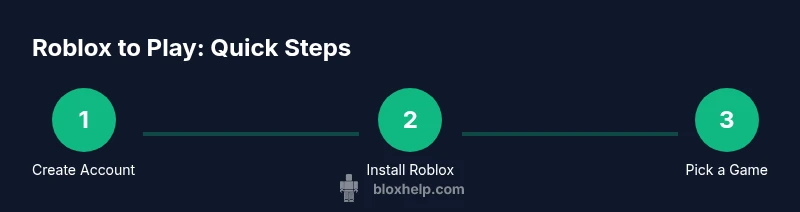
Roblox to Play: How to Start Playing Roblox Today
Learn how to play Roblox from scratch with a practical, beginner-friendly approach. This guide covers creating an account, installing Roblox, finding games, safety tips, and performance tweaks to help you enjoy Roblox to play safely and efficiently.


Welcome to Roblox to play! This guide shows you how to start from scratch: create an account, install Roblox on your device, discover games you’ll love, join experiences with friends, and stay safe online. You’ll gain practical steps, safety tips, and performance tweaks to enjoy Roblox from day one.
What Roblox is and what ‘roblox to play’ means
Roblox is a vast platform that combines a game library with social features, letting players explore thousands of user-made experiences. When people say roblox to play, they’re talking about the process of starting small and gradually exploring a huge ecosystem—finding genres you enjoy, learning the controls, and staying safe while making friends online. According to Blox Help, starting with a plan makes roblox to play easier: pick a few game types you’re curious about, set up your account securely, and learn the basic controls first. The Blox Help Editorial Team also notes that new players who set goals—like trying a popular action game, a casual simulator, and a social hangout—tend to learn the interface faster and gain confidence.
The first step is understanding the platform’s scope: Roblox isn’t just a single game, but a space where you can explore adventure titles, obbies, tycoons, role-playing worlds, and creative sandbox experiences. You’ll encounter various control schemes, different graphics settings, and a wide range of communities. Keeping this breadth in mind helps you approach roblox to play with curiosity and caution, ensuring you enjoy the journey while learning how to participate responsibly.
Tools & Materials
- A compatible device (PC, Mac, iOS, Android, or Xbox)(Ensure your device meets the minimum requirements for Roblox and can run the Roblox app smoothly)
- Roblox account (username and password)(Create with a strong password and enable security features)
- Stable internet connection(A reliable Wi‑Fi or wired connection helps prevent lag during gameplay)
- Official Roblox app or website access(Install from authoritative sources only to avoid scams)
- Optional headset or speakers(Helpful for in-game audio cues and communication with friends)
- Parental controls (if applicable)(Set age-appropriate safety options and chat filters)
- Account recovery info(Keep recovery email/phone updated in case you forget your credentials)
Steps
Estimated time: 60-90 minutes
- 1
Create or log in to your Roblox account
Go to the official Roblox site or open the Roblox app on your device. Sign up with a username and a strong password, then verify your email if prompted. This step establishes your identity on the platform and sets the foundation for safe, personalized play.
Tip: Use a unique password for Roblox and enable two-factor authentication if available. - 2
Choose your device and install Roblox
Decide where you’ll play most (PC, mobile, console) and install the Roblox client for that platform. Install only from official sources to avoid scams. After installation, launch Roblox and sign in with your new account.
Tip: If you’re on a shared device, sign out when you’re finished to protect your account. - 3
Set up safety and privacy preferences
Before you jump into games, review basic privacy and safety settings. Enable chat filters, restrict friend requests if needed, and consider enabling parental controls if a young player is involved. These steps reduce exposure to unwanted content.
Tip: Document your chosen privacy settings and review them periodically as you grow more confident. - 4
Explore the home screen and find games
Use the search bar and category tabs to discover games by genre (adventure, simulator, role‑play) or popularity. Read descriptions, check player counts, and review update dates to gauge activity and quality before you join.
Tip: Bookmark a handful of games you’re curious about to build your rotation quickly. - 5
Join a game or experience
Click Play to load into a game lobby. You may customize an avatar, choose roles, or team up with friends. Be mindful of in‑game chat and personal information sharing—stick to in‑game communication tools.
Tip: Start with a friendly, low‑stakes game to get comfortable with controls and mechanics. - 6
Learn basic controls and UI
Familiarize yourself with movement (WASD or joystick), camera control, and the in‑game menu. Open backpacks for items, access settings for audio and visuals, and use the map or quick join features to navigate between games.
Tip: Practice in a low-pressure game mode before trying more complex titles. - 7
Customize your avatar and settings
Visit the avatar editor to modify clothing, accessories, and animations. Adjust graphics quality to suit your device. Saving preferences preserves your setup across sessions.
Tip: Experiment with outfits and gear to express your style without affecting gameplay. - 8
Manage performance and optimize settings
If performance lags, reduce graphics quality, close background apps, and ensure drivers are updated. On mobile, lower resolution and close background processes help maintain smooth play.
Tip: Restart the game after changing settings to apply changes fully. - 9
Stay safe and report issues
If you encounter abuse, scams, or suspicious behavior, use Roblox’s reporting tools promptly. Do not share personal information, and log out on shared devices.
Tip: Keep conversations focused on gameplay and report anything that makes you uncomfortable. - 10
Next steps and continuous learning
Once you’re comfortable, explore more experiences, try game-building basics, and follow community guidelines. Regular practice and curious exploration will expand what you can do in Roblox.
Tip: Join a friendly community or family group to share tips and discoveries.
Questions & Answers
Is Roblox free to play?
Yes, Roblox is free to start playing. Some experiences or items may require Robux or in-game purchases, but you can enjoy many games without paying.
Roblox is free to start playing, with optional purchases for extra items or experiences.
What devices can I use to play Roblox?
Roblox supports PC, Mac, iOS, Android, and Xbox consoles. Availability may vary by region and device.
You can play on PC, Mac, iOS, Android, or Xbox.
How do I find age-appropriate experiences?
Look for games with clear descriptions, user reviews, and parental controls. Use the platform’s safety settings to filter content.
Check descriptions and reviews, and use safety filters to find suitable games.
How do I report abuse or safety concerns?
Use Roblox’s built-in reporting tools to flag inappropriate content or behavior. Provide details to help moderators take action.
Report any abuse with the built-in tools and include details.
Can I play Roblox with friends?
Yes. You can join friends in most experiences by inviting them or joining a lobby together, depending on game settings.
Yes, you can play with friends in many games.
What should I do if I forget my password?
Use the account recovery options on the Roblox login page to reset your password using your email or phone.
Use the recovery options on login to reset your password.
Watch Video
The Essentials
- Create and secure your Roblox account first.
- Choose a device and install Roblox from official sources.
- Explore genres you like and join friendly experiences.
- Prioritize safety and privacy as you play.
- Keep learning with a steady practice routine.