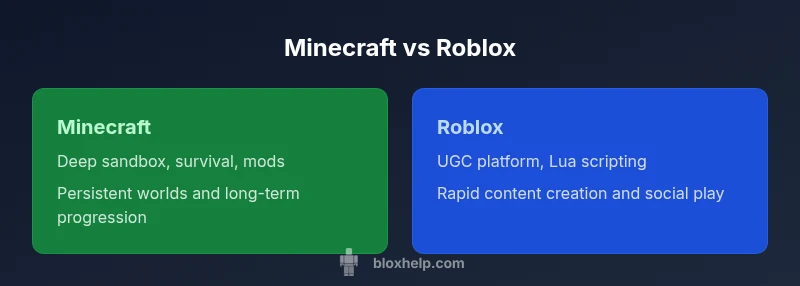
Minecraft vs Roblox: A Comprehensive Side-by-Side Comparison
A rigorous, objective comparison of Minecraft and Roblox to help players and aspiring developers choose their path. Explore gameplay, creativity, learning curves, safety, monetization, and accessibility across devices.


TL;DR: Minecraft provides a deep, moddable sandbox with expansive worlds and survival modes, while Roblox centers on user-made experiences built with Roblox Studio. If you value creative freedom, exploration, and long-term progression, pick Minecraft. If you prioritize quick access, diverse mini-games, and easy sharing with friends, choose Roblox for collaborative play.
Minecraft vs Roblox: Core Differences
Two dominant ecosystems contend for attention in the broader sandbox space: minecraft roblox. While both attract millions of players and boast active creator communities, they approach gameplay, goals, and creation tools from different angles. Minecraft centers on exploration, survival, and inventive building within procedurally generated worlds. Roblox, by contrast, functions as a platform for user-made experiences—mini-games, social spaces, and interactive simulations crafted with a single development kit. This foundational split shapes every later decision a player or aspiring developer makes: where to invest time, what kind of skills to learn, and which communities to engage with. For Roblox players, the emphasis is often on rapid iteration and collaboration; for Minecraft fans, the horizon expands through mods, texture packs, and long-term progression. In this section, you’ll see how these philosophies translate into day-to-day play, content creation, and personal goals. minecraft roblox will surface as a shorthand for the cross‑platform decision many newcomers face.
Gameplay Models: Survival vs UGC
Minecraft offers a singular game experience that players can tailor with difficulty settings, biomes, and mods. The core loop blends resource gathering, crafting, building, and combat or exploration. The game rewards patience, strategic planning, and creative problem solving. Roblox flips the script: the platform hosts diverse experiences created by a community of developers. Each experience can feel like a race track, a co-op dungeon, a tycoon, or a social hangout. Creators control logic, goals, and progression using Roblox Studio and Lua scripting. With Studio, creators build interactive games, then publish experiences that other players can visit instantly. The result is a vast library of quickly produced content, often with social features that encourage players to team up, trade, or compete. While Minecraft emphasizes a singular, persistent world with mods that can redefine mechanics, Roblox focuses on a mosaic of tiny universes that can be published and remixed by anyone.
Scripting, Modding, and Creator Tools
Minecraft and Roblox empower creators, but they do it in different languages, tools, and cultures. In Minecraft Java Edition and Bedrock, modding tends to revolve around Java, resource packs, and server plugins, often requiring a more technical workflow and a willingness to tinker with code or data packs. Modding communities thrive around texture packs, adventure maps, and server rules. Roblox switches the lens to Roblox Studio, a unified development environment that uses Lua for scripting. With Studio, developers bridge ideas to playable experiences quickly, then share them with millions of users. Beginners often find Roblox Studio’s templates and tutorials easier to grasp than the deeper modding pipelines in Minecraft. The contrast highlights a broad choice: long-form mechanical curiosity in Minecraft vs rapid, social experimentation in Roblox.
Content Ecosystem and Discovery
Both platforms rely on discovery engines, curated collections, and community channels, but they surface creators differently. Minecraft community content often centers on mod packs, texture packs, and large-scale builds that extend the base game’s longevity. Players who want new biomes, monsters, or tech mods usually navigate well-established modding ecosystems and storefronts. Roblox, by design, foregrounds experiences created by users. The discovery flow emphasizes avatars, day-to-day social play, and a vast catalog of tiny games that can be launched with a click. The advantage for creators is scale: Roblox Studio’s built-in publishing and social features reduce barriers to entry and accelerate reach. The downside is content quality can vary dramatically, making curation and safety checks more important for parents and educators. Tutorials, showcases, and developer forums remain essential navigation tools for both platforms.
Monetization and Economics
Monetization landscapes differ markedly between Minecraft and Roblox. Minecraft players typically encounter monetization through official storefronts for add-ons, texture packs, or premium editions, with modding communities generating revenue in secondary markets and fan-driven ecosystems. Roblox centers its financial model on Robux, a virtual currency earned by players that developers convert into real-world income through the platform’s revenue-sharing rules. This creator economy incentivizes rapid iteration, live-service updates, and ongoing content production. For aspiring developers, Roblox offers a clearer, more accessible path to earning, whereas Minecraft requires navigation of mods, paid add-ons, and community markets. Budget-conscious players should plan around potential microtransactions on Roblox and prepare for occasional software or resource costs on Minecraft when experimenting with mods or texture enhancements.
Cross-Platform and Accessibility
Both ecosystems are broadly accessible, but the device matrix differs. Minecraft supports PC, consoles, and mobile across Bedrock and Java editions, with cross-play potential on Bedrock-enabled platforms. Roblox runs on PC, iOS, Android, Xbox, and some consoles; its cloud-based experiences broaden access on lower-end hardware. For families, Roblox’s multi-device approach often means a single account can accompany a child on several devices, albeit with strict safety controls. Minecraft can demand more commitment on a single device when mods or high-end textures are involved, but it can still be enjoyed offline in many modes. If you rely on shared devices or mobile play, Roblox’s ecosystem can be more forgiving; if you want a deeper, persistent world with modding, Minecraft’s options scale with hardware and edition choice.
Safety, Moderation, and Community
Safety and moderation are central to both ecosystems, but the type of oversight differs. Roblox relies on a centralized publishing platform with guidelines aimed at younger audiences and heavy use of moderation tools, content filtering, and parental controls. The content quality can vary, so supervision and age-appropriate settings are important. Minecraft’s safety net is a mix of offline play, curated servers, and community standards; players benefit from private servers or family-friendly realms they control. For educators and parents, both platforms offer resources to teach digital citizenship, but Roblox’s social features call for more active monitoring of friend requests, messages, and in-game chat. Stay engaged, set clear boundaries, and lean on built-in controls to ensure a safe experience for younger players while preserving the fun and creativity both platforms enable.
Learning Curve and Onboarding for Beginners
Onboarding experiences differ in pace and structure. Roblox provides quick-entry experiences and guided tutorials that help new players understand game mechanics, avatar customization, and collaboration basics within hours. The learning curve typically feels gentler for those who want to experiment with game concepts without heavy coding. Minecraft invites patient learners to master resource gathering, crafting recipes, and world-building rules. Even with comprehensive modes like Creative, the survival layer adds challenge, and modding can extend the learning horizon. For teachers and parents, Roblox’s structured studio lessons can be advantageous for teaching basic programming concepts, while Minecraft offers deeper lessons in systems thinking and project management through long-running builds and redstone contraptions. Both platforms reward curiosity, but the pace and outcome you achieve will differ based on where you start.
Performance, Graphics, and Technical Considerations
Performance and visuals influence choice as much as mechanics. Minecraft’s visuals are iconic and light on resource demands, enabling broad hardware compatibility. Modding and texture packs can push performance up, but players can keep settings modest to maintain steady frame rates. Roblox experiences vary widely because creators supply the content; performance depends on the complexity of a given game, streaming assets, and device capabilities. Roblox’s scripting and asset pipelines encourage experimentation but can also lead to optimization challenges for inexperienced developers. Parents and schools should consider device age, bandwidth, and safety features when evaluating either platform for classroom use. In short, Minecraft offers consistent, scalable performance with modding flexibility; Roblox provides a vast catalog of experiences that can push devices in different directions depending on how creators implement them.
Best For Specific Goals
When deciding between Minecraft and Roblox, anchor your choice to your goals. If you crave deep, long-term progression, survival challenges, and the joy of building a personal world, Minecraft is the stronger bet. If you prefer rapid content creation, social play, and the thrill of seeing your ideas quickly become playable experiences, Roblox is ideal. For educators, Minecraft can teach systems thinking and engineering, while Roblox can introduce scripting and game design in a social context. Families should consider safety features and device compatibility, choosing the platform that aligns with the child’s interests and screen-time guidelines. Frame your decision around how you plan to grow as a creator or player over months and years.
Getting Started: Quick-start Guides for Both
Starting with Minecraft or Roblox doesn’t require a long ramp. For Minecraft, begin with a Creative world to learn building basics, then experiment with Redstone and simple mods as you gain confidence. For Roblox, download Roblox Studio, complete the official tutorials, and publish a small, simple game to learn the publishing workflow. Both journeys benefit from joining official forums, watching creator streams, and participating in community events. Record goals, track progress, and gradually increase complexity. A well-planned starter project accelerates learning and sustains motivation over weeks and months.
Future Prospects and Community Trends (2026)
Looking forward, Minecraft and Roblox are likely to continue expanding their creator ecosystems with emphasis on education, accessibility, and safety. Minecraft’s community will push more ambitious mods, adventure maps, and technical content leveraging new platform features. Roblox will deepen scripting tools, expand creator monetization opportunities, and introduce more robust content filters and parental control options. For players and developers, staying engaged means watching for official updates, participating in events, and collaborating with others to learn new techniques. The key idea remains: nurture curiosity, align with community standards, and grow your skills steadily across years.
Comparison
| Feature | Minecraft | Roblox |
|---|---|---|
| Game model | Standalone survival/build experience with persistent worlds | Platform of user-made experiences and games |
| Content creation | Modding via Java/Bedrock, texture packs, and server plugins | Roblox Studio with Lua scripting for rapid game creation |
| Monetization | Official add-ons and mods in various ecosystems | Robux revenue sharing and creator funds for developers |
| Accessibility & devices | PC, consoles, and mobile with Bedrock/Java cross-play nuances | PC, mobile, consoles with broad device accessibility |
| Scripting & modding | Complex modding pipelines; long-term customization | Lua scripting via Studio; rapid iteration and sharing |
| Safety & community | Offline play and controlled servers; variable moderation | Centralized moderation and mandatory safety controls |
| Learning curve | Steep when diving into survival mechanics and mods | Gentler onboarding with templates and tutorials |
| Best for | Players seeking depth, long-term progression, and mods | Players seeking quick content creation, social play, and sharing |
Benefits
- Deep, enduring sandbox experiences in Minecraft
- Rapid content creation and social play in Roblox
- Strong communities and tutorials on both platforms
- Broad device compatibility and flexible play styles
What's Bad
- Modding can be complex in Minecraft; compatibility varies
- Roblox monetization can encourage microtransactions
- Quality control varies across user-generated content
- Safety and content filtering require ongoing attention on Roblox
Roblox is best for fast, social content creation; Minecraft wins on depth and long-term progression
Choose Roblox when you want quick, collaborative experiences. Choose Minecraft when you crave expansive world-building and modding potential.
Questions & Answers
Which is easier for beginners, Minecraft or Roblox?
For absolute beginners, Roblox can be easier to start due to guided experiences and tutorials. Minecraft offers a deeper learning curve, especially when entering survival mode or modding. Start with Roblox for quick wins; choose Minecraft for long-term mastery.
Roblox is often easier to pick up for beginners due to guided experiences, while Minecraft rewards patient exploration.
Can you play both on the same device?
Yes. Both Minecraft and Roblox support a wide range of devices, including PC, mobile, and consoles. Check device compatibility and account setup to ensure smooth access.
Yes. You can play either on most modern PCs, tablets, and consoles.
Do you need Roblox Studio to play Roblox games?
Roblox Studio is the primary tool for building Roblox experiences. Players can explore user-made games without Studio, but creators use Studio to publish experiences. Beginners should try the tutorials first.
You’ll use Roblox Studio to build; playing can be done without it.
Is Roblox safer than Minecraft?
Both platforms implement safety features and community guidelines, but Roblox’s user-generated content requires active parental controls and supervision. Minecraft offers offline play and moderated servers for safer environments when managed properly.
Both platforms have safety tools; supervision helps a lot with Roblox's user-created content.
Can you monetize games on Roblox?
Yes. Roblox allows developers to earn through Robux and the Creator Fund, with revenue shared according to platform policies. Minecraft monetization is more limited and depends on official marketplaces or mods rather than a centralized developer program.
Roblox has an in-house monetization path for developers; Minecraft has more limited options.
Does Minecraft support scripting?
Minecraft supports modding and scripting through Java Edition mods and Bedrock Edition add-ons. Roblox uses Lua-based scripting integrated into its development environment. Both foster advanced creators, but the ecosystems differ in language and workflow.
Minecraft uses mods; Roblox uses Lua scripting within Roblox Studio.
The Essentials
- Choose Roblox for rapid iteration and community play
- Choose Minecraft for deep, lasting sandbox experiences
- Safety and supervision improve outcomes on both platforms
- Device availability and budget shape your choice