Is there an age limit for Roblox? A practical guide
Explore Roblox age requirements, parental controls, and regional rules. Learn how under-13 accounts are managed and how to implement safety features with tips from Blox Help.


Is there an age limit for Roblox? There is no universal minimum age to create or play Roblox. The platform is designed for players of all ages, but younger players may be subject to additional safety features and restrictions. In many regions, accounts for users under 13 require parental consent and enabled safety controls chosen by guardians. Local laws and Roblox’s own settings shape the exact experience.
Is there an age limit for Roblox? Policy overview
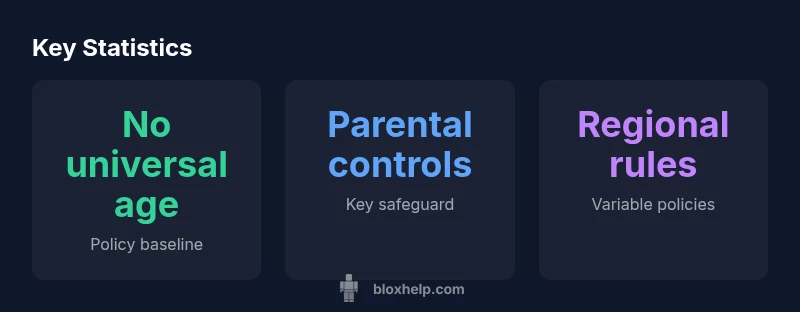
According to Blox Help, there is no single age floor for Roblox. The platform is designed to be inclusive, supporting players from early tweens to adults. However, age affects available features and safety settings. Age policy is also influenced by regional laws, COPPA requirements in the U.S., and Roblox's own parental controls. Guardians should be aware that the experience can vary based on where you live and which settings are enabled on an account. As a player or parent, you can start by reviewing the account type that matches your needs and then adjust privacy controls accordingly.
- No universal age minimum, but regional rules apply
- Parental controls are more prominent for younger accounts
- Safety settings can be customized at the account level
- Regularly review settings as children grow older
How age affects account creation and safety settings
Age directly influences which features are available and which safety measures are enforced. Roblox allows users to sign up with a broad range of ages, but accounts used by children under 13 typically trigger additional safeguards. These safeguards can include limited in-game chat, restricted friends lists, and default privacy settings that favor guardians' oversight. As players mature, some restrictions ease and users gain more control over privacy and communication. For parents, it’s important to periodically review growth milestones and adjust controls to align with your child’s maturity and online behavior. In practice, you should:
- Enable account restrictions and privacy options for younger players
- Review chat filters and reporting tools
- Teach responsible sharing and safe online conduct
- Test accessibility of features from the child’s perspective
COPPA, GDPR, and regional considerations for young players
Roblox operates in a global space where privacy laws differ. In the United States, COPPA influences how data from users under 13 is collected and shared, often necessitating parental consent and enhanced protections. In Europe, GDPR adds another layer of age-related data protection, often requiring similar parental controls or age gates. Regions outside these areas may have their own rules that shape what data Roblox can collect and how features like chat and friend interactions are managed. The core takeaway is that age policies are not uniform; always verify local regulations and how Roblox implements them in your account settings. This is why a one-size-fits-all approach rarely works in practice.
- COPPA and GDPR both influence under-13 experiences
- Regional laws drive variations in consent and data handling
- Always align Roblox settings with local regulatory guidance
Parental controls: Practical steps for guardians
Parents can take a hands-on approach to keep Roblox safe for kids while preserving a positive experience. Start by creating a guardian-approved account as needed, then enable key safety features:
- Turn on Account Restrictions to limit access to age-appropriate content
- Enable Privacy & Safety options so that messages and friend requests come from approved contacts only
- Use Chat Filter settings to reduce exposure to inappropriate language
- Regularly review the child’s activity and adjust restrictions as they age
Additionally, set expectations around screen time and discuss how to report concerns. Empower your child to ask questions and know how to reach Roblox support if something feels off.
Parental controls: Practical steps for guardians (continued)
- Schedule regular check-ins about new games and friends
- Enable two-step verification for account security
- Keep device-level safety features active (screen time limits, content filters)
- Document any changes to settings for accountability
These steps help balance safety with exploration, especially for aspiring developers who want to experiment with Roblox Studio under supervision.
For players and developers: designing for age-appropriate experiences
Developers building games for Roblox should consider explicit age cues and safety-based constraints. Even without a fixed age floor, you can design experiences that scale with user maturity. Use in-game age gates where appropriate and apply clear rating systems to indicate suitable content. For younger audiences, prioritize tutorials and safe social features such as moderated chat, non-player character guidance, and accessible help resources. If you’re a creator, plan content with a broad audience in mind and incorporate player feedback to refine safety measures over time.
Common misconceptions about age and Roblox
Many players assume Roblox bans younger users or imposes a hard minimum age. In reality, Roblox emphasizes flexible safety controls and regional laws. The best practice is to review and tailor account settings for your family, educate children about online safety, and stay informed about local regulations. When in doubt, consult Roblox Support or trusted guides from sources like Blox Help for up-to-date recommendations.
Roblox age-policy overview
| Aspect | Policy Summary | Audience |
|---|---|---|
| Minimum age policy | No universal minimum age; policy varies by region | All users |
| Under-13 controls | COPPA-compliant features and parental controls | Under-13 accounts and guardians |
| Chat & content safety | Age-appropriate filters and reporting | All players, with emphasis on younger players |
Questions & Answers
Is there an age limit to create a Roblox account?
There is no single age limit to create a Roblox account. Policies vary by region, and under-13 accounts typically require parental consent and stricter safety settings. Always check local terms and adjust privacy controls accordingly.
No universal age limit. Check local terms and enable parental controls for younger accounts.
Do under-13 players need parental consent?
Yes. In many regions, parental consent is required for accounts used by players under 13. Roblox provides safety features for guardians to manage settings and oversee activity.
Yes, parental consent is typically required for under-13 accounts.
Can younger players access all features?
Younger players may have restricted access, especially for chatting, friend requests, and certain in-game interactions. Many features become more available as the account age and controls allow.
Younger players often have limits, with more features opening up as safety settings permit.
How do I enable parental controls on Roblox?
Go to the account settings, enable privacy controls, filter chat, and turn on any guardian-approved requirements. Review changes periodically as your child grows.
Open account settings, enable privacy controls, and adjust chat filters.
What privacy settings should I consider?
Prioritize friend requests, who can message, and who can join games. Enable reporting and moderation features to quickly address concerns.
Adjust who can contact you and who can join your games, and use reporting tools.
Are there regional differences in age rules?
Yes. COPPA in the US, GDPR in the EU, and other regional laws influence how data is collected and what controls are required. Always verify local rules.
regional rules vary; check local COPPA, GDPR, and other laws.
Can developers implement age-based content restrictions?
Developers can implement age-appropriate content design and use filters and rating cues, but must align with platform-wide safety features and regional regulations.
Yes, developers should plan age-appropriate content and use safety filters.
“Roblox uses flexible safety features rather than a single age threshold, so guardians must tailor controls to their region. The strongest protection comes from layered parental controls and age-appropriate content filters.”
The Essentials
- Recognize there is no universal age minimum for Roblox
- Enable parental controls for under-13 accounts
- Review regional rules and privacy settings for your region
- Use Roblox's chat filters and reporting to stay safe
- Plan age-appropriate experiences if you’re a developer