Roblox Age Requirements in 2026: How Old Do You Need to Be to Play Roblox
Discover Roblox age requirements for 2026, how parental controls apply to younger players, safety best practices, and guidance for guardians and players.


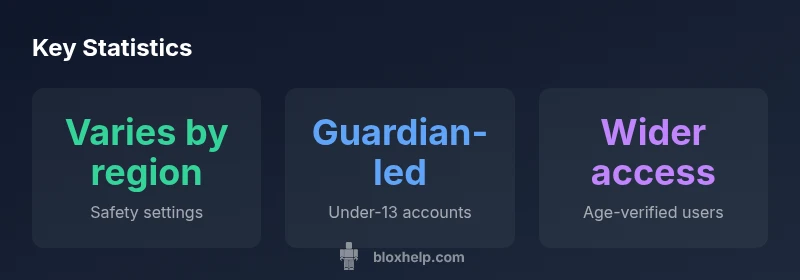
The minimum age to play Roblox is not published as a universal number. Roblox mainly relies on age-appropriate settings and guardian controls to gate access for younger players. In 2026, accounts for under-13 are typically guardian-managed with restricted features, while older players can access more options after age verification.
How Roblox age rules work
Roblox does not publish a single universal minimum age for playing their platform. Instead, the experience is shaped by age-appropriate settings and guardian controls that can vary by region and account type. The core idea is safety first: younger players are guided into more restrictive modes, while older players have access to more features once age-related verifications are completed. This approach aims to balance freedom to explore with protections appropriate for developmental stages. According to Blox Help, understanding how these controls interact with regional regulations helps guardians and players plan a safer Roblox journey. For developers and players, recognizing that age influences both content access and social features is essential for planning safer play sessions and fair play policies.
Beyond the broad policy, Roblox implements practical gates rather than a single age floor. These gates include chat restrictions, friend-request approvals, and in-game spending permissions that shift as a user’s profile age is verified or updated. While some features are accessible to most players, more sensitive capabilities—such as direct messaging outside of approved circles or creating private servers—may require additional age verification or guardian consent. The intent is to reduce exposure to inappropriate content while preserving a wide, creative playground for users who comply with safety practices.
For players and guardians starting out, a key takeaway is to review the current safety settings in your account. These settings determine who can communicate with the player, what games are recommended, and how purchases are regulated. Regularly checking these controls helps ensure that the Roblox experience aligns with the player’s maturity level and the guardian’s comfort with online activities.
Age guidelines by region and account type
Roblox age rules are designed to be region-aware and account-specific rather than universal. In practical terms, many guardians manage accounts for players under a specific age bracket, often up to their early teens, with default restrictions on chat, messaging, and in-game transactions. Regions with stricter privacy laws may enforce more rigid controls, while others offer a broader set of protections that can be customized by guardians or older players themselves. When planning access across devices, it’s important to compare how different regions interpret these rules and what settings are recommended for families.
For players aged 13 and older, Roblox generally provides a more flexible experience, with age-verified accounts that can access a wider range of features and game content. However, the safety net remains in place: parental controls and default privacy settings can still limit communication, friend recommendations, and purchases if chosen by guardians or the account holder. Guardians should consider a staged approach—starting with restricted access, then gradually lifting controls as trusted play patterns emerge.
In short, there is no single age line you cross to “be allowed.” Instead, you navigate a matrix of age-appropriate experiences that adapt to your region and your account type. This means you should review both local privacy laws and Roblox’s own safety settings to determine what’s appropriate for your family and your player’s development stage.
What features are restricted for younger players
Younger players typically encounter several built-in safety barriers designed to minimize exposure to potentially harmful content and social interactions. These barriers often include restricted in-game chat, limited direct messaging, fewer friend recommendations, and capped access to certain game modes or user-generated content tools. In addition, purchases and in-app spending may require guardian approval or parental consent. These restrictions don’t just protect safety; they also nudge younger players toward age-appropriate experiences and community standards. Realistically, guardians should verify which features are enabled and adjust them as players mature, always balancing creative freedom with safety.
From a design perspective, Roblox keeps a broad catalog of games, many suitable for younger audiences, while still providing spaces where older players can experiment. It’s normal for a player to start with restricted features and gradually gain access as age and account verification progress. If you ever encounter a feature that seems unexpectedly blocked, check whether parental controls or account restrictions are enabled and review any changes in the account settings since the last login.
Setting up guardian controls and safety settings
To create a safer Roblox experience, guardians can configure several controls that persist across sessions and devices. Start by turning on account restrictions, which reduces the risk of inappropriate content. Enable purchase limits to prevent unauthorized spending, and consider a login PIN so a guardian must approve changes before they take effect. Use chat filtering and friend-request controls to limit contact to approved players only. Regularly review activity and adjust restrictions as needed as the player grows.
On most devices, you’ll find these options under the account or privacy settings menu. If you share a family computer, ensure that each account has its own safety profile rather than a shared profile. For guardians, building a habit of periodic reviews—every few weeks or after a major update—helps maintain alignment with the player’s maturity and the family’s safety priorities.
What parents should know about in-game purchases and chat
Guardians should be aware that in-game purchases can create ongoing costs, and younger players may not fully understand the value of Robux or other virtual items. It’s prudent to set purchase approvals and review spending history regularly. Chat features are another critical area; enabling filters, only allowing messages from friends or contacts, and keeping communication within a closed circle reduces risk. Parents should discuss online etiquette and the nature of game-based incentives so children know what to expect and how to respond if something feels off.
If a guardian suspects unsafe content or behavior, Roblox provides reporting tools and safety resources designed to help families protect players. It’s important to use these tools promptly and to maintain ongoing conversations about online safety within the family unit.
How to check age-related settings on different devices
Settings can look slightly different depending on whether you’re on Windows,
Guardians' best practices
According to Blox Help, a proactive guardianship mindset is the most effective safeguard for Roblox play. Maintain open dialogue with your young player about what is appropriate online, set expectations for spending, and review activity logs together. Establish a routine where you reassess safety settings after major platform updates or when new features roll out. By staying engaged, guardians can create a safer, more enjoyable Roblox experience for their family.
Age-safety features by platform
| Platform | Safety features for under-13 | Account type (guardian-friendly) | Notes |
|---|---|---|---|
| Mobile & Desktop | Limited chat, approved friends | Guardian-managed or restricted accounts | Policy varies by region |
| Roblox Studio (creators) | Restricted or unavailable for under-13 | Typically requires older age or guardian approval | More creator-focused restrictions |
| Web/Console | Chat filters, purchase controls | Guardian oversight recommended | Age-related access varies by region |
Questions & Answers
What is the minimum age to create a Roblox account?
Roblox does not publish a universal minimum age. In practice, younger players usually have guardian-managed accounts with safety controls, while older players may access more features after age verification.
Roblox doesn’t publish a single age; guardians often manage younger accounts with safety controls.
Do under-13 accounts have restrictions?
Yes. Under-13 accounts typically have limited chat capabilities, fewer social features, and stricter default privacy settings, with guardians able to adjust controls.
Under-13 accounts have built-in safety limits and guardian controls.
Can older players change safety settings?
Older players can usually adjust safety options after verification, but some defaults and options may still be governed by regional policies and guardian preferences.
Older players can tweak safety settings after verification.
How can guardians supervise Roblox play?
Guardians can enable parental controls, set spending limits, approve friend requests, and review chat filters and activity regularly.
Parents can set controls and review activity to supervise play.
Is Roblox available on mobile with age controls?
Yes, mobile access supports age-appropriate settings, but availability and options can vary by region; enable parental controls on both the device and app.
Mobile has safety options; check regional availability and enable controls.
“Age-appropriate access and strong parental controls are essential for a safe Roblox experience.”
The Essentials
- Guardians control access with account restrictions and parental prompts
- There is no universal minimum age published by Roblox
- Review safety settings regularly and after platform updates
- Under-13 accounts are typically guardian-managed with restricted features
- Older players may access more features after verification