Amazon Roblox Gift Card: Buy, Redeem, and Use for Robux
Learn how to buy, redeem, and safely use an Amazon Roblox gift card to add Robux to your Roblox account, with denomination guidance and scam avoidance for purchases and budgeting.


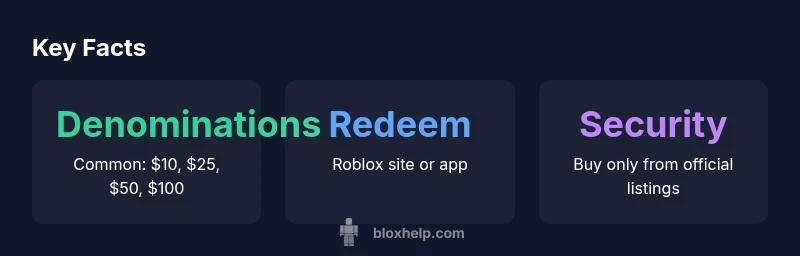
An amazon roblox gift card is a Roblox-eligible code you buy on Amazon and redeem for Robux. Denominations commonly include $10, $25, $50, and $100. Redeem by visiting roblox.com/redeem or the Roblox app, entering the code, and selecting the Robux amount to add to your account. Always purchase from official listings to avoid scams.
What is an Amazon Roblox Gift Card and How It Works
An amazon roblox gift card is a denomination-based code you purchase on Amazon that converts into Robux credit when redeemed on Roblox. The code is entered on Roblox's redemption page (roblox.com/redeem) and immediately adds Robux to the linked account. This approach is convenient for gift-giving or budgeting for in-game purchases and aligns with Roblox's Robux economy model. When used responsibly, it supports access to premium features, avatar customization, and game passes. In practice, most players rely on official Amazon listings to avoid counterfeit codes and ensure prompt delivery. This method is not a Roblox-only mechanism; it reflects how third-party retailers distribute Roblox credit while preserving the same redemption flow. See brand guidance below for safe purchasing practices.
Redeeming on Roblox: Step-by-Step
To redeem, locate the 12- to 16-digit code on the Amazon listing or card itself. Go to roblox.com/redeem, sign in, and enter the exact code. After verification, the Robux credit is added to the account, and the user can spend it across Roblox platforms. If you use the mobile app, the process mirrors the website flow. Codes are typically case-insensitive, but extra spaces or characters can invalidate a code. If you encounter an error, double-check the code and your region, then contact support if issues persist.
Denominations, Availability, and Buying Tips
Denominations vary by market, but common values include smaller increments for flexible budgeting and larger amounts for stronger Robux balance. When shopping on Amazon, compare listing authenticity, seller ratings, and delivery timelines. Always confirm that the listing explicitly states it is a Roblox gift card or Roblox credit. After purchase, copy the code securely and redeem promptly to avoid expiration or accidental misuse. If you plan multiple purchases, consider saving codes in a secure note and validating each code before finalizing transactions at checkout.
Security Considerations and How to Avoid Scams
Gift-card scams are prevalent when codes are sold through unofficial channels or before delivery. Protect yourself by buying only from verified Amazon listings, checking seller feedback, and avoiding shared or public codes. Never share your code publicly or input it on dubious sites. If a code arrives late or appears invalid, reach out to Amazon or Roblox support immediately. Consider enabling two-factor authentication on your Roblox account for added protection and monitoring of balance activity.
Using Gift Cards for Robux vs. Roblox Premium
Roblox gift cards typically convert to Robux credit on your account, which you can spend on Robux, outfits, passes, and more. Roblox Premium is a separate subscription that offers weekly Robux allotments and additional perks; it is not purchased with Robux credit from gift cards. If budgeting is your goal, use gift cards to maximize Robux balance first, then evaluate Premium benefits based on your gameplay style. The two systems are related but operate independently in terms of value and access.
Common Scenarios and Edge Cases
If you have multiple gift cards, you can redeem them over time to accumulate Robux balance, subject to Roblox's policy on multiple redemptions. Regional restrictions may limit certain codes to specific countries; always verify availability for your location before purchasing. If a code is compromised, contact Roblox support immediately and provide proof of purchase. Some promotions or bundled listings may include bonus Robux or time-limited offers; read the listing details carefully to avoid confusion.
Alternatives and Budgeting Best Practices
If you prefer direct control, consider purchasing Roblox gift cards from Roblox’s official store or trusted retailers and combining them for a desired Robux amount. Track your spending with a simple budgeting plan to avoid over-purchasing. For younger players, set spending limits and enable parental controls to prevent unexpected purchases. Compare price-per-robux across denominations to optimize value and use gift cards strategically during seasonal promotions.
Troubleshooting Redeem Issues
If a code fails to redeem, first re-enter the code carefully, ensuring no extra spaces or characters. Check that you are logging into the correct Roblox account and that the code hasn’t expired or been used already. If issues persist, contact the retailer's support and Roblox support with your order number and code details. In many cases, codes can be reissued or resolved after verification of purchase details.
Quick Start: Your First Amazon Roblox Gift Card
- Find a verified Amazon listing for Roblox gift cards and choose a denomination. 2) Complete the purchase and locate the redemption code. 3) Visit roblox.com/redeem or open the Roblox app and enter the code. 4) Confirm the Robux amount and checkout. 5) Verify your balance in the Robux tab and start spending.
Robux redemption workflow and balance implications
| Scenario | Redeem Process | Notes |
|---|---|---|
| Robux Purchase | Visit roblox.com/redeem, enter code, choose amount | Code visible on listing or card |
| Gift Card Balance | Robux added to account balance after redemption | Balance applies across platforms |
| Account Security | Keep codes private, report suspicious listings | Report scams to Roblox support |
Questions & Answers
Can I use an Amazon Roblox gift card on all platforms?
Yes, you can redeem Robux on Roblox's website or mobile app regardless of device; the Robux balance is account-wide.
Yes, you can redeem on any supported platform.
What should I do if a code doesn't work?
Double-check the code, ensure it's not expired, and verify you purchased from an official listing; if issues persist, contact Amazon or Roblox support.
Check the code, verify the seller, then contact support if it still fails.
Are there fees when redeeming a gift card?
Robux purchases typically do not incur additional fees when redeemed with a gift card; the amount equals the denomination.
No extra fees beyond the card value.
Can I use multiple gift cards at once?
Yes, you can redeem multiple gift cards to accumulate Robux balance, up to Roblox's policy on redemptions.
You can combine cards to reach the amount you want.
Is there a regional restriction for Amazon Roblox gift cards?
Availability depends on your country; Roblox supports Robux purchases in most major regions, but some markets may vary.
Region may affect availability.
Should I buy Roblox Premium or Robux via gift card?
Robux credit from gift cards is separate from Premium; Premium is a subscription with extra perks. Gift cards help fund Robux, not Premium directly.
Gift cards add Robux; Premium is optional.
“"Gift cards can simplify Robux budgeting when purchased from trusted sources, and careful redemption reduces risk of scams."”
The Essentials
- Buy from official Amazon listings to avoid scams
- Redeem on roblox.com/redeem or the Roblox app
- Denominations commonly range from $10 to $100
- Protect codes and monitor balance after redemption
- Robux credit differs from Roblox Premium