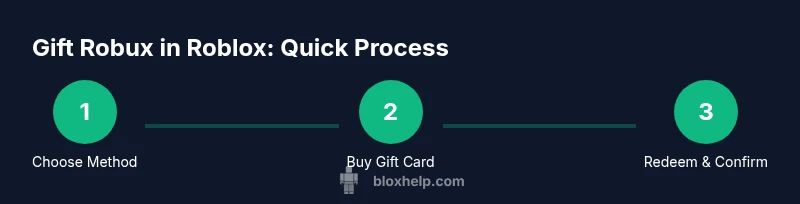
How to Give Robux in Roblox: Safe Gift Guide
Learn official, safe ways to give Robux in Roblox, including Roblox Gift Cards and redeemable codes. This beginner-friendly guide covers steps, safety tips, and practical alternatives for gifting.


Direct Robux transfers between Roblox accounts aren’t supported. To give Robux, buy a Roblox Gift Card or use gifting options on the Roblox site, then share the recipient’s username or the code. Another option is gifting a game pass or in-game item from a Roblox game if the developer allows it. Always verify the recipient’s account to avoid sending gifts to the wrong person.
Why direct Robux transfers aren’t available
Roblox does not support transferring Robux directly from one account to another. This policy helps prevent fraud, reduce scams, and ensure that all Robux purchases are tied to a verified user. For Roblox players and aspiring developers, this means the only safe way to give Robux is through official channels like gift cards or redeemable codes. According to Blox Help, direct transfers are not supported, and the safest approach is to use legitimate gift methods and confirm the recipient’s account information before proceeding. This aligns with best practices in the Roblox community and minimizes the risk of sending funds to the wrong person.
- Use official sources only
- Double-check usernames before sending
- Keep codes private until redeemed
How gifting works in Roblox
Gifting in Roblox revolves around official mechanisms rather than direct cash transfers. The most common method is purchasing a Roblox Gift Card at a retailer or via the Roblox site, which yields a redeemable code. The recipient then signs in to Roblox and redeems the code to add Robux to their account. Gift cards come in various denominations, and the redeem process is straightforward. While some game developers offer in-game items or passes as gifts, these are bound to the recipient and may vary by title. The key is to ensure you use legitimate sources to avoid scams and that you verify the recipient’s username.
- Gift cards provide Robux via code redemption
- Verify recipient’s username to ensure delivery
- Be cautious with third-party sellers to avoid scams
Official gifting methods: Roblox Gift Cards and codes
Roblox Gift Cards are the official, widely available gift option. They are redeemable for Robux and sometimes for Premium benefits, depending on local options. The code on the card is entered on roblox.com/redeem, after which the Robux or listed value appears in the recipient’s account. Physical cards and digital codes both exist, with digital codes often sent via email or messaging apps. When you buy a card, keep the code secure and only share it with the intended recipient. If you plan to gift a code directly, use a trusted, direct channel to minimize exposure to scammers.
- Choose denomination that fits your budget
- Prefer official Roblox retailers or Roblox.com
- Keep the code confidential until redemption
Alternatives to direct Robux gifting (in-game value and titles)
If Robux gifting isn’t feasible, consider alternatives like gifting a game pass or developer-created items within a title you know the recipient plays. These options do not transfer Robux directly but can provide similar value within a game. Always confirm the game supports gifting items and that the recipient is comfortable with this approach. For younger players or in shared accounts, parental controls and account security remain paramount to prevent unintended purchases or shareable codes getting exposed.
- Check game-specific gifting options offered by developers
- Confirm the recipient actually plays the title you’re gifting in
- Use parental controls where applicable to protect minors
This approach aligns with best practices and keeps gifting within Roblox’s official ecosystem.
Security and scams: best practices for gifting Robux
Gifts should come from trusted sources and be delivered through secure channels. Never post gift codes in public chats or forums, and avoid sharing screens or messages that reveal your account credentials. When using a digital code, send it through direct messages or a trusted platform, and ask the recipient to redeem it promptly. If a deal looks too good to be true or a seller asks for your login details, stop and report the suspicion. Roblox’s official gift system reduces risk when used correctly, and staying vigilant helps protect both you and the recipient.
- Use official retailers or Roblox.com
- Share codes only through private channels
- Report scams and avoid unverified sellers
How to verify delivery and redemption success
After you’ve sent a gift card or code, verify that the recipient has successfully redeemed it by asking them to confirm their Robux balance or by checking the redemption history in their account. If the recipient reports an issue, double-check the code, denomination, and expiration status. If problems persist, contact Roblox Support with your purchase details and the code securely redacted. Clear communication helps ensure a smooth gifting experience for everyone involved.
Authority sources and further learning
- Roblox Support: Gift Cards and Redeem Codes – roblox.com/help
- Federal consumer protection resources on online gifts and scams (educational use only) – .edu references typically discuss consumer safety online
- Major gaming industry publications covering digital gifts and code security (for broader context)
How to plan a safe gift-giving moment in Roblox
Plan your gift as you would a physical present: set a budget, choose the method, and ensure the recipient will get the value you intend. Use a private, secure message to share the code or confirm the recipient’s username before sending. If you’re gifting to a younger user, consider involving a parent or guardian to supervise the transaction and ensure compliance with local laws. Proper planning reduces errors and increases the likelihood that the gift is received and enjoyed.
- Decide on budget and method first
- Verify the recipient’s details before sending
- Involve a guardian when gifting to younger players
Tools & Materials
- Roblox account (buyer)(You’ll need a valid Roblox account to purchase and redeem gift cards.)
- Recipient’s Roblox username(Ensures the gift is sent to the right person.)
- Valid payment method(Credit/debit card, PayPal, or Roblox gift card balance.)
- Roblox Gift Card (digital or physical)(Choose denomination appropriate for the gift.)
- Secure messaging channel(Direct message or trusted app to share codes safely.)
- Device with internet access(Phone, tablet, or computer for redemption.)
Steps
Estimated time: 15-30 minutes
- 1
Choose gifting method and budget
Decide whether you’ll give an official Roblox Gift Card code or use a different in-game gifting method supported by the recipient’s games. Set a budget that matches the denomination options available.
Tip: Keeping a clear budget helps prevent over-spending and ensures your gift aligns with the recipient’s needs. - 2
Purchase the gift code or card
Buy the Roblox Gift Card from an official retailer or directly on Roblox. If you’re buying a digital code, you’ll receive the code via email or a secure message.
Tip: Always use trusted sources to avoid counterfeit codes. - 3
Securely obtain the code
If you bought a physical card, locate the code under the scratchable area. If digital, copy the code to a secure clipboard or note.
Tip: Treat codes like cash; don’t share them in public chats. - 4
Deliver the code to the recipient
Send the code through a private channel to the recipient and confirm they received it. Do not post codes in public forums.
Tip: Ask the recipient to acknowledge receipt to confirm delivery. - 5
Recipient redeems the code
The recipient signs into Roblox and goes to roblox.com/redeem to enter the code and add Robux to their account.
Tip: Redeem only on the official Roblox site to avoid phishing. - 6
Verify successful redemption
Both sender and recipient confirm Robux balance update. If issues arise, contact Roblox Support with purchase details.
Tip: Keep purchase receipts and code records until redemption is confirmed.
Questions & Answers
Can I transfer Robux directly to another player?
No. Roblox does not allow direct Robux transfers between accounts. Use official gift options like Roblox Gift Cards or redeemable codes instead.
No, Robux can’t be sent directly between accounts; use gift cards or codes.
What’s the safest way to give Robux as a gift?
Purchase an official Roblox Gift Card or redeemable code from Roblox or a trusted retailer, then share the code privately with the recipient.
Buy a Roblox Gift Card from official sources and share the code securely.
How does a recipient redeem a Roblox Gift Card?
The recipient signs in to Roblox, goes to roblox.com/redeem, enters the code, and Robux is added to their account.
They redeem the code on Roblox’s redeem page to receive Robux.
Are there any risks when gifting Robux?
Risks include scams and sharing codes publicly. Stick to official retailers and private channels; never share login information.
Watch out for scams and keep codes private.
Watch Video
The Essentials
- Robux transfers aren’t supported directly
- Use Roblox Gift Cards or redeemable codes to gift Robux
- Share codes securely and verify recipient details
- Redeem codes on roblox.com/redeem to add Robux
- Be vigilant against scams and untrusted sellers