What Roblox Hats Have Effects: A Practical Guide for Players
Learn which Roblox hats carry in-game effects, how those effects work, and how to verify them across experiences. A practical guide by Blox Help with expert tips and clear how-to steps.


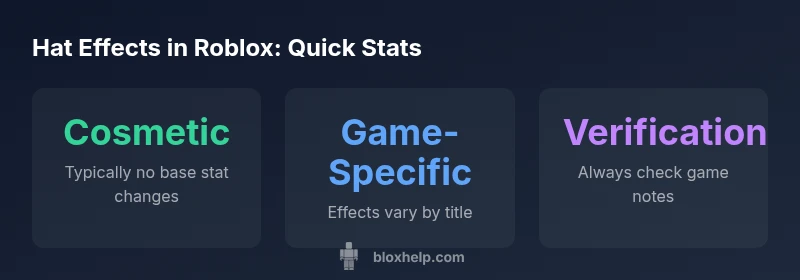
Short answer: In Roblox, hats are mostly cosmetic accessories and do not change core avatar stats in the base game. A small number of games attach hats to scripted effects, such as emotes, particle trails, or temporary boosts, but these effects are game-specific, not universal. Always check the notes in each experience to know what a hat does.
What counts as an effect when a hat is worn?
Hats in Roblox are accessories that appear on your avatar. In most cases, a hat is cosmetic; you won't notice a difference in movement, speed, or jump height in the base Roblox experience. However, some developers attach effects to specific hats within their experiences, using scripts to trigger animations, particle effects, or emotes. These effects are not universal; they only apply when you are in certain games or experiences. When you encounter a hat with effects, you’ll typically see a game description indicating the enhancement, or you’ll notice a visual cue like glowing outlines, particles, or synchronized emotes. Educational note: the difference between cosmetic hats and game-dependent effects is important for players who want to compare items across titles.
Do hats alter base stats in Roblox's default experience?
The Roblox base experience does not assign persistent stat changes to hats. Core avatar attributes such as walk speed, jump power, or stamina are controlled by game scripts outside the hat’s code. In other words, wearing a hat in the default experience does not inherently buff your speed or jumping ability. Any stat-like effect you observe is implemented by the specific game you’re playing. This distinction matters for players who compare item values across titles; a hat might feel stronger in one game and be purely cosmetic in another. If you want a hat that truly modifies gameplay, seek out experiences that highlight that feature in their item descriptions or patch notes. Always verify with the game’s notes or developer communications.
How developers implement hat effects (scripts, particles, and UI)
Hat effects are typically layered on top of the avatar using a mix of assets and scripts. A developer may attach a visual particle system (like a glow or trail) to the hat object, plus a LocalScript or ServerScript that triggers an animation or a UI indicator when the hat is equipped. In some cases, effects modify in-game state or trigger emotes, but these are scoped to that particular game’s logic. The key takeaway is that the hat itself is not universally responsible for the effect; the game’s scripting decides when, how, and for whom the effect appears. For players, this means you’ll often see two things together: a cosmetic hat and a game-specific effect that only occurs in that experience.
In-game examples: what to look for when a hat has an effect
- Visual cues: glow, particle bursts, colored trails, or aura around the avatar.
- Behavioral cues: a visible emote, animated gesture, or a short animation when the hat is equipped.
- Documentation cues: price pages, patch notes, or in-game descriptions mentioning an effect.
- Game scope: confirm whether the effect is listed as only in that game or is a global feature for that hat in multiple experiences.
- Verification pattern: cross-check with the experience’s notes, creator communications, or community guides.
Verifying hat effects across experiences
To verify whether a hat has an effect, start with the game’s own notes and the item description. Then, test the hat in the game by equipping it and performing common actions (jumping, sprinting, emotes) to observe any changes. Compare with another game where the same hat is used, if available. If the effect is rumored but not visible, it’s likely game-specific or dependent on certain in-game conditions (like player progress). Keeping a log of hat descriptions and observed behaviors helps you build a reliable mental map of what each hat does across experiences.
Common myths and caveats
- Myth: A hat will always boost stats across all Roblox titles. Reality: Most hats are cosmetic; stat boosts are rare and are controlled by game-specific scripts.
- Myth: If one game shows an effect, every game with the same hat will. Reality: Hats can behave differently by title; always check game notes.
- Caveat: Some effects are temporary or limited to events, holidays, or experimental builds.
- Caveat: Trading or collecting hats does not guarantee universal effects; verify per game.
Practical tips for players and creators
- For players: treat hat effects as game-specific bonuses and verify each experience’s notes.
- For creators: clearly label any hat-associated effects in your game’s patch notes and item descriptions to avoid confusion.
- Use emotes and visuals judiciously; ensure performance remains smooth across devices.
- Encourage community feedback to document when a hat’s effects behave inconsistently between titles.
Overview of hat effect categories in Roblox
| Hat Type | Effect Type | Accessibility | Notes |
|---|---|---|---|
| Cosmetic-only Hat | Cosmetic flair (no gameplay effect) | Universal | Purely aesthetic; no stat changes |
| Game-specific Hat with Scripted Effect | Temporary stat boost in specific game | Game-dependent | Depends on game; not universal |
| Emote Hat | Animation-based effect | Universal | Triggers emote in supported games |
| Particle Hat | Visual effect only | Universal | No gameplay stat effect |
Questions & Answers
Do Roblox hats ever boost player stats?
In the base Roblox experience, hats do not boost core stats like speed or jump. Any stat boosts come from the specific game’s scripting. Always check game notes to confirm.
No, hats don’t boost base stats in Roblox’s default experience; check the game notes for exceptions.
Are hats with effects common across Roblox titles?
Hats with visible effects exist but are relatively uncommon and usually limited to certain games. Most hats are cosmetic.
Hats with effects exist but aren’t common; most hats are cosmetic.
Can I transfer hat effects between games?
No. Hat effects are tied to individual games or experiences and don’t carry over automatically between titles.
Effects don’t transfer between games; they’re game-specific.
Where can I find information about a hat’s effects?
Check the hat’s in-game description, the game’s notes, and community guides. Our quick-guide and Blox Help resources can help interpret unclear entries.
Look at notes, descriptions, and guides to confirm any hat effects.
Do hats with effects require Robux?
Some hats require Robux or are part of events, but the presence of an effect is not guaranteed by price. Always verify in-game notes.
Price doesn’t guarantee an effect; verify in-game notes.
“Hat effects are not universal; developers embed them in games to enhance immersion, while hats themselves remain mostly cosmetic.”
The Essentials
- Most hats are cosmetic and have no base-game stats
- Effects are typically game-specific and not universal
- Always read game notes to verify hat behavior
- Use item descriptions to distinguish cosmetic vs. functional effects
- Developers can attach scripts for game-specific hat effects