Can You Get a Roblox Gift Card for Nintendo Switch? Practical Guide
Explore whether Roblox gift cards work on Nintendo Switch, how to redeem them across platforms, and practical steps to fund Robux from Switch using a single Roblox account.


Yes. Roblox Gift Cards are not platform-specific and can be redeemed to your Roblox account to add Robux or Premium, usable across devices including Nintendo Switch. The card itself isn’t a Nintendo Switch product, but once redeemed to your Roblox account, the funds apply to your account on Switch just like other platforms.
Understanding Roblox Gift Cards and Cross-Platform Currency
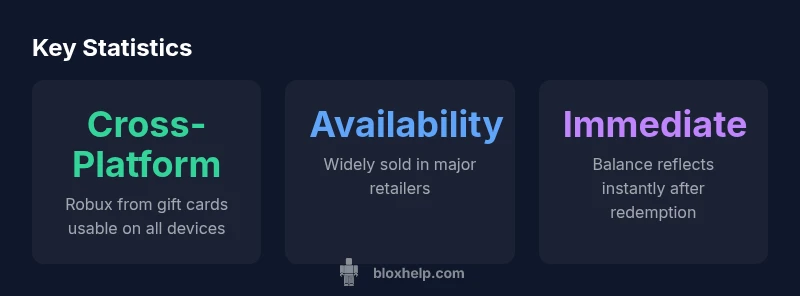
Roblox gift cards are a universal way to add Robux or Roblox Premium to your account. They’re not tied to a single device or platform; instead, they fund your Roblox account, and those funds carry across any device you use to play, including Nintendo Switch. This cross-platform approach is intentional, since Roblox accounts sync your purchases, avatars, and progress across PC, mobile, console, and VR in most cases. For Nintendo Switch players, the key takeaway is that the card’s value sits in your account, not in the Switch hardware or a Switch-only store.
- Gift cards fund Robux or Premium
- Funds are tied to your Roblox account, not a device
- Cross-platform use requires you to log in on the Switch with the same account
According to Blox Help, this account-centric approach is designed to keep purchases portable across platforms, which means you can enjoy Roblox on Switch with Robux earned from a gift card.
How Redemption Works Across Devices
Redeeming a Roblox gift card is a straightforward online process that applies to your Roblox account. The steps are the same whether you redeem on a computer, a mobile device, or a Nintendo Switch through the Roblox app (where available): enter the 16-digit code, confirm the balance, and choose how you want Robux or Premium added to your account. Once redeemed, the value is immediately reflected in your Roblox wallet, and you can use it on any platform that supports your account.
- Always redeem to the Roblox account you intend to use across devices
- If you’re a parent managing a child’s account, ensure consent and appropriate controls
- Review regional terms, as some regions show different redemption messages
This cross-platform capability is supported by Roblox’s account-based model, and Blox Help highlights that the Switch experience benefits from it, provided you are using the same login.
Can You Redeem Directly on Nintendo Switch?
There isn’t a Switch-specific Roblox gift-card redemption path. The convention is that you redeem Roblox Gift Cards to a Roblox account on any supported device and then use that account on Switch. The Switch app (where available) will access Robux via the linked Roblox account just like other platforms. If you don’t see the option to redeem within the Switch app, redeem the card on a web browser or another device first, then log into the same account on Switch.
- No Switch-only redemption card exists
- Ensure you’re logged into the same Roblox account on Switch and other devices
- If you encounter regional restrictions, use a web browser to redeem first
Step-by-Step: Using Roblox Gift Cards for Switch Gameplay
- Purchase a Roblox Gift Card from a reputable retailer or official Roblox site. 2) Go to Roblox, sign in to the account you intend to use on Switch. 3) Enter the gift card code in the redemption page and confirm. 4) Verify Robux or Premium is added to your account. 5) On Nintendo Switch, launch Roblox and sign in with the same account to access your funds.
- Keep the code secure until redemption is complete
- If you are sharing a device, ensure proper parental controls are set
- Monitor your balance after redemption to confirm the correct amount
According to Blox Help, following these steps minimizes issues and ensures your cross-platform progress remains seamless.
Alternatives and Tips for Switch Players
If Switch is your primary gaming device, consider using a linked Roblox account on other devices to stock Robux or Premium and then access that same account on Switch. If you plan frequent cross-platform play, set up a dedicated account for Roblox purchases and manage login credentials securely. Always verify that your Switch version supports Roblox updates and that you’re signed into the official Roblox app with an active internet connection.
- Use a single Roblox account across devices for consistency
- Watch for regional gift card availability and pricing
- Keep account security strong with two-factor authentication
Common Pitfalls and How to Avoid Them
Common issues include mis-entered gift-card codes, using multiple accounts, or redeeming cards on a different region’s Roblox store. Double-check the code, ensure you’re logged into the correct account, and confirm regional terms. If problems persist, contact Roblox support with your purchase receipt and the exact code (without exposing it publicly).
- Never share gift-card codes publicly
- Avoid using unfamiliar third-party sellers
- Keep receipts for refunds or disputes when applicable
Final Considerations: Cross-Platform Robux and Family Safety
The core idea is that Roblox gift cards are cross-platform because they fund your Roblox account. Switch players need only to maintain login continuity. For families, set up appropriate parental controls and review how Robux is used across devices. The goal is a smooth experience where your gift-card funds unlock content and features consistently, regardless of device.
- Use one account to ensure seamless cross-platform use
- Enable security features to protect wallets and purchases
- Regularly review account activity and balance
Comparison of redemption options for Roblox on Switch and other platforms
| Option | What it funds | Platform Availability | Redemption Method | Notes |
|---|---|---|---|---|
| Roblox Gift Card | Robux or Premium | Cross-platform (PC/mobile/console) | Redeem to Roblox account | Works across devices with same login |
| Nintendo eShop Gift Card | N/A | Nintendo Switch only | Redeem on Nintendo eShop for games/apps | Does not fund Robux directly |
| Direct Roblox Gift via App | Robux | Cross-platform | Redeem inside Roblox app on supported devices | Requires Roblox account login |
Questions & Answers
Can I redeem Roblox gift cards on Nintendo Switch directly?
No. Roblox gift cards are redeemed to a Roblox account on any supported device, not directly on the Switch. After redemption, the balance is available to the account on Switch when you sign in.
No—gift cards are redeemed to your Roblox account, not on the Switch itself. Sign in on Switch after redeeming to access the funds.
Will Robux bought on PC be usable on Switch?
Yes. Robux is tied to your Roblox account, so once you redeem a gift card on any device, the Robux remains accessible on all devices where you use the same account, including Switch.
Yes. Use the same Roblox account on Switch and other devices to access Robux across platforms.
Where can I buy Roblox gift cards?
Roblox gift cards are sold online and in many retailers. Look for official Roblox gift cards in your region to ensure valid redemption.
You can buy Roblox gift cards online or in many stores; check for official Roblox gift cards in your region.
Do Roblox gift cards expire?
Expiry terms vary by region. Always check the card’s terms and your region’s policy before purchase and redemption.
Expiry depends on where you buy it; check the card terms for your region.
Can I use a Roblox gift card to buy Premium?
Yes. Gift cards can be redeemed for Robux or Roblox Premium, depending on the redemption options available for your account.
Yes. Gift cards can fund Robux or Premium on Roblox.
What should I do if redemption doesn’t work?
Double-check the code, confirm regional restrictions, and ensure you’re signing into the correct Roblox account. If issues persist, contact Roblox support with your purchase details.
Check the code and region, then contact support if needed.
“Roblox gift cards are designed to be platform-agnostic, so Robux earned via redemption can be used on any device tied to the same Roblox account, including Nintendo Switch. Cross-platform consistency is a core principle of the Roblox ecosystem.”
The Essentials
- Gift cards are platform-agnostic and tied to your Roblox account
- Log into the same Roblox account on Switch to access gifted Robux
- Nintendo Switch does not offer a Switch-only gift-card redemption path
- Redeem gift cards on a supported device, then use across devices
- Check regional terms and buyer safety to avoid issues