Create Roblox Game Passes: A Complete Step-by-Step Guide 2026
Learn how to create Roblox game passes from concept to launch with practical steps, thumbnails, pricing, and promotion. Blox Help guides the Roblox creator workflow.


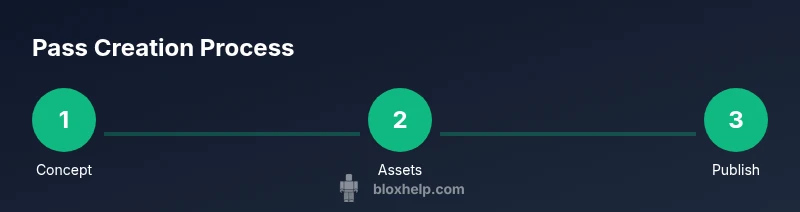
According to Blox Help, creating Roblox game passes is a practical way to monetize a successful game when you offer clear value. This quick guide outlines the essential steps: craft a compelling pass concept, prepare assets and thumbnail, upload to the game passes tab, set pricing, publish, and promote to players, with safety and policy reminders.
Overview of Roblox Game Passes and Why They Matter
According to Blox Help, game passes are a legitimate monetization tool that lets players buy access to special features, cosmetics, or gameplay advantages within your Roblox titles. They provide a way to reward early supporters and sustain ongoing development. When designed with clear value and balance, passes can enhance player engagement and create a reliable revenue stream that funds future updates. This section lays the foundation for understanding the mechanics, how passes differ from in-game purchases, and why thoughtful design matters for long-term success.
Prerequisites: What You Need Before Creating Passes
Before you begin, ensure you have a Roblox account with creator permissions for your game and a well-defined pass concept. Gather a high-quality thumbnail and a pass icon that clearly communicates the benefit. Review Roblox’s terms of service and monetization guidelines so you stay compliant. A documented plan for how the pass integrates with your game’s progression will save time and reduce confusion for players.
Step 1: Prepare Your Pass Concept
Clarify the value of your pass: what does the player get, how does it affect gameplay, and how long does the benefit last? Write a short, compelling description that answers the player's question: Why should I buy this pass? Consider balancing the price with the perceived value and ensure your pass complements your game's design rather than overshadowing it. A well-mapped pass concept reduces scope creep and helps you communicate benefits clearly.
Step 2: Create Pass Asset and Thumbnail
Design a distinctive, easily recognizable thumbnail and a pass icon that communicates the benefit. Use a square aspect ratio, high contrast, and legible text if included. Ensure your artwork respects copyright rules. Save assets in PNG or JPG with suitable resolution for both mobile and desktop displays. A strong visual helps players understand the value at a glance and increases click-through.
Step 3: Upload the Pass to Roblox
Navigate to the game’s Passes tab on the Roblox website or Creator portal. Click Create New Pass, upload your thumbnail, enter the pass name and description, and attach any required metadata. Double-check spelling, ensure the pass links to the correct game, and preview the listing to confirm the appearance before publishing.
Step 4: Set Price and Define Access Rules
Choose a price that reflects the value offered and fits your monetization goals without alienating players. Clearly define what players receive after purchase and how it affects gameplay. If you offer multiple passes, maintain distinct names and a transparent tier structure to avoid confusion and misinterpretation.
Step 5: Publish, Test, and Verify
Publish the pass and conduct a test purchase using a controlled account to verify the flow from store to game access. Confirm the pass grants the intended benefits immediately and that there are no checkout or entitlement issues. Be mindful of refunds and policy compliance as you test.
Step 6: Promote Your Pass In-Game and Outside
Make the pass visible in your game with a buy button and clear messaging about benefits. Promote via Roblox groups, social channels, and in-game announcements. Solicit feedback from early buyers and iterate on billing description, price, and offers to improve uptake.
Common Pitfalls and How to Avoid Them
Avoid vague benefits, overpricing, or misleading descriptions. Do not rely on passive promotion alone; actively communicate value and any limitations. Regularly review community feedback and balance changes to ensure the pass remains fair and aligned with updates to your game.
Best Practices for Ongoing Pass Management
Refresh passes alongside major game updates, retire outdated offers gracefully, and monitor sales trends. Maintain transparent communication with players about changes. A thoughtful, player-centered approach builds trust and sustains long-term engagement.
How to Track Sales and Revenue (Ethical Monetization)
Use Roblox analytics or external dashboards to monitor pass sales and the impact on engagement. Share honest metrics with your community and avoid pressure-based promotions. Consider limited-time offers to test demand and refine your approach.
Tools & Materials
- Roblox account with creator access to your game(Needed to access the Passes tab and publish assets)
- Pass thumbnail and icon artwork (square, PNG/JPG)(Aim for 512x512 or higher for clarity on mobile)
- Pass name and description(Clear, concise, and value-driven)
- Defined pass benefits and tier structure(Document expected outcomes for buyers)
- Stable internet connection(Necessary for uploading assets and publishing)
- Notes on monetization policy(Review Roblox terms and revenue-sharing guidelines)
Steps
Estimated time: 30-60 minutes
- 1
Define pass concept
Outline the exact benefits, what the pass unlocks, and how long it lasts. Write a one-paragraph rationale and a one-sentence value proposition for players.
Tip: Keep the value clear and attainable; avoid overpromising. - 2
Create pass assets
Design a thumbnail and icon that communicate the benefit and look good at small sizes. Save in high-resolution PNG/JPG.
Tip: Use bold colors and readable text; test visibility on mobile. - 3
Upload pass to Roblox
Go to the game’s Passes tab, choose Create New Pass, upload assets, and fill in name/description. Link it to the correct game.
Tip: Double-check the link to avoid misattributing benefits. - 4
Set price and rules
Set a price that reflects value and create a clear description of what buyers receive post-purchase.
Tip: Consider a simple tier structure if you offer multiple passes. - 5
Publish and test
Publish the pass, then test a purchase using a test account to confirm entitlement immediately.
Tip: Check for any checkout issues or delays in granting benefits. - 6
Promote the pass
Add in-game prompts, a prominent buy button, and external promotions via social channels and Roblox groups.
Tip: Highlight the unique value and showcase actual benefits in action. - 7
Monitor feedback and iterate
Collect player feedback post-launch and adjust description, pricing, or benefits as needed.
Tip: Run quick A/B tests where feasible to gauge impact. - 8
Expand and optimize
Release additional passes aligned with game updates and player demand to sustain momentum.
Tip: Avoid duplicating passes that cannibalize sales; diversify offerings.
Questions & Answers
What is a Roblox game pass and how does it work?
A Roblox game pass is a purchasable in-game item that grants players a permanent or time-limited benefit within a game. It is designed to enhance gameplay or cosmetics and is purchased through the game's pass storefront. Passes are monetized by players buying Robux, which Roblox converts to real revenue for developers.
A Roblox game pass is a purchasable item that unlocks perks in a game. It’s bought with Robux, and the benefits are granted permanently or for a set period, depending on how you configure it.
Do I need to own a game to create passes for it?
Yes. You must have creator access to a game on Roblox to add or manage passes for that game. This ensures you control what players can buy and what benefits are granted.
Yes. You need creator access to the game to add passes and manage their benefits.
Can game passes be promoted inside and outside Roblox?
Yes. Passes can be promoted through in-game banners, UI prompts, and external channels such as social media, groups, and communities. Clear messaging about value improves uptake.
You can promote passes inside the game and on external channels to help players understand the benefits.
Are there restrictions on pass content or images?
Pass content and images must comply with Roblox’s terms and community guidelines. Do not use copyrighted material or misleading visuals. Ensure the thumbnail accurately represents the pass.
Pass content must follow Roblox rules, and images should be original or properly licensed.
Is there a revenue share for passes and how is it handled?
Roblox handles the platform revenue and takes a standard cut, with the remainder available to developers according to Roblox terms. Specific figures can change, so review the current terms in the developer documentation.
Roblox takes a platform share, and the rest goes to developers under current terms. Check the docs for exact numbers.
How do I update a pass after publishing?
You can edit pass details, pricing, or assets after publishing. If you modify the pass, communicate changes to your players and monitor their impact on sales and engagement.
You can update a published pass by adjusting its details and assets and telling players about the changes.
Watch Video
The Essentials
- Define clear value for each game pass
- Design high-quality assets that communicate benefits
- Publish, test, and verify entitlement flow
- Promote passes with transparent messaging
- Iterate based on player feedback and data