Safe Roblox Scripting: Learn Lua in Roblox Studio
Learn legitimate Roblox scripting with Lua in Roblox Studio. This educational guide explains why hacks are dangerous, then walks you through setup, basics, debugging, and publishing fair, engaging games.


The term hack script roblox is commonly used to describe attempts to modify or cheat in Roblox games, which violates Roblox rules and risks account safety. This guide shifts focus to legitimate Lua scripting in Roblox Studio, teaching you to build and test fair, engaging experiences. You’ll learn basics, debugging, and best practices.
Debunking 'hack script roblox' and why it matters
The phrase hack script roblox is widely encountered in forums and video titles. Some users chase quick shortcuts, hoping to gain unfair advantages or bypass restrictions. Attempting to hack Roblox games can violate Roblox's Terms of Service, lead to account suspensions, and expose your computer to security risks. This article reframes the topic, explaining why hacks are dangerous and how to pursue legitimate learning instead. According to Blox Help, the best path for players and aspiring developers is to learn Lua scripting and Roblox Studio fundamentals, then experiment with safe, creator-owned projects. You will explore legal limits, ethical coding practices, and how to build features that are fun and fair. By focusing on structured practice, you gain transferable programming skills, a better understanding of game design, and a portfolio you can show to others. If you see a tutorial promising instant cheats, beware—chances are it harms your account and the Roblox community.
Safety, legality, and community guidelines
Hacking in Roblox is not just a risk to your account; it also undermines the experience of other players. Roblox's Terms of Service strictly prohibit modifying game code to gain an advantage, distributing cheat tools, or bypassing protections. Engaging in such activities can result in permanent bans and legal consequences, depending on jurisdiction. The community guidelines emphasize integrity, fair play, and the sharing of original content. As you learn, prioritize personal safety: avoid downloads from untrusted sources, never share your account credentials, and report suspicious content. This article keeps a strong focus on legitimate, creator-centered scripting that respects players and developers. The aim is to build usable, safe skills that can translate into real projects, portfolios, and even paid work in the future. The Blox Help team believes in a constructive learning path that reinforces ethics and safety at every step.
Roblox Studio: Your legitimate toolkit
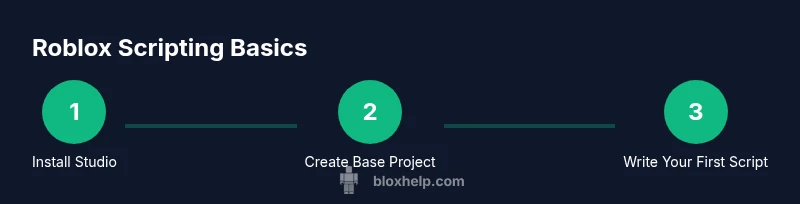
Roblox Studio is the official development environment for Roblox games. It includes an editor, asset management, testing tools, and a Lua-based scripting framework. Start by downloading Roblox Studio from the Roblox Developer Hub and signing in with a Roblox account. Familiarize yourself with the explorer, properties, and the output window, which shows code errors and runtime messages. Create a new baseplate project to get a feel for the layout, then enable the Viewport to see your changes in real time. The Studio environment is designed for beginner experimentation and gradual progression to more complex features, so take advantage of built-in templates and sample scripts. Over time, you’ll learn how to organize your scripts in modules, manage assets, and keep your project clean and maintainable.
Learning Lua: The language behind Roblox scripting
Lua is a lightweight, beginner-friendly programming language used by Roblox Studio. It emphasizes tables as the primary data structure and uses simple syntax that reads like plain English. Begin with variables, data types (numbers, strings, booleans), and basic operators. Practice with small, incremental exercises: print statements to verify outputs, concatenation of strings, and simple arithmetic. As you progress, learn about functions, if statements, loops, and basic data structures. The Lua reference on the official site is a good starting point, but the Roblox scripting guide provides Roblox-specific APIs like Instance.new, Parent relationships, and event connections. A steady pace is more effective than rushing to complex projects.
Structuring your first script: a simple interaction
A solid first script demonstrates how a script interacts with a part in the workspace. Start by creating a new Part and a Script under it. The script prints a message when the game starts and then shapes the part’s basic properties. Example:
print("Hello Roblox world")
local part = Instance.new("Part")
part.Size = Vector3.new(4, 1, 2)
part.Position = Vector3.new(0, 5, 0)
part.Parent = workspace
This small example introduces you to the core objects, properties, and the basic lifecycle of a script. Tip: always comment your code to explain intent and future maintenance.
Working with events and remote syntax
Events are the lifeblood of interactive Roblox games. A common pattern is responding to a player's action or environmental triggers. In Roblox Studio, you connect a function to an event using the :Connect method. For example, you can change a part's color when it’s touched. This approach teaches event-driven programming and helps you build responsive gameplay without resorting to hacks. In more advanced scenarios, you’ll use RemoteEvents to communicate between server and client, which is essential for secure multiplayer games. Always test event handlers in Play mode to observe real-time behavior.
Debugging strategies for beginners
Debugging is a skill you acquire through deliberate practice. Start by using print statements to trace values, then switch to the built-in Output and Script Analysis tools to locate errors. Learn to reproduce issues in controlled test environments, so you can verify fixes without affecting other parts of your project. A common early mistake is assuming that a variable exists when it hasn’t been created in the expected scope. Keep scripts small, test often, and progressively integrate features. Documentation and comments are your best friends when debugging complex logic.
Designing fair gameplay and anti-cheat concepts
A healthy learning approach emphasizes fair play and robust code hygiene. Implement client-server trust boundaries: avoid placing critical game logic on the client, and validate important actions on the server. Use Roblox's built-in protections, such as RemoteEvents with server-side handlers, to minimize exploit opportunities. Encourage transparency by documenting gameplay rules and providing simple modding guidelines for your own games. This discipline reduces risk and helps you create experiences that are fun for players and sustainable for developers.
Optimizing scripts for performance
Performance optimization begins with clean, readable code and thoughtful architecture. Profile your scripts to identify bottlenecks, avoid frequent expensive operations inside game loops, and minimize unnecessary network traffic. Scoping variables correctly and reusing instances when possible reduces memory churn. As your projects scale, consider modular design, caching frequently accessed properties, and using coroutines only when appropriate. Small, incremental improvements add up to a noticeably smoother gameplay experience.
Real-world project ideas for beginners
Turn ideas into tangible practice by building small, shareable projects. Examples include a memory-mrmo game with a scoring system, a simple platformer with jump physics, or a collectible hunt where players collect items to unlock rewards. Each project should have a clear scope, a list of required assets, and a simple UI. Completing multiple short projects yields a diverse portfolio and confidence to tackle larger games. Remember to document your approach and reflect on what you learned after each project.
Resources and practice paths
Learning is a journey, not a single solution. Start with the official Roblox Developer Hub and Lua documentation, then supplement with structured courses from university programs or reputable programming education sites. Practice daily, keep a project journal, and seek feedback from the Roblox community. As you grow, contribute to sample projects, collaborate with peers, and publish small games to gather user feedback. The path that combines steady practice with real-world projects yields the most durable skills.
What comes next: advancing from basics
Once you’re comfortable with basics, chart a path toward more advanced topics: user interfaces, data persistence with Roblox DataStores, multiplayer synchronization, and asset optimization. Build a personal roadmap that includes weekly milestones, code reviews, and collaborative projects. You’ll find that your ability to design experiences, debug efficiently, and iterate quickly improves with consistent practice and community engagement. With time, you’ll be ready to design your own game genre, implement monetization ethically, and teach others what you’ve learned.
Tools & Materials
- Roblox Studio(Install from the official Roblox Developer Hub and sign in with your Roblox account)
- Reliable internet connection(Stable connection for downloads, testing, and updates)
- Roblox account(Needed for testing and publishing your projects)
- Code notes/documentation(Optional, helps organize concepts and track progress)
Steps
Estimated time: Total time: 2-3 hours
- 1
Create a new Roblox project
Open Roblox Studio and start a new Baseplate project. This initializes your workspace, giving you a canvas to practice on. Familiarize yourself with the Explorer, Properties, and Viewport to understand how components relate to one another.
Tip: Explore the layout first; knowing where parts, scripts, and assets live saves time later. - 2
Add a Part and a Script
In the Explorer, insert a new Part and a Script under it. This pairing demonstrates how script execution links to game objects. Run the simple script to confirm the script is executing by printing a message.
Tip: Keep the Script and Part organized in a clear hierarchy for easier maintenance. - 3
Write a basic Hello World script
Edit the Script to print a message when the game starts. This validates that your script runs and helps you understand the lifecycle of a Roblox script. Use the example as a starting point and expand gradually.
Tip: Comment the code to document intent for future you or team members. - 4
Introduce an interactive element
Modify the Part so it responds to an event, like a click or touch. This teaches event-driven programming and basic interaction without advanced concepts.
Tip: Test interactions in Play mode to ensure responsiveness. - 5
Connect an event with a simple action
Use the .Clicked or .Touched event to trigger a change (e.g., color change or text display). This introduces event handling and server-client considerations.
Tip: Be mindful of which actions run on the client vs. server. - 6
Test, iterate, and refactor
Run the game frequently to spot runtime errors early. Refactor repetitive code into functions to improve readability and reusability.
Tip: Aim for modular code; modularity scales up as features grow. - 7
Publish a basic version
Prepare a simple, polished build and publish it or share with trusted friends for feedback. Document core features and usage guidelines.
Tip: Keep a changelog to track improvements over time.
Questions & Answers
Is it legal to hack Roblox scripts?
No. Hacking violates Roblox's Terms of Service and can lead to account suspension or legal consequences. Use legitimate scripting and educational resources instead.
No, hacks violate terms and can get you banned; stick to legitimate scripting.
What is Roblox Studio used for?
Roblox Studio is the official tool for creating and testing Roblox games using Lua. It provides editors, testing environments, and API access to build and publish projects.
Roblox Studio lets you build and test games with Lua.
Do I need to know Lua to start learning Roblox scripting?
Yes. Lua is the scripting language used in Roblox. You can start with basic concepts and gradually learn advanced APIs as you build projects.
Yes, start with Lua basics and grow your skills.
Can a beginner publish a game on Roblox?
Yes. Start with small, well-documented projects and follow Roblox's publishing process. Gather feedback and iterate.
Yes, publish small projects and learn from feedback.
Where can I find legitimate learning resources?
Use official Roblox docs and reputable university courses or programming tutorials to learn in a structured way.
Check Roblox docs and trusted courses for safe learning.
What should I do if I encounter hacks online?
Do not download or execute any hacks. Report suspicious content and focus on building skills legitimately.
Avoid hacks and stay safe online.
Watch Video
The Essentials
- Learn Roblox scripting with Lua in a legitimate environment
- Avoid hacks to protect accounts and integrity
- Practice with small projects to build a solid portfolio
- Follow best practices for debugging and safe game design