How to Be a Roblox Hacker: Ethical Security for Devs
Learn ethically how to think like a Roblox hacker, focusing on security, defense, and responsible testing. This guide emphasizes safety for developers.


This quick definition reframes how to be a roblox hacker as ethical security work aimed at defense and learning. You’ll explore safe testing methods, server-side practices, and how to protect your games and players. The focus is lawful exploration, responsible disclosure, and robust development.
Understanding the term: hacking, ethical hacking, and Roblox
In the Roblox community, the word hacker carries a lot of weight. For many, it implies breaking rules; for others, it signals curiosity and security-minded thinking. This section clarifies what it means to be a hacker in a constructive, ethical sense. A Roblox hacker should focus on understanding how systems can fail and how to stop those failures from affecting players. This approach aligns with test-driven development, secure-by-design principles, and responsible testing. According to Blox Help, a tested mindset starts with permission—only test on places you own or have explicit authorization to test. The goal is not to bypass protections but to identify weaknesses so you can fix them before someone with malicious intent exploits them. You’ll learn to think critically about code, data flow, and user trust, and you’ll practice techniques that strengthen your creations rather than undermine them. This mindset is the foundation for becoming a capable, ethical Roblox developer who contributes to safer experiences.
Ethical boundaries and legality
Hacking is illegal when performed without consent or on someone else’s property. In Roblox terms, that means you should never attempt to exploit another creator’s game, user accounts, or data. The ethical path is to work on your own games or use official testing channels and permission-based programs. The Blox Help team emphasizes consent, transparency, and documentation as you learn. Sign up for Roblox's own security guidelines and bug-report procedures so you know how to share findings responsibly. Always avoid duplicating exploits you discover in public demos and never distribute scripts that enable unauthorized access. By keeping a clear boundary between learning and intrusion, you protect yourself and the community while still developing the skills you need to secure Roblox experiences. If you’re ever unsure, pause and consult the Roblox terms of service and a trusted mentor.
Roblox security model explained
Roblox runs most sensitive logic on the server and uses the client mainly for input and visuals. A safe developer always treats data as untrusted until proven otherwise and validates every action on the server side. RemoteEvents and RemoteFunctions provide a path for client-server communication, but they must be secured with strict checks, whitelists, and rate limits. This section outlines the high-level model: keep critical decisions on the server, minimize trusted data on the client, and design with defensive layers that deter abuse. As you explore, remember that the goal is to strengthen the platform and your games, not bypass protections. The security model emphasizes defensible architecture and careful data handling.
Defensive coding practices to protect your games
Secure Roblox games by designing with defense in depth. Start with server-side validation for all critical actions, never trust client input, and implement permission checks for every RemoteEvent or RemoteFunction call. Use data validation, rate limiting, and careful handling of sensitive data in DataStores. Maintain a minimal attack surface by keeping the client lean and avoiding client-side secrets. Regularly review scripts for insecure patterns and add automated tests that simulate common abuse scenarios. Logging and alerting help you spot unusual activity and respond quickly. By adopting these habits, you’ll reduce exploitable gaps and create safer experiences that players can trust. The approach centers on resilience, not shortcuts.
Safe ways to practice your skills on your own projects
Begin with a personal project in Roblox Studio to experiment with security concepts without affecting real users. Create a test place that mirrors your game's data flows, then practice adding server-side checks, secure RemoteEvent handling, and safe data storage. Use version control to track changes and conduct code reviews focused on security. Document your experiments, results, and fixes so you can replicate the improvements in future projects. This controlled environment keeps you within legal boundaries while you sharpen your defensive mindset. In practice, you should rely on publicly documented patterns and built-in Roblox security features rather than attempting any remote exploit techniques.
Common vulnerability patterns (high level)
Insecure RemoteEvents, unverified client inputs, and overly permissive data access are common sources of risk for Roblox games. Avoid exposing sensitive data through client-accessible scripts, and never implement authentication logic on the client. Prefer server-side checks, strict parameter validation, and clean separation between client and server responsibilities. These high-level patterns help you anticipate abuse and design safeguards from the outset.
Building a defensive testing workflow
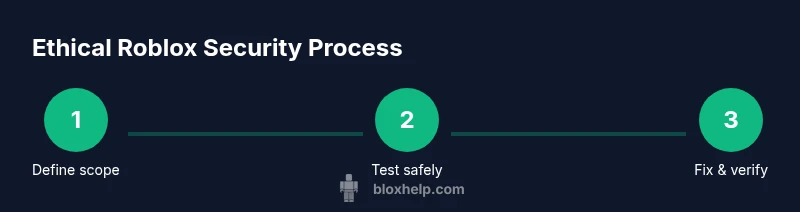
A solid testing workflow combines architectural understanding with practical checks. Start by defining test cases that reflect realistic abuse scenarios, then implement automated tests and manual review steps. Maintain a changelog of security fixes and include a post-mortem to learn from any incidents. Use logging to correlate events across client and server, and set up a process for triaging reports from your team or community. This disciplined approach reduces risk and accelerates secure development.
Responsible disclosure and bug bounty basics
If you discover a vulnerability in a game you don’t own, do not publish or exploit it. Follow a responsible disclosure process: document the issue, contact the owner, and provide a clear, reproducible report. Roblox maintains a responsible disclosure program in which developers can share findings through official channels. By practicing responsible disclosure, you help the ecosystem become safer while preserving trust and opportunities for collaboration.
Learning resources and practical exercises
Useful starting points include the Roblox Developer Hub for official security guidance, and general cybersecurity principles from trusted sources. Practice with sandboxed projects, participate in community discussions, and study secure-by-design patterns in popular tutorials. The goal is to build transferable security skills you can apply to any Roblox project, including server-authoritative design and safe data handling. The practical approach supports steady, hands-on learning and applying what you’ve learned to real projects.
Next steps and ethical career paths
With a solid foundation in ethical security practices, aspiring Roblox developers can pursue roles in game security, code reviews, and secure game design. Build a portfolio that demonstrates defensive scripting, threat modeling, and incident response. Contribute to open-source Roblox tools and share security-friendly patterns with the community. The path emphasizes continuous learning, collaboration, and contribution to safer Roblox experiences.
Tools & Materials
- Roblox Studio(Install and keep updated from the official site)
- Test Roblox account(Use a dedicated test account for experiments only)
- Notebook or notes app(Record findings and insights)
- Code editor (optional)(Roblox Studio includes scripting editor; external tools may help planning)
- Bug report template(Have a standard form for reporting issues responsibly)
Steps
Estimated time: 3-4 hours
- 1
Define ethics and scope
Decide what you will test, obtain explicit permission, and document boundaries before you start any exploration. This keeps you aligned with legal and community standards.
Tip: Always have written permission and keep records of approvals. - 2
Set up a safe testing environment
Create a dedicated Roblox Studio place for experiments, isolate it from live games, and disable external connections while you test.
Tip: Use a local or private testing place to prevent accidental exposure. - 3
Learn server-side design basics
Study how server-authoritative logic works and why critical decisions should run on the server, not the client.
Tip: Focus on validation, not bypassing client checks. - 4
Review common security patterns
Identify high-level patterns that prevent abuse, such as input validation, permission checks, and secure data storage.
Tip: Document each pattern with an example from your project. - 5
Implement defensive tests
Add tests that simulate abuse scenarios and verify that the server blocks unauthorized actions.
Tip: Automate repetitive checks where possible. - 6
Log and monitor activity
Set up logging for client-server interactions and monitor unusual patterns that may indicate abuse.
Tip: Use alerts to trigger quick reviews of suspicious events. - 7
Fix vulnerabilities and re-test
Apply fixes, re-run tests, and confirm that the abuse vectors are closed without introducing new issues.
Tip: Keep a changelog of security fixes. - 8
Disclose responsibly
If you discover an issue in someone else’s project, follow the official disclosure channel and provide a clear report.
Tip: Respect the owner's timeline and privacy.
Questions & Answers
Is it legal to hack Roblox games?
Hacking is illegal if done without permission. Practice only on your own projects or with explicit authorization and follow Roblox's terms of service.
Hacking without permission is illegal. Practice securely on your own projects with consent.
What is the difference between ethical hacking and illegal exploitation?
Ethical hacking operates within authorized boundaries, emphasizes disclosure and remediation, and avoids harm to real users. Illegal exploitation breaches laws and Roblox policies.
Ethical hacking works with permission and focuses on fixing issues; illegal exploitation breaks laws.
What tools are used for safe Roblox security testing?
Safe testing relies on Roblox Studio, official debugging tools, and defensive patterns. Avoid tools or steps that enable unauthorized access.
Use Roblox Studio and official tools to test securely.
How do I responsibly disclose vulnerabilities?
Document the issue with steps to reproduce, contact the owner, and provide a remediation plan. Do not publish exploit details publicly.
Report responsibly to the owner or Roblox with a clear, reproducible report.
Where can I learn more about Roblox security best practices?
Start with the Roblox Developer Hub for security guidelines, then broaden with general cybersecurity resources from recognized institutions.
Check Roblox's security guides and reputable cybersecurity resources.
Can I test security on other people’s games?
Only with explicit permission from the game owner. Unauthorized testing can lead to account bans and legal consequences.
Never test someone else’s game without permission.
Watch Video
The Essentials
- Think defensively: secure first, test later.
- Follow ethical guidelines and obtain permission.
- Design with server authority and data minimization.
- Report vulnerabilities responsibly and fix them quickly.