Account Deleted Roblox: Quick Recovery and Troubleshooting Guide
Urgent guide for Roblox players facing an account deleted Roblox issue. Learn causes, verification steps, and official recovery paths to regain access or set up a secure new account.


Most cases of an account deleted Roblox result from a security breach, a policy action, or user actions in error. Start by checking your email for Roblox notices, verify your username, and begin the official account recovery flow. If you suspect a breach, secure your devices and change passwords right away. This is a steps-based guide.
What 'account deleted roblox' means
An account deleted roblox notice can appear for several reasons, from policy actions to security issues. In many cases, players see a message after a security breach or a Roblox policy action. This guide explains what you’re seeing and what it implies for access, purchases, and progress. According to Blox Help, understanding the root cause is crucial to choosing the right recovery path. You’ll need to verify ownership, collect identifying details, and communicate clearly with Roblox Support. The goal is to either restore access or establish a safe path forward, especially if you’ve invested time, items, or in-game currency.
Why Roblox accounts get deleted or disabled
Roblox takes action on accounts for policy violations, suspicious activity, or security concerns. Common scenarios include compromised credentials, phishing attempts, or violations of terms such as illicit content, scams, or abuse. Sometimes, accounts appear deleted after a failed appeal or a prolonged security review. It’s essential to review Roblox’s policies and your recent activity to determine the most likely cause. While the exact reason can vary, the outcome usually centers on user ownership, security verification, and whether a restore path exists through official channels.
Immediate checks you should perform
Before diving into recovery, run through a quick sanity check:
- Check your registered email for any Roblox notices or security alerts.
- Open the Roblox status page or social channels to confirm there’s no widespread outage affecting logins.
- Double-check that you’re signing in with the correct username and associated email.
- Look for any recent password changes or linked accounts that could affect access.
- Ensure your device is clean from malware and that your password is unique and strong. These basics help you distinguish between a true deletion, an account lock, or a login issue.
How to verify ownership and begin recovery
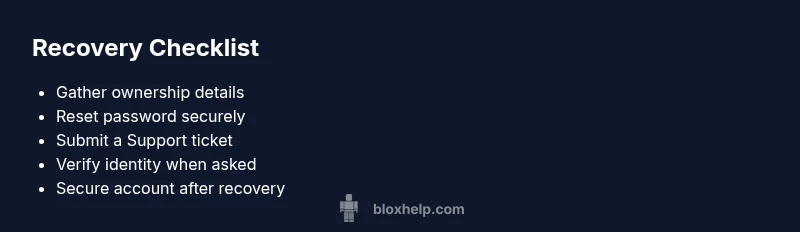
Ownership verification is the cornerstone of recovery. Gather information such as your original username, approximate account creation date, recent Robux purchases, linked email addresses, and any payment receipts. Use the official Roblox recovery flow: password reset, account recovery request forms, and any security questions Roblox may require. If you still have access to the original email, begin with a password reset, then follow the prompts to confirm identity. Maintain clear, concise information to speed up verification.
Documentation and information to prepare
Prepare documentation to support your case:
- Your Roblox username and any alternate usernames you might have used.
- The email address associated with the account and any changed addresses.
- Purchase receipts, gift card codes, or receipts for Robux or items bought on that account.
- Screenshots of any error messages or deletion notices you’ve seen.
- A brief timeline of events leading up to the deletion. Having this ready reduces back-and-forth with support and improves your odds of a timely resolution.
Contacting Roblox Support: how to submit a ticket
Contact Roblox Support through the official support portal. Submit a detailed ticket describing the issue, attach receipts and identifying information, and request account restoration or guidance. Be explicit about what you want: reactivation of the old account or confirmation of its status. Expect a security review and a reply window that can vary; respond promptly to any follow-up questions from the support team for faster resolution.
What to expect after you submit a request
Support responses can take time depending on volume and the complexity of your case. Roblox may ask for additional verification, which could include security questions or proving ownership via linked purchases. If the account is deemed unrecoverable, you’ll receive guidance on next steps. In some cases, you may be advised to start a new account and re-create progress from backups or linked purchases where possible. Stay patient and monitor your email for updates from Roblox.
Safety, scams, and data protection
Never share passwords or verification codes with anyone. Roblox support will never ask for your password in chat or email. Beware phishing emails that mimic Roblox; always use the official site to submit tickets and verify the contact channel. Enable any available security features, such as two-factor authentication, and review connected apps or devices that have access to your account. Regularly update security details and keep devices free from malware.
Prevention and long-term security tips
After recovery, implement strong safeguards: use a unique password, enable two-step verification if available, and keep recovery options up to date. Regularly review active sessions and connected devices, and avoid saving login details on shared devices. Consider setting up a dedicated separate email for Roblox-related activity and enabling alerts for unusual login attempts. Proactive security reduces the risk of future deletions or compromised access.
Steps
Estimated time: 60-120 minutes
- 1
Gather all possible identifiers
Collect usernames, possible emails, payment receipts, and screenshots. This helps verify ownership when you contact Roblox Support.
Tip: Organize information in a single document for quick reference. - 2
Attempt password reset and login recovery
Use the official Roblox password reset flow to regain access or confirm if the account is truly deleted. Follow prompts to verify identity.
Tip: Do not reuse old passwords; choose a strong, unique one. - 3
Check device and network security
Run malware scans, update antivirus, and ensure your router and devices are secure before attempting recovery.
Tip: Avoid public Wi-Fi when performing sensitive recoveries. - 4
Submit a formal support request
Go to Roblox Support, provide your collected information, and clearly state your recovery goal for the account.
Tip: Attach receipts and screenshots to speed up verification. - 5
Follow up and wait for guidance
Monitor your email for replies; respond promptly with any requested verification and stay patient through the review process.
Tip: If denied, ask for specific reasons and any recourse.
Diagnosis: Account shows as deleted or inaccessible on Roblox
Possible Causes
- highSecurity breach or unauthorized changes leading to deletion
- highPolicy enforcement or termination by Roblox
- mediumUser-initiated deletion or accidental action
- lowCredential changes or account merge issues
Fixes
- easyReview Roblox notices in email and use the official recovery flow
- mediumPrepare documentation and contact Roblox Support with a detailed request
- easyScan devices for malware and secure all credentials; enable 2FA if available
- mediumIf the account is permanently deleted due to policy, follow the official appeal or next steps
- easyIf recovery is not possible, create a new account and implement preventive security practices
Questions & Answers
Why does Roblox say my account is deleted and what can I do?
A Roblox account may be deleted due to policy violations, security concerns, or user actions. Start by checking notices, verify ownership, and use the official recovery flow. If needed, file a support ticket with detailed information to seek guidance.
Accounts can be deleted for policy or security reasons. Check notices, verify ownership, and use Roblox's official recovery flow. If needed, contact support with details.
Can I recover a deleted Roblox account?
Recovery depends on the reason for deletion. If it was a security breach or a reversible action, recovery through the official channels is possible. In some cases, you may be advised to start a new account while security is restored.
Recovery depends on why it was deleted. Use official channels, and be prepared for a new start if needed.
What information should I gather to recover my account?
Collect your username, old emails, purchase receipts, and any proof of ownership. A detailed timeline helps Support verify you own the account quickly.
Have your username, emails, receipts, and a clear ownership timeline ready.
Will my Robux or items transfer to a new account?
Typically purchases do not transfer between accounts. You may need to re-purchase or have commitments reviewed by Support, depending on policy and case details.
Robux and items usually don’t transfer between accounts; discuss options with Support.
How long does a Roblox support ticket take to respond?
Response times vary by volume and case complexity. Check your email and the Roblox support portal for updates, and provide any requested information promptly.
Response times vary; check email and respond quickly to any requests.
Watch Video
The Essentials
- Verify ownership with official Roblox channels.
- Prepare receipts and timeline details before contacting support.
- Secure devices and enable 2FA after recovery.
- Outcomes vary; you may recover or be guided to start anew.
- Stay vigilant against phishing and unauthorized access.