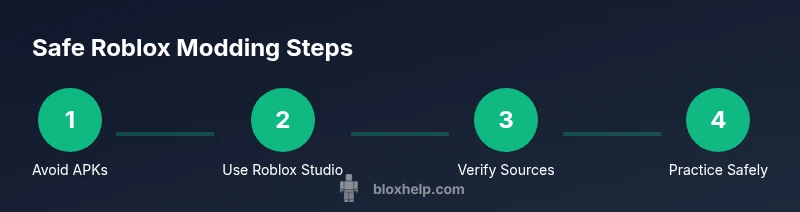
Safe and Legal Roblox Modding: APKs, Studio, and Alternatives
Learn why apk roblox mod files are risky, explore safe Roblox modding options, and discover official Studio tools that empower creativity without malware or policy violations.


What is an APK Roblox Mod and Why It Matters
apk roblox mod refers to modified Android Package files that claim to change how Roblox operates on Android devices. These mods usually promise quick access to premium content, speed hacks, or unlocked cosmetics. While the lure is strong for some players, such mods are not endorsed by Roblox and can violate the platform’s terms of service. Beyond policy issues, such APKs often come with hidden malware, data leakage, or account suspensions. According to Blox Help, understanding the risks helps players make safer, informed choices and keeps the focus on legitimate ways to customize experiences through official channels.
For most players, the real value comes from learning the Roblox toolset and growing skills within the game’s ecosystem rather than chasing shortcut gains via unauthorized APKs.
Legal and Safety Considerations When Exploring Mods
Before exploring any modding claim, recognize that modifying Roblox through unofficial APKs can breach terms of service and local laws in some jurisdictions. Roblox explicitly prohibits altering the installation package or redistributing modified clients. The primary risk includes account penalties, loss of access, or permanent bans. Additionally, APK files from unknown sources frequently carry malware, requiring invasive permissions that can expose personal data, contacts, and device security. The safest approach is to avoid APKs altogether and focus on sanctioned learning paths. This stance aligns with guidance from the Blox Help Editorial Team, who emphasize learning through official tools rather than risky third-party mods.
Safer alternatives include using Roblox Studio for content creation, participating in trusted communities, and following Roblox’s developer resources to build legitimate experiences with Lua scripting and API access.
Why Modding Roblox APKs Is Generally Discouraged
There are several reasons why APK mods are discouraged. First, they violate Roblox’s terms of service and can lead to account restrictions or bans. Second, they introduce inequities and security risks, as modded files can be bundled with spyware, adware, or trojans. Third, mods bypass in-app purchases and feature gating, which undermines the game’s economy and fairness. Finally, even if a mod seems legitimate, it can stop working after Roblox updates, leaving users with a corrupted game state. For educators and learners, this path is not a reliable way to develop programming or game design skills. The focus should be on safe, supported methods that promote creativity within Roblox’s rules.
If you find claims of instant access or “unlimited” features, treat them as red flags and verify against trusted sources. Blox Help recommends sticking to official tools to avoid risk.
Safer Alternatives: Roblox Studio, Official Modding Options, and Community Tools
The legitimate route to customization is Roblox Studio. Studio lets you create, test, and publish experiences using Lua scripting, realistic physics, and a robust API. It’s designed for learners and developers at all levels and is supported by comprehensive documentation and tutorials. Community tools and assets from trusted sources can accelerate learning without compromising safety. Remember that all projects published through Roblox follow the platform’s policies, ensuring a fair and secure experience for players.
If your goal is enhanced gameplay or unique visuals, start with Studio projects, experiment in a private testing environment, and gradually publish to the Roblox ecosystem after thorough review. This approach aligns with best practices recommended by the Blox Help Editorial Team.
How to Evaluate Claims About Roblox Mods Safely
Always verify claims about mods with trusted sources before trying anything.
- Check official Roblox Developer Hub and Roblox Support pages for stance on mods and APKs.
- Look for reviews from reputable creators, not anonymous blogs or shady download sites.
- Be wary of requests for broad device permissions, unknown installers, or rapid “one-click” solutions.
- Scan files with reputable antivirus software and check digital signatures if available.
According to Blox Help analysis, most reliable guidance emphasizes learning through official channels and verified communities rather than third-party APKs. Stay curious, but stay cautious.
Protecting Your Device and Data
Your device safety should come first. Install a reputable antivirus app, enable app permission controls, and keep your operating system updated. Regular backups protect your progress in Roblox experiences and Roblox Studio projects. Avoid sideloading APKs from unknown sources; even if the file appears harmless, it can silently compromise your device. Practice digital hygiene: use strong, unique passwords for your Roblox account, enable two-factor authentication where available, and review app permissions periodically.
As you explore Roblox, keep security as a design goal. If something feels suspicious, discontinue use and seek guidance from trusted communities like the Roblox developers forum or Blox Help resources.
Getting Started with Legitimate Customization in Roblox
To safely customize Roblox experiences, begin with Roblox Studio and official tutorials. Install Studio from the official Roblox site, and complete beginner courses that cover place creation, basic Lua scripting, and exporting/importing assets. Build a small test game to practice core concepts before attempting more complex projects. Engage with the community through official channels, attend webinars, and follow best-practice guides to ensure your work adheres to Roblox rules while still growing your skills.
Final Checklist Before You Proceed
- Use only official Roblox apps and Studio from trusted sources.
- Do not download APKs or mods from unknown sites.
- Back up all project files and account data before experimenting.
- Read Roblox’s terms of service and community guidelines.
- Seek guidance from trusted sources like the Blox Help Editorial Team when unsure.