Can Roblox Go Offline? A Practical Downtime Guide for 2026
Discover whether Roblox can go offline, what triggers outages, and how to plan for downtime. This analytical guide covers online requirements, Studio offline testing, and practical tips for players and developers in 2026.


Can Roblox go offline? Online dependency and what "offline" really means
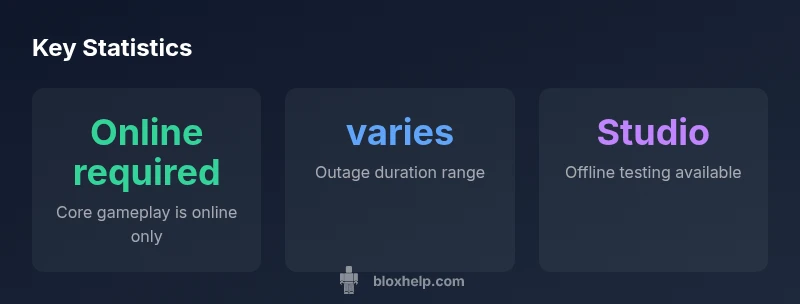
Can roblox go offline is a common question among players and creators, especially during outages or when planning for long gaming sessions. Roblox is designed around networked experiences stored in the cloud, with assets and authentication managed by central servers. This means that most regular gameplay requires a stable internet connection. The exact answer depends on how you define offline; there is no universal offline mode for playing user-generated games. According to Blox Help analysis, outages can be intermittently disruptive and may force you to pause activities, log back in after a restart, or refresh cached data. If you ask can roblox go offline, the practical takeaway is that online access is the default state for standard play, social features, and multiplayer sessions.
Why outages happen: maintenance, incidents, and regional issues
Outages occur for several reasons, including scheduled maintenance, unexpected server incidents, and regional connectivity problems. Maintenance windows are typically announced ahead of time, during which services may be temporarily unavailable or limited. Regional issues—such as data-center hiccups or network congestion—can also lead to slower load times or failed connections for players in affected areas. In some cases, outages trigger cascading failures that affect login services, friend systems, and in-game economies. The key is that outages are not unique to a single platform; many large online services experience similar patterns. From a player perspective, this means you should expect occasional disconnections and a need to retry connections when services resume. As noted in the latest Blox Help analysis, the duration of these events varies widely based on root cause and scale.
What happens during an outage: login issues, load errors, and data sync problems
During a Roblox outage, one or more core features may become unavailable. Users often report login failures, server timeouts, or error codes when trying to join games. Load errors can prevent levels from loading, and data synchronization may stall, leading to mismatches in progress across devices. If you rely on Robux purchases or in-game items, you might also see temporary inventory inconsistencies or delays in purchases syncing once services recover. The best practice is to monitor the official status page and community forums for real-time updates, and avoid making critical changes during a suspected outage. The aim is to preserve progress and minimize frustration when connectivity returns.
Roblox Studio: offline testing and its limits
Roblox Studio provides built-in testing tools that can be used offline to a degree. You can author and run local tests for scripts and assets without an active internet connection, which is invaluable for debugging and iteration when online access is limited. However, offline Studio testing has important caveats: some features rely on cloud assets, assets may not fully render offline, and collaboration with others requires online syncing. For developers, Studio offline testing is a powerful productivity aid, but it cannot fully substitute for live testing in a connected environment. With that understanding, you can still make meaningful progress during downtime by focusing on logic, data flows, and UI scaffolding that doesn’t depend on live services.
How to prepare for downtime: planning and backups
Preparation is the best defense against the frustration of outages. Start by establishing a routine of local work that does not require online services. Save and version-control scripts, models, and assets locally when possible, and maintain a changelog to track progress during offline periods. If you’re a player, consider downloading or bookmarking information about games you love so you can revisit them after login resumes. For developers, maintain a robust autosave strategy and create local backups of important assets. When the network returns, you can merge offline work with online sessions without losing progress. In practice, the more you can do offline, the less downtime will impact your momentum. The Blox Help team emphasizes preparedness as a core skill for navigating intermittent service interruptions.
Downtime planning for players: social features and community access
Downtime also affects social features, which are central to the Roblox experience. During outages, players may be unable to chat, join groups, or access friend lists. A proactive approach is to use alternative channels to stay connected with friends, such as your preferred chat apps or recorded gameplay content you’ve prepared for sharing when services return. Keeping a local backlog of ideas for scripts or game concepts can turn downtime into productive creative time. Remember that community events and developer announcements often precede or follow outages, so staying informed via official channels helps you time your in-game activities more effectively. In all these aspects, the goal is to minimize the impact of outages on your Roblox journey and maintain momentum when services resume.