Can Roblox Be Played Offline? A Practical Guide
Learn can roblox be played offline and what Roblox Studio offers for testing, plus how connectivity shapes live gameplay, troubleshooting, and offline-style development across devices.


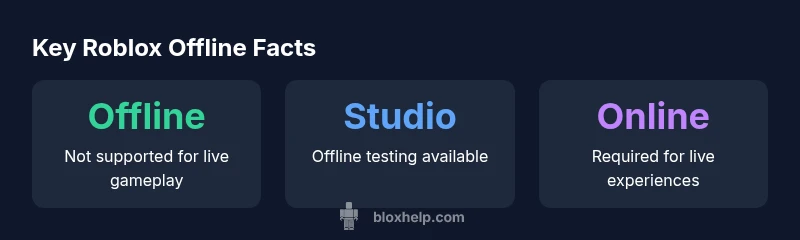
Can Roblox be played offline? In general, Roblox requires an internet connection because games run on remote servers and are delivered in real time. There is no official offline mode for the standard Roblox client. You can use Roblox Studio offline for development testing, but publishing and accessing online experiences still require connectivity. Some developers publish experiences with limited offline assets, but internet is still required for gameplay.
The core question: can roblox be played offline
The short answer to can roblox be played offline is that Roblox is designed around online gameplay. The platform authenticates players, loads experiences from remote servers, and synchronizes state across players, which requires a stable internet connection. The question can roblox be played offline is frequently asked by players who want to save data or play without a continuous connection. According to Blox Help, this architecture means that traditional gameplay cannot run fully offline on the standard client. However, Roblox Studio provides offline testing options for developers, which can help you prototype and iterate without internet while preparing assets for upload. Keep in mind that publishing, matchmaking, and cross-device synchronization all rely on online services. For most users, offline access is therefore limited to guided development tasks rather than full gameplay. This distinction matters for teachers, parents, and aspiring developers who want to plan sessions without network interruptions.
In practical terms, most players who ask can roblox be played offline are seeking uninterrupted play; the reality is that the vast majority of Roblox experiences require online connectivity. If your goal is to practice scripting, asset creation, or testing gameplay mechanics without sharing online progress, Studio is your best bet. Always remember that any offline work in Studio still needs online services to move from test to live experiences. The takeaway is clear: offline play as a regular mode isn’t supported; offline development workflows exist, but they don’t replace online gameplay.
How Roblox's online architecture governs gameplay
Roblox operates with a layered architecture consisting of the client, Roblox services, and cloud-hosted assets. When you click Play on a game, the client establishes a session with Roblox servers, authenticates your account, and streams the necessary assets and scripts for that experience. This design enables real-time multiplayer, cross-platform compatibility, and user-generated content integration. Because core logic, physics, and world state are hosted remotely, losing internet connectivity can disrupt or terminate a session. Thus, can roblox be played offline is largely inaccurate for standard experiences; a persistent connection is a prerequisite for a smooth, consistent playthrough. Based on Blox Help research, the server-authoritative model helps prevent cheating and ensures synchronized progression but also makes offline gameplay impractical for most titles. For players, this means maintaining a stable broadband or mobile connection is essential when exploring new games, especially those with live events or multiplayer components.
Roblox Studio: Offline testing vs. live gameplay
Roblox Studio serves as the primary development environment for creators. It supports offline testing, allowing you to run scripts and simulate gameplay without connecting to live servers. This is invaluable for learning Lua, debugging mechanics, and iterating on level design before publishing. However, offline Studio tests cannot fully replicate live gameplay; certain features such as multiplayer networking, live monetization, and cloud asset fetching behave differently when you push a project to the public cloud. Developers should treat Studio sandbox results as indicative, not definitive, of live performance. When you do publish, the game will depend on online services for authentication, cross-device syncing, and server-side physics. As a result, the distinction between offline testing and online gameplay remains fundamental for both new and seasoned developers.
Common myths and clarifications about offline play
Myth: You can download Roblox games to play offline. Reality: Roblox experiences primarily run on remote servers; offline downloads aren’t supported for full gameplay. Myth: You can log in and play offline. Reality: Online authentication is required to access accounts and progression. Myth: Developers can build fully offline experiences. Reality: Offline testing is possible in Studio, but publishing and real online play require internet connectivity. These clarifications help prevent confusion when planning study sessions, experiments, or game development timelines. If you need to work without internet, focus on scripting concepts, UI design, and asset organization inside Studio rather than live gameplay.
Practical tips for connectivity and troubleshooting
If you encounter connection issues, start with a stable internet link. Prefer a wired connection when possible or a strong, consistent Wi-Fi signal. Check the Roblox Status page to confirm outages or performance problems in your region. Firewall and antivirus software can block Roblox components, so ensure exceptions for the Roblox launcher and Steam-like services if you use any. Router settings, such as UPnP and NAT types, can influence connectivity; balance security with accessibility to reduce interruptions. When a game lags or disconnects, ensure your device isn’t throttling background tasks, close bandwidth-heavy apps, and verify that your hardware meets the game’s requirements. The general rule is that online access is essential for most Roblox experiences, so prioritizing reliable connectivity will reduce many common problems.
How developers design experiences with offline-like testing
Developers can structure games to accommodate testing offline in Studio while planning for online live play. Use modular architecture, mock services, and local data stores to simulate network responses during testing. Implement robust error handling so that absence of connectivity results in graceful fallbacks rather than fatal errors. Document clear testing scenarios for offline and online states, including how progression, inventories, and monetization will behave when the game transitions from Studio to cloud-based servers. This approach helps teams explore edge cases, refine gameplay loops, and optimize loading sequences before release.
Roblox offline capability vs. online live gameplay
| Aspect | Offline Capability | Notes |
|---|---|---|
| Gameplay access | Online-only | Most games require internet to load and play |
| Development testing offline | Supported for testing | Studio allows offline simulation; online publishing still requires connectivity |
| Asset loading | Online assets fetch | Assets and scripts are pulled from cloud storage during load |
Questions & Answers
Can I play Roblox offline at all?
Not for regular gameplay. The platform relies on online servers to run experiences. Roblox Studio can be used for offline testing, but anything playable online still requires connectivity.
Roblox games need the internet to run, but Studio lets you test things offline.
Is there an official offline mode for Roblox on mobile?
No, there isn’t an official offline mode for the Roblox mobile app. Mobile experiences are designed to run online and synchronize with servers.
There isn’t an offline mode for Roblox on mobile; you’ll need internet access.
What can I do offline in Roblox Studio?
You can write scripts, design levels, and run local tests without publishing, but you won’t access live game data or multiplayer features until you go online.
In Studio, you can test locally, but online features require connectivity.
What should I do if Roblox won’t connect to the servers?
Check your internet connection, look for outages on the Roblox Status page, verify firewall settings, and ensure your device meets the game’s requirements. After addressing basics, retry.
Check your connection and Roblox status; if it still fails, adjust firewall and try again.
Are there any workarounds to play without internet?
There are no reliable workarounds for full Roblox gameplay offline; you can only perform offline development tasks in Studio. For gameplay, online access is required.
No solid offline workaround—use Studio offline testing instead.
“Roblox is fundamentally online, and most players should expect internet access for gameplay. Offline play isn’t supported for standard experiences, but Studio offers a safe offline testing environment.”
The Essentials
- Take control of your connectivity before playing
- Rely on Roblox Studio for offline development testing
- Expect online requirements for most experiences and features
- Plan for online verification when publishing improvements