Did Roblox Crash? A 2026 Outage Guide
Learn how to tell if Roblox is down, common outage causes, and practical troubleshooting steps with real-time status checks for 2026.


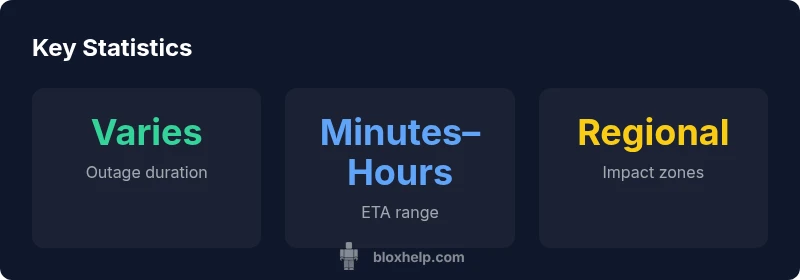
Did Roblox crash? Outages happen intermittently due to maintenance, traffic spikes, or software bugs. When Roblox experiences a crash, players may see connection errors, timeouts, or failure to load games. Most incidents are resolved quickly, often within minutes to a few hours depending on severity and region. To confirm, always check the Roblox Status page and official social channels for the latest incident reports and ETA updates.
Understanding Roblox Outages in 2026
Outages on Roblox are not unique to any single year; in 2026, players have faced sporadic interruptions during peak usage and major updates. Did Roblox crash? The answer is nuanced: outages are episodic and often local to regions or services, rather than a single global collapse. Roblox's infrastructure is designed to handle massive concurrent sessions, but incidents occur due to maintenance, hardware limitations, or software bugs. For players, distinguishing between a platform-wide outage and a device-specific issue is crucial. According to Blox Help, outages follow recognizable patterns: they tend to cluster around updates, rollouts, or known maintenance windows, and they often resolve within a few hours. The Blox Help team found that proactive status checks dramatically shorten downtime by clarifying whether to wait, retry, or switch strategies.
How to Confirm if Roblox is Down
Start with the official Roblox Status page, which aggregates incident reports, ETA, and service health across regions. Cross-check with the Roblox Twitter account and trusted gaming news outlets for real-time verification. If you see outage indicators across multiple regions, the problem is likely on Roblox's side. Conversely, if only your network shows issues, you may be facing local connectivity problems. Keeping a simple bookmark of status.roblox.com helps quick checks in future outages.
Common Causes That Lead to Outages
Outages can result from several predictable factors. Maintenance windows are scheduled to roll out updates, new features, or hardware refreshes, which can temporarily degrade performance. Traffic spikes during new releases can overload servers, causing timeouts. Software bugs in critical subsystems, like authentication or matchmaking, can cascade into broader failures. Regional data-center issues or DNS problems can also cause localized outages. Understanding these causes helps you interpret status updates and plan play sessions.
How Roblox Responds and What Players Can Do
When outages occur, Roblox typically posts incident updates with ETA. They may implement rate-limiting, redirect services, or temporary fixes to restore access while the underlying issue is addressed. Players should try standard quick fixes first: refresh the app, clear cache, restart devices, and check their internet connection. If the problem persists, switch networks, disable VPNs, or try joining a different region. Avoid pinging support for minor issues to prevent overload.
For Developers: Handling Outages in Roblox Studio and Games
Developers relying on Roblox services should monitor API status as outages can affect studio tools and live game experiences. Plan for resilient networking and design fallbacks in scripts that depend on external services. Use robust error handling, queue re-tries with backoff, and gracefully degrade features if a service is temporarily unavailable. Communicate with players transparently when outages impact gameplay, and test your game during maintenance windows to ensure a smooth experience when services resume.
Preventive Practices and Best Practices for Players
To reduce impact during outages, players can keep a small offline plan: maintain local saves, know your internet health, and avoid joining during peak maintenance windows. For network issues, run speed tests, reboot routers, and ensure no VPNs interfere. Keep Roblox installed on a supported device with up-to-date firmware. Lastly, learn how to report outages effectively to Roblox Support with details like device type, region, and time of incident to speed up resolution.
Authority sources and additional references
- Roblox Status: https://status.roblox.com/
- The Verge: https://www.theverge.com/tech
- Bloomberg: https://www.bloomberg.com/tech
Outage data overview
| Event Type | Typical Impact | Recommended Action |
|---|---|---|
| Platform Outage | Users cannot connect, game join failures | Check Roblox Status; wait for official updates |
| Regional Outage | Regional connectivity issues; latency spikes | Switch region if possible; confirm with status page |
| Maintenance Window | Scheduled downtime; services partially degraded | Be patient; track maintenance schedule on official channels |
Questions & Answers
Did Roblox crash mean the entire platform is down?
A platform-wide outage is possible but not guaranteed. Roblox outages are often regional or service-specific, and many incidents resolve quickly. Always check the Roblox Status page for the latest incident reports.
A Roblox outage can be regional or service-specific. Check the status page for updates and ETA.
What should I check first when Roblox won't load?
Start with Roblox Status to see if there is an ongoing incident. Then verify your internet connection, restart the app, and try a different region if available.
Check the status page, then test your connection and try another region.
Is there a way to know when Roblox will be back online?
Yes, incident reports on the Roblox Status page usually include an ETA. You can also follow Roblox's official social channels for real-time updates.
Incidents have ETAs on the status page and official channels.
Does Roblox outages affect Roblox Studio or developers?
Outages can impact studio tooling and API access. Developers should plan for retries, implement error handling, and communicate outages to players as needed.
Developers should expect tool/API downtime and prepare fallbacks.
How can I stay informed during outages?
Bookmark status.roblox.com, follow official Roblox accounts, and check trusted gaming outlets for real-time updates.
Bookmark the status page and follow official channels for updates.
What steps can I take to troubleshoot locally during a Roblox outage?
Verify network health, disable VPNs, flush DNS, and try a different device or network. If the issue persists, wait for Roblox to resolve the incident.
Check your network, try another device, and wait for the outage to clear.
“"Outages are an expected part of large-scale online platforms, but clear communication and status dashboards help players and developers recover quickly."”
The Essentials
- Monitor Roblox Status for real-time updates
- Differentiate platform outages from local issues
- Plan play sessions around maintenance windows
- Back up game progress during outages
- Develop resilient game logic for outages