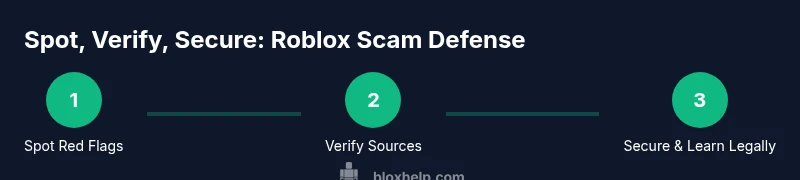
Free Hack in Roblox: Safety Guide and Legit Alternatives
Learn how to recognize 'free hack in roblox' scams, protect your account, and pursue legitimate ways to improve gameplay without risking security or bans.


Many players chase a 'free hack in roblox,' but these offers are almost always scams or malware. A legitimate Roblox experience never requires hacks. This guide explains why such claims exist, why they’re risky, and what safe, legal alternatives you can use to improve your skills and protect your account today.
How the 'free hack in Roblox' scams work
The term free hack in roblox is a powerful lure used by scammers to capture attention and prey on players’ curiosity. In most cases, these so-called hacks promise unlimited Robux, level boosts, or unlocked features in exchange for downloading software, sharing credentials, or visiting shady pages. According to Blox Help, the core tactic relies on social engineering rather than any real security exploit within Roblox itself. The scam operators exploit urgency—time-limited offers, supposed tricks that “work for everyone,” or flash demos showing instant wins—to push you into clicking a link or installing a program. The moment you engage, you risk credential theft, malware installation, or account compromise. As a result, what begins as a quick win turns into a long-term risk to your Roblox identity and personal data.
This article will unpack how these scams operate, why they persist, and practical steps to stay safe while still enjoying Roblox and learning legitimate development skills. Remember, the goal is to help you build a strong, secure Roblox habit, not to chase dangerous shortcuts. The best defense starts with awareness and cautious online behavior.
Why these offers are dangerous
Offers framed as free hack in roblox are almost never legitimate. They frequently lead to phishing pages that mimic the Roblox login design, prompting you to enter your username and password on a fraudulent field. Once credentials are captured, scammers can take control of your account, lock you out, or purchase items in your name. Some pages also bundle malware or adware in downloaded programs, risking device security and personal data exposure. Even if a page looks polished, it’s unlikely to be sanctioned by Roblox or its creators. Additionally, participating in any third-party “hack” or script can violate Roblox’s Terms of Service, risking a permanent account ban. The most insidious aspect is how these scams normalize unsafe behavior—asking for your password, encouraging you to disable security protections, or instructing you to install software from unknown sources. These patterns are red flags you should treat seriously.
How to verify claims and protect your account
Verification is your first line of defense against a free hack in roblox scam. Start by examining the source: is the offer on an official Roblox page, a trusted developer site, or a random third-party link? If it requires your Roblox password, never engage. Legitimate enhancements come through official channels (Roblox Studio tutorials, publisher pages, or certified training). Enable two-factor authentication (2FA) on your account, use a unique password, and consider a password manager. If you encounter a suspicious link, hover over it to inspect the domain and do not click. Check for signs of phishing, such as poor spelling, urgent language, or requests for sensitive data. Based on Blox Help analysis, most scams originate from untrusted domains, not from Roblox directly; always cross-check with official Roblox resources and trusted security blogs (.gov/.edu sources can help you understand general scam patterns).
Safe, legitimate ways to improve Roblox gameplay
Instead of chasing a shortcut, invest in legitimate growth paths that deliver lasting skill gains. Practice regularly in Roblox games you enjoy to understand mechanics and strategies. Learn scripting and game design through Roblox Studio, official tutorials, and community-created courses from reputable education platforms. Join developer forums and official Roblox channels to stay current on safety updates and community guidelines. You’ll find many legitimate ways to improve your play, from building your own experiences to mastering controls, physics, and scripting concepts—all without risking your account.
Common scams you’ll encounter and how to respond
Phrases like “free hack” or “Robux generator” appear across social media, search results, and pop-up ads. Typical scams include fake download buttons, requests for credentials, or urgent “verify your account” prompts that lead to phishing pages. If you see such content, don’t download anything, don’t enter credentials, and report the page to Roblox or the platform hosting it. Keep your devices secure with updated antivirus software and avoid installing software from unfamiliar sources. If a link seems too good to be true, it probably is. Treat every offer with skepticism and rely on official Roblox resources for guidance.
What to do if you suspect you've fallen for a scam
If you’ve clicked a suspicious link or shared credentials, take immediate steps to secure your account. Change your Roblox password on a trusted device, enable 2FA if you haven’t already, and review connected apps for anything unfamiliar. Run a malware scan on your device and install any recommended security updates. If any unauthorized purchases occurred, contact Roblox support and your payment provider to report fraud. Document your interactions and preserve any screenshots as evidence. The sooner you act, the better your chances of recovering control and minimizing damage.
Roblox safety basics for beginners
For newcomers, the safest path is to treat every third-party hack claim with caution. Build your Roblox knowledge through official guides and beginner-friendly tutorials before attempting any advanced gameplay techniques. Create strong security habits from day one: use a unique password, enable 2FA, and stay vigilant against phishing. Roblox’s safety features—privacy controls, account security settings, and reporting options—exist to protect players. Embracing these basics creates a solid foundation for enjoying Roblox responsibly while you explore legitimate development opportunities.
Tools & Materials
- Updated browser and antivirus software(Ensure all security patches are current before visiting suspicious sites.)
- Strong Roblox password(Use a unique password or a password manager.)
- Two-factor authentication (2FA)(Enable 2FA to add a second layer of protection.)
- Evidence-ready device(If you suspect a scam, have a separate device ready for checking links safely.)
Steps
Estimated time: 45-60 minutes
- 1
Identify red flags
Recognize common scam patterns around ‘free hacks’: requests for passwords, external download prompts, or urgent language pressuring quick action. Do not engage with any offer that asks for credentials or software installation.
Tip: If it sounds too good to be true, it probably is. - 2
Verify the source
Check whether the offer appears on official Roblox channels or trusted gaming education sites. Copy the URL and paste it into a trusted search engine to see if other reputable sources corroborate it.
Tip: Always favor official Roblox pages or well-known educational platforms. - 3
Secure your account
If you’ve interacted with a suspicious page, immediately change your password, review linked apps, and enable 2FA. Consider a temporary password reset for added security.
Tip: Use a password manager to generate and store unique credentials. - 4
Avoid downloads and credentials
Do not download software from unfamiliar sites or enter your Roblox password on any page other than Roblox’s official login. This is the most common route for credential theft and malware.
Tip: Never reuse passwords across sites, especially for gaming accounts. - 5
Report and document
If you encounter or fall for a scam, report it to Roblox and save screenshots or chat logs for evidence. Reporting helps protect others in the community.
Tip: Keep a record of the URL and any messages you received. - 6
Pursue legitimate learning paths
Direct your curiosity toward Roblox Studio tutorials, official developer resources, and trusted courses that teach scripting and game design without compromising safety.
Tip: Channel your interest into constructive, legal projects.
Questions & Answers
What is a 'free hack in Roblox' and why is it risky?
A “free hack” claim is usually a scam or malware trying to steal credentials or install harmful software. These offers often aim to bypass protections, leading to account compromise or device infection.
A 'free hack' is typically a scam that can steal your login details or infect your device. Stay away and rely on official Roblox resources for safety tips.
Can you get banned for using hacks in Roblox?
Yes. Roblox’s Terms of Service prohibit exploiting or using third-party tools that modify gameplay. Using such hacks can result in account suspension or permanent bans.
Exploiting hacks can get you banned; avoid using them and follow Roblox’s official guidelines.
What should I do if I see a suspicious offer?
Do not click or download anything. Exit the page, clear your browser, and report the offer to Roblox or platform moderators. Check official Roblox safety pages for guidance.
Don’t click; report it and check official safety pages for legitimate tips.
Are there legitimate ways to improve Roblox gameplay?
Yes. Practice in-game, learn through official Roblox Studio tutorials, and participate in community-driven, reputable courses or guides.
There are good, safe ways to improve—use official tutorials and legitimate learning resources.
How can I tell if a link is safe?
Look at the URL for official domains, avoid shortened links, hover to preview, and never enter credentials on pages that aren’t Roblox.com. When in doubt, follow official sources.
Check the domain, don’t trust shortened links, and stick to official sources.
What should I do if I already interacted with a scam?
Change your Roblox password, enable 2FA, scan your device for malware, and report the incident. Document everything for potential help from Roblox support.
Change password, secure your account, and report the incident.
Watch Video
The Essentials
- Avoid free hack scams; they’re typically unsafe or illegal
- Verify offers through official Roblox sources before interacting
- Secure your account with strong passwords and 2FA
- Pursue legitimate learning paths like Roblox Studio for growth