How to Get Roblox Voice Chat Under 13: Safe Alternatives and Guidance
Discover why Roblox voice chat isn’t available for under-13 accounts and learn safe text-chat alternatives, parental controls, and setup tips from Blox Help.


This guide explains the policy around Roblox voice chat for players under 13 and outlines safer alternatives. You’ll learn why voice chat isn’t accessible, plus practical steps to stay connected through text chat, guardian controls, and community-friendly practices. The goal is safe, fun Roblox participation for younger players.
Why Voice Chat Is Not Available for Under-13 Players and What That Means for Roblox Fans
If you’re exploring how to get voice chat on roblox under 13, you should know that Roblox generally restricts built-in voice chat to users who meet age requirements in many regions. There isn’t a supported in-app toggle to enable voice chat for under-13 accounts. This policy helps families manage safety and privacy while still enjoying Roblox’s vast ecosystem of games, creators, and social spaces. In this section, you’ll see the rationale, common misconceptions, and how to navigate social interactions in Roblox without voice chat.
For younger players, the path isn’t about forcing voice features; it’s about leveraging age-appropriate communication tools, guardian-approved settings, and community guidelines that keep play both fun and safe. By understanding the policy, you can avoid unsafe workarounds and focus on constructive ways to participate in Roblox with friends.
How Roblox Handles Age Restrictions for Voice Chat and Why It Matters
Roblox does not provide a universal, cross-platform doorway to voice chat for under-13 players. The platform prioritizes safety, privacy, and consent, which means voice chat options are typically unavailable to users who have not reached the minimum age requirement in their region. This matters because it shapes how younger players interact with games, friends, and servers. Rather than enabling voice, Roblox encourages robust text chat, in-game emotes, friend-based messaging, and moderated groups. Understanding these boundaries helps families choose appropriate settings and keeps accounts in good standing with platform policies.
In practice, guardians often enable Family Management tools to set expectations and monitor activity. The Blox Help team notes that clear guidelines and age-appropriate communication channels reduce risk and improve the overall Roblox experience for kids and teens. If you’re new to Roblox or upgrading from a purely solo experience, know that text-based chat and guardian-approved supervision are the current safe path for under-13 players.
Safer Alternatives: Text Chat, Guardian Supervision, and Roblox Family Settings
Even though voice chat isn’t available to under-13 users, Roblox offers several safe, effective ways to stay connected with friends:
- Text chat and messages: Communicate with friends through in-game chat, private messages, and group chats where available. These features can be used safely when privacy settings are properly configured.
- Guardian supervision: Parents or guardians can monitor interactions, adjust privacy controls, and set time limits to ensure a positive experience.
- Family settings: Use Roblox’s Family Settings to restrict who can message, who can join games, and what content is accessible. These controls help create a safer social environment for younger players.
- In-game etiquette: Agree on game-specific chat norms, such as using phrases that avoid personal information, staying friendly, and reporting any troubling behavior.
This section highlights practical ways to stay connected without voice chat, while keeping privacy and safety top of mind.
Setting Up Roblox Accounts with Appropriate Privacy Controls
Before kids engage in Roblox social spaces, it’s wise to configure privacy controls that suit their age and maturity:
- Review privacy settings: Set who can contact your child, who can join their games, and who can follow them. Favor friend-based access and restrict strangers.
- Enable parental controls: If available, turn on controls that require guardian approval for external communication or sharing personal information.
- Create safe groups: Encourage kids to join moderated groups or families’ circles where conversations stay within Roblox’s safety guidelines.
- Regular check-ins: Schedule periodic reviews of settings and online friends with your child to ensure ongoing safety alignment.
These steps help minimize risk while keeping Roblox as a social, creative space for younger players.
How to Talk with Friends Without Voice Chat: Tips and Etiquette
When voice chat isn’t an option, thoughtful text communication becomes essential. Here are practical tips:
- Use concise, friendly messages and stay on topic to avoid confusion.
- Set boundaries: Agree on what is appropriate to share and maintain a positive tone in all chats.
- Leverage in-game features: Emotes, stickers, and quick chat options can convey tone and intent without voice.
- Report and block when needed: If you encounter harassment or unsafe behavior, use the built-in reporting tools and guardians’ help to address it promptly.
By following these guidelines, under-13 players can enjoy Roblox’s social aspects without relying on voice communication.
The emphasis remains on safety, respect, and enjoyable collaboration within the game community.
Privacy, Safety, and Etiquette in Roblox Communities
Voice chat policies reflect a broader commitment to youth safety online. For players under 13, the emphasis is on protected communication, moderation, and family involvement. Educators and safety researchers often point to the importance of teaching kids to recognize online risks, avoid sharing personal information, and report suspicious activity. Roblox communities thrive when players adhere to these principles and use text-based interactions, in combination with guardian oversight, to build friendly, creative experiences. As you navigate Roblox, remember that safety is a shared responsibility among players, guardians, and platform providers.
Authority Sources
- U.S. Federal Communications Commission (FCC) Parental Controls: https://www.fcc.gov/consumers/guides/parental-controls
- Common Sense Media: https://www.commonsensemedia.org/
- United States Department of Education: https://www.ed.gov/
These sources provide general guidance on online safety, privacy, and parental controls that complement Roblox-specific policies.
Common Pitfalls to Avoid
- Trying to bypass age restrictions with third-party tools or accounts is against Roblox’s terms and can lead to account suspension.
- Sharing personal information in chat or messages—even with friends—risks privacy breaches.
- Assuming voice chat will be available later without confirming official policy updates.
- Overlooking family controls; neglecting guardian involvement can increase safety risks.
Staying within official guidelines and using the recommended text-based channels keeps play enjoyable and safe.
Additional Resources for Parents and Players
- Roblox Safety Center: https://en.help.roblox.com/hc/en-us/sections/115000256308-Safety-and-Privacy
- Roblox Community Standards: https://en.help.roblox.com/hc/en-us/articles/115004718648-Community-Standards
- Family Safety with Roblox: https://www.roblox.com/family
Tools & Materials
- Roblox account (child and guardian access setup)(Ensure the account age is set according to the platform’s guidelines; discuss safety expectations with guardians.)
- Device with Roblox app installed (PC, mobile, or tablet)(Stable internet connection recommended; mobile data may incur costs.)
- Stable internet connection(Wired or strong Wi-Fi connection improves chatting reliability.)
- Guardian participation (if under 18)(Optional but recommended for managing settings and monitoring interactions.)
Steps
Estimated time: 15-25 minutes
- 1
Verify account age and policy eligibility
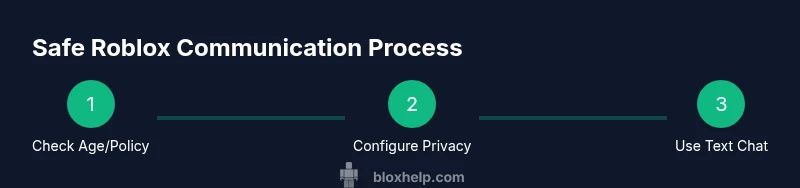
Check the account’s age and Roblox policy for voice chat eligibility. If the user is under 13, voice chat is not available through the standard Roblox settings, so you’ll focus on safe alternatives like text chat and guardian oversight.
Tip: Document the child’s age in the account settings and share policy notes with guardians. - 2
Open privacy and safety settings
Navigate to the Privacy or Safety section in the Roblox app and review who can chat, message, or join games. Set limits to friends only or to guardian-approved contacts where possible.
Tip: Enable guardian controls if available; restrict external links and personal data sharing. - 3
Enable text-based communication only
Disable or avoid enabling any voice chat features. Ensure text chat is enabled with appropriate privacy settings and moderation options.
Tip: Remind players to avoid sharing personal information in text chats as well. - 4
Set up Family/Guardian oversight
If you’re a guardian, activate family management tools, review activity logs, and set limits on playtime and contact options.
Tip: Regularly review consent and adjust controls as children grow. - 5
Create or join moderated groups
Encourage joining groups or parties with moderators or trusted adults present to foster safe social interaction.
Tip: Choose groups with clear codes of conduct and reporting mechanisms. - 6
Establish chat etiquette and rules
Agree on acceptable phrases, topics, and behaviors for text chats. Establish a reporting path for uncomfortable experiences.
Tip: Put the rules in writing and review them with guardians or parents. - 7
Test communication in a controlled setting
Have a supervised test session with friends in a private, child-safe environment to ensure everyone understands the chat tools.
Tip: Document feedback to improve future safety practices.
Questions & Answers
Can under-13 players ever use voice chat in Roblox?
Official Roblox policy generally restricts voice chat to users who meet age requirements. There is no supported in-app method to enable voice chat for under-13 accounts. Use text chat and guardian controls as safer alternatives.
Voice chat is not available for under-13 Robox players; use text chat and guardians settings.
What are the safe alternatives to voice chat for younger players?
Text chat, in-game emotes, and private groups with moderation are recommended. Guardians can oversee activity and adjust privacy settings to limit exposure to strangers.
Text chat and moderated groups are the safe path for younger players.
How can guardians help manage Roblox interactions?
Guardians should enable family controls, monitor conversations, set time limits, and review friend lists and messages. Regular check-ins reinforce safe behavior and account health.
Guardians should monitor activity and use family controls.
Are there official resources for online safety in Roblox?
Yes. Check Roblox Safety Center and community standards, plus reputable online-safety resources from government or education sites for broader guidance.
Roblox Safety Center offers official guidance on safe play.
What should I do if I encounter harassment?
Use Roblox reporting tools, document the incident, and involve a guardian if needed. Quick reporting helps protect others too.
Report harassment through Roblox tools and involve a guardian if needed.
Watch Video
The Essentials
- Understand Roblox voice chat restrictions for under-13 players
- Rely on text chat and guardian controls for safety
- Enable Family Settings and monitor activity
- Join moderated groups for safer social interaction
- Follow clear chat etiquette and reporting procedures