How to Play Roblox Without WiFi: A Realistic Guide
Discover whether Roblox can be played without WiFi, why online access is required, and practical steps to manage connectivity. Learn legitimate workarounds, planning tips, and how to stay productive during gaps in internet access with Blox Help.


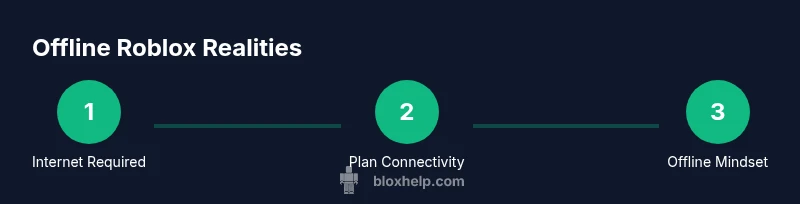
Roblox requires an active internet connection to load games and interact with its servers, so you cannot play Roblox without wifi or any data. The platform does not support offline gameplay. The practical steps are to ensure a reliable connection or have a backup hotspot when needed. This guide explains why offline play isn’t supported and what you can do to stay productive during gaps in connectivity.
Why Roblox Needs Internet to Play
According to Blox Help, Roblox operates as a connected platform that runs games on remote servers and streams data between your device and the Roblox network. Because of this architecture, you cannot start or enjoy a Roblox experience without an active internet connection. In practical terms, wifi or mobile data is required to load experiences, sync progress, and interact with other players in real time. This isn't a pretend limitation: the client sends your inputs to a server, which processes the game state and returns updated visuals, audio, and chat messages. If the network drops, you may see loading screens, rubber-banding, or you may be kicked from a session entirely.
For players curious how to play roblox without wifi, the honest answer is simple: you can’t make a real Roblox session work offline. The Blox Help Editorial Team emphasizes that the platform lacks an offline mode or local-only gameplay that mirrors live servers. The rest of this guide focuses on managing connectivity, maximizing uptime, and using legitimate offline opportunities like learning Roblox Studio concepts and planning projects during gaps in service.
- 0
Tools & Materials
- Stable internet connection(WiFi or reliable mobile data to access Roblox servers)
- Mobile hotspot device or smartphone(Optional backup if your regular connection fails; ensure data plan supports it)
- Charged devices(Keep devices charged to avoid disconnects during play or work sessions)
- Note-taking tools(Notebook or digital app for offline planning and study sessions)
- Roblox account login credentials(Needed to access and save progress once online)
Steps
Estimated time: 30-60 minutes
- 1
Check Internet Status
Confirm your device is online and can reach Roblox servers. Open a browser to a neutral site or run a quick speed test to verify upload/download speeds. If there’s no connectivity, do not attempt to launch Roblox—it won’t load games or sync data.
Tip: If you’re on a limited data plan, toggle off background apps that use data to keep enough bandwidth available for Roblox. - 2
Prepare a Stable Connection
If you have access to wifi, connect to a stable network. If you’re relying on mobile data, ensure you have good signal and consider enabling a mobile hotspot for a short window of gameplay or testing.
Tip: Close other bandwidth-heavy apps and connect to a 5 GHz network when possible for lower latency. - 3
Log In to Roblox
Launch the Roblox app or website and sign in with your account. Ensure two-factor authentication is ready if you use it, and avoid saving credentials on shared devices to protect your account.
Tip: If you’re troubleshooting, try logging out and back in to refresh the session. - 4
Choose a Game and Load
Pick a game you’re familiar with and press Play. Be aware that loading times depend on your network; if the connection drops, you may be returned to the game list.
Tip: Avoid joining crowded servers on weak connections to minimize lag. - 5
Engage in Offline Learning During Gaps
When internet access is temporarily unavailable, switch to offline learning activities like studying Roblox Lua syntax, reading API docs, or sketching level designs. Roblox gameplay won’t occur without connectivity, but you can still prepare for future sessions.
Tip: Use a notebook to plan scripts or UI ideas you’ll implement once you reconnect. - 6
Reconnect and Test Again
Once you regain connectivity, re-open Roblox and test a quick session to confirm everything loads properly. If issues persist, run basic troubleshooting like restarting your router or device.
Tip: Keep a small checklist for quick fixes (reboot device, recheck connection, try a different network) to save time.
Questions & Answers
Can I play Roblox offline or without an internet connection?
No. Roblox requires an active internet connection to access servers and load games. Without internet, you cannot play standard Roblox experiences.
No, Roblox cannot be played offline; you need an active internet connection to access the servers.
Is Roblox Studio playable when there’s no internet?
Roblox Studio requires internet access for login and collaboration features. You can work on local projects offline, but publishing and testing online features will need connectivity.
Roblox Studio needs internet for most features, including publishing and online testing.
What should I do during internet outages?
Use the time to plan game ideas, study Lua fundamentals, review API docs, or sketch UI/level designs. Keep notes for what you’ll build once you reconnect.
During outages, plan your project and learn the basics so you can jump back in quickly once online.
Will switching networks help if Roblox won’t load?
Yes, trying a different network (wifi vs mobile data) can resolve connectivity issues. If problems persist, troubleshoot by restarting devices and checking routers.
Switching networks can fix connectivity issues; reboot devices if problems persist.
Can I preload games to play later?
Roblox doesn’t support offline caching of full games for later play. You’ll need an active connection to load and play experiences.
Offline caching isn’t supported; you’ll need to connect to play.
What are legitimate alternatives during no-internet moments?
Use the time to study Roblox scripting, plan projects, or read official Roblox docs. This keeps you productive while waiting for connectivity.
Use the outage to study scripting and plan your next builds.
Watch Video
The Essentials
- Know Roblox needs internet to play—offline play isn’t supported
- Prepare for connectivity by testing networks and having a hotspot as a backup
- Utilize offline study time for Lua and game design when disconnected
- Plan ahead with a checklist to quickly recover any online session after outages