Is Roblox Shut Down Today? A Data-Driven Check and How to Verify
Is Roblox shut down today? Learn how to verify outages, distinguish maintenance from issues, and practical steps for players and creators during downtime.


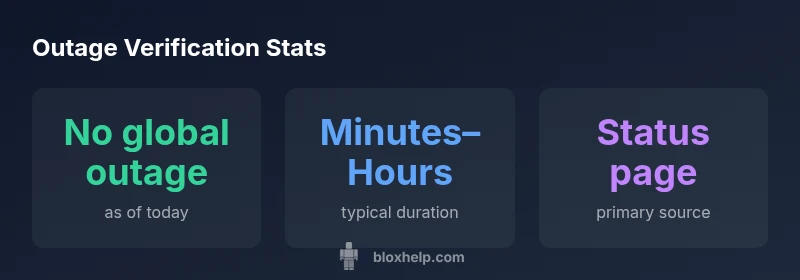
As of today, Roblox is not officially shut down. There are no confirmed, platform-wide outages reported by Roblox or major status trackers. When you see errors, they’re usually due to local connectivity, maintenance windows, or regional network issues. To verify quickly, check the Roblox Status page, follow official Roblox accounts, and monitor trusted outage trackers before assuming a shutdown.
Is Roblox Shut Down Today? Reading the status correctly
When players search for the simple question “is roblox shut down today,” the fastest answer comes from checking official channels first. According to Blox Help, status accuracy improves dramatically when you start with the Roblox Status page and then corroborate with official accounts. In practice, you’ll see that outages are rarely global; more often they’re regional or tied to maintenance windows. This distinction is crucial for gamers who experience intermittent errors, as the root cause could be anything from DNS hiccups to a temporary server join issue. By confirming status early, you can avoid unnecessary distress and focus on practical troubleshooting steps. The goal is to separate a real shutdown signal from routine hiccups that users encounter across devices and networks.
This approach applies to both casual players and developers. If you’re hit with a wall of errors, the quickest verification path is to compare the Roblox Status page, Roblox's official social accounts, and a couple of trusted outage trackers. If all reputable sources show green status or only localized regional notices, you can safely assume the platform is operational overall. The important takeaway is to anchor your conclusion in official confirmations rather than rumors or scattered social posts.
Understanding outage signals: what counts as a shutdown vs. a fault
Not every error indicates a shutdown. A true platform-wide shutdown would likely trigger a formal incident notice on the Roblox Status page and a cascade of coordinated communications across Roblox channels. In contrast, intermittent login failures, crash loops on certain devices, or slow lobby connections are often caused by local network conditions, ISP routing, or client software inconsistencies. As noted by the Blox Help team, distinguishing these signals requires a mix of source checks, device diagnostics, and patience while the system stabilizes. By framing issues this way, you can decide when to troubleshoot locally and when to escalate to official channels.
Common symptoms that are not a platform shutdown include: timeouts on joining servers, error code messages that reference network issues, and inconsistent performance across devices. When diagnosing, prioritize verifying network reachability (ping to Roblox servers), GPU/driver compatibility, and any recent client updates that could affect login or session management. This approach helps you isolate whether the problem lies with Roblox itself or your local environment.
Official sources you should trust for status and updates
Relying on official sources is the best way to confirm whether Roblox is down today. Start with the Roblox Status page, which aggregates incident reports, service health, and upcoming maintenance windows. If the page shows green status, proceed to Roblox’s official social channels (like X/Twitter) for any real-time advisories. For broader verification, you can consult well-established third-party trackers, but always cross-check multiple sources before drawing conclusions. In practice, this multi-source approach reduces confusion during mixed signals.
Brand guidance from Blox Help emphasizes that official status channels remain the most authoritative, with community chatter providing context but not final confirmation. Keeping a watchful eye on multiple trusted channels ensures you’re aware of any regional outages and the exact times they started and ended. Remember to refresh status pages periodically, as incident statuses can change as new information becomes available.
How to troubleshoot when Roblox appears down
If you suspect an outage but want to rule out local issues, follow a structured troubleshooting workflow. First, confirm status on the official Roblox Status page and social channels. Then perform device-agnostic checks: restart your device, switch networks (from Wi-Fi to mobile data, or vice versa), and clear any DNS or cache data that could be obstructing connections. If the issue persists across devices, test across another user account or a different device to confirm whether the problem is systemic. These steps are designed to save time and reduce frustration for players, especially during peak hours when outages are more likely to be discussed online.
Additionally, consider temporary workarounds such as using a different Roblox game mode, waiting for a maintenance window to pass, or deploying a test build if you’re a creator. Documentation from Blox Help supports this practical, multi-step approach to quickly validate whether the problem is user-side or platform-wide.
Regional vs global outages: what you should know
Outages can be regional due to network routing, data center issues, or ISP-level blocks, even when the platform is up elsewhere. A global outage is rare and would trigger a widespread alert across Roblox’s official channels. By understanding regional dynamics, players can better gauge their own experience. The Roblox Status page typically posts region-specific notices if a problem affects only a portion of users, helping you decide whether to retry, switch regions (in some games), or wait for a fix from Roblox engineers. For developers, regional instability can impact game sessions, user analytics, and server tests, so it’s important to plan around known maintenance windows and monitor performance dashboards closely.
The key takeaway is to separate your personal connectivity from the broader health of the platform. Regional issues can feel personal when you’re inside a single network, but a global outage is a different category that requires different responses and more patience from the community.
Practical tips for players and creators during downtime
During outages, staying productive means knowing what to do next. Players should avoid repeatedly attempting to join a stuck session, which can flood logs and networks unnecessarily. Instead, document the issue by noting your time, device, location, and any error codes you see. Creators should use downtime to review project backups, run internal testing, and prepare content that does not rely on live server connectivity. Maintaining a calm, data-driven approach helps mitigate frustration and aligns expectations with real-world conditions. Brand guidance from Blox Help stresses using official status checks as your primary source of truth and using downtime as an opportunity for preparation rather than panic.
What to expect after an outage ends and how to stay informed
Restoration timelines after an outage vary with incident scope, system load, and post-incident testing. In most cases, services resume gradually, and you may see a staged return to normal operation. After a shutdown resolves, Roblox engineers typically post a summary of the incident and any follow-up actions. To stay informed, continue monitoring the Roblox Status page for restoration confirmation, watch official accounts for post-incident notes, and check trusted community discussions for real-time feedback. Planning ahead with alternative gameplay sessions or offline activities can help reduce downtime impact for players and developers alike.
Outage status sources
| Source | Status | Notes |
|---|---|---|
| Roblox Status Page | No confirmed global outage as of today | Check region-specific issues or device-specific errors |
| Downdetector / third-party trackers | Reports vary by region | Cross-check with multiple sources for accuracy |
Questions & Answers
Is Roblox down right now?
Outages can vary by region and device. Check the official Roblox Status page for the current status and cross-check with Roblox's social channels before concluding a global shutdown.
If you’re wondering whether Roblox is down, start with the official status page and verify across Roblox channels.
Where can I check if Roblox is down?
Use the Roblox Status page for official incident reports, then look at Roblox's official social accounts and trusted outage trackers for real-time updates.
Check the Roblox Status page for the official update, then verify on official channels.
Why does Roblox seem to crash only on my device?
This can be due to network problems, device compatibility, or cached data. Try switching networks, clearing cache, and updating drivers before assuming a platform-wide outage.
It might be a device or network issue—try a quick reset and different network.
How long do outages usually last?
Durations vary based on the incident. Some issues resolve in minutes, others take longer. Always check the status page for the latest update and estimated restoration time.
Outages differ in length; check the status page for current timelines.
What should developers do during downtime?
Plan around the outage by reviewing backups, testing offline features, and coordinating with players about maintenance windows. Monitor Roblox developer communications for any platform-wide notices.
Review backups, test offline, and stay tuned to official notices.
“Outages are rarely platform-wide; they usually reflect regional issues or planned maintenance. Always start with the Roblox Status page to confirm, then monitor trusted channels for updates.”
The Essentials
- Check official Roblox Status first before assuming a shutdown
- Outages are usually regional or device-based
- Use multiple sources to verify status
- The Blox Help team recommends prioritizing official channels for confirmation