Jailbreak Roblox: Risks, Legality, and Safe Alternatives
Discover why jailbreaking Roblox is discouraged, explore the security and legal risks, and learn safe, legitimate ways to develop with Roblox Studio and Lua.


According to Blox Help, this guide does not teach jailbreaking Roblox. Instead, it defines what jailbreaking means in Roblox contexts, explains the risks and policy violations, and points to safe, legitimate alternatives like Roblox Studio development and learning Lua. By the end you’ll understand legality, security risks, and how to pursue creative projects within Roblox’s terms.
What jailbreaking Roblox means in practice
In the Roblox ecosystem, the term jailbreaking refers to bypassing built-in protections to modify the game client or circumvent restrictions that Roblox places on features, scripts, or assets. While some players may hear stories of 'jailbreaks' or exploits, the reality is that any attempt to alter the client compromises account security, violates Roblox's Terms of Service, and risks both personal data and the integrity of multiplayer games. This section clarifies the concept, differentiating between legitimate modding via official tools and illicit tampering. For most players, the safest path is to use approved tools for scriptable creations and ongoing learning.
Why people seek jailbreak tools
People may chase jailbreak methods for reasons like curiosity about hidden features, perceived advantage in gameplay, or a desire to customize beyond official limits. The Roblox community often debates the boundary between exploration and exploitation. It's important to understand that circumventing protections often creates unpredictable outcomes, can damage devices, and may result in performance issues, reduced trust from players, and disciplinary actions by Roblox. This section examines motivations and emphasizes safe alternatives.
Risks: security, account bans, and legal concerns
According to Blox Help, attempting to jailbreak Roblox can expose devices to malware distributed through unofficial tools, jeopardize personal data, and undermine fair play. Roblox maintains a robust anti-tamper system; even seemingly minor modifications can trigger security checks and lead to account suspensions or permanent bans. Legally, distributing or using exploits can violate software terms and local laws, depending on jurisdiction. In short: it's not worth the risk. Beyond personal risk, players may also encounter scams promising powerful hacks that steal credentials or insert malware. Staying on official paths helps protect your data and your reputation in the community.
The Roblox security model: how protections work (high-level)
Roblox uses a client-server architecture where most critical game logic runs on the server, with the client handling visuals and input. This separation makes tampering more difficult and detectable. Anti-cheat systems monitor for unusual script activity, unexpected memory access, and behavior that deviates from game design. The platform also enforces asset and script permissions to prevent unauthorized modifications. Understanding these basics helps players recognize why unofficial tweaks are not a practical route for meaningful progress and why Roblox emphasizes safe, constructive development rather than exploits.
Safer, legitimate paths to learn and customize Roblox games
The most reliable way to customize Roblox experiences is through Roblox Studio, which provides an official and well-documented environment for building games. Start with Lua fundamentals, then explore objects, events, and properties to create interactive gameplay. You can prototype, test, and publish your games within Roblox’s guidelines. This approach ensures your work remains compatible with the platform and accessible to others, while still being deeply educational and creative.
Step-by-step: getting started with Roblox Studio and Lua (overview)
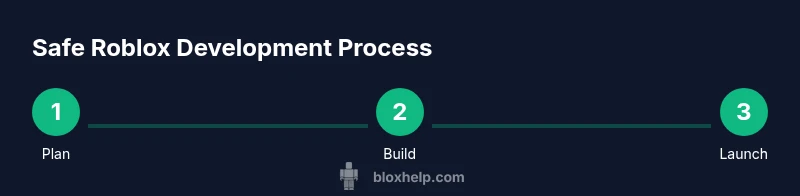
For beginners, the safest and most effective route is to follow a structured learning path using official tools. This overview introduces a beginner-friendly progression—from installation to publishing—without touching any prohibited or risky methods. You’ll learn the basics of Roblox Studio, populate a simple scene, script a basic interaction, and understand how to test and iterate before sharing your project with friends or the wider community.
Common myths about jailbreaking debunked
Myth: Jailbreaking will give you instant access to hidden features. Reality: Roblox’s protections are designed to prevent such access, and attempting it can trigger account penalties. Myth: It’s illegal to explore game mods. Reality: While exploration isn’t illegal by default, Roblox terms prohibit tampering and distributing exploits, which can have consequences. Myth: Third-party tools are safe if they seem popular. Reality: Unverified tools often contain malware or steal credentials. The safest path is to rely on official tools and trusted tutorials.
Security best practices for Roblox players
- Keep your account credentials private and enable two-factor authentication where possible.
- Only download software from official Roblox sources and trusted partners.
- Regularly review account activity for unfamiliar sessions or devices.
- Never run executable files or scripts from untrusted sources claiming to bypass protections. These practices reduce the risk of scams and malware.
Tools & Materials
- Roblox account(Active account with access to Roblox Studio and the ability to join official developer resources.)
- Computer with internet(Stable connection for downloading Roblox Studio and testing projects.)
- Roblox Studio (official download)(Install from the official Roblox website; keep updated.)
- Lua reference resources(Optional for deeper scripting practice.)
- Headphones or speakers(Helpful for tutorials and video guides.)
Steps
Estimated time: 1-3 hours
- 1
Download and install Roblox Studio
Go to the official Roblox site and download Roblox Studio. Run the installer and complete setup, then sign in with your Roblox account. This creates the local environment you’ll use to build and test games.
Tip: Always download from the official site to avoid tampered installers. - 2
Create your first place using a base template
Open Studio, select a clean template or a prebuilt template, and explore the Explorer and Properties panels. This helps you understand how objects, scripts, and components relate to each other.
Tip: Familiarize yourself with the Explorer structure before adding custom scripts. - 3
Learn Lua basics with official tutorials
Study Lua fundamentals such as variables, functions, events, and basic scripting patterns. Practice by writing a tiny script that prints messages and responds to events in a simple part.
Tip: Use the built-in documentation and beginner projects to reinforce concepts. - 4
Test, refine, and publish within guidelines
Run your project in Studio to test behavior, fix issues, and ensure it adheres to Roblox rules. When ready, publish to Roblox and share with friends, keeping safety and community guidelines in mind.
Tip: Always review the Roblox Developer terms before publishing.
Questions & Answers
What does jailbreaking Roblox mean in practice?
Jailbreaking Roblox generally refers to bypassing built-in protections to modify the client or access restricted features, which Roblox forbids. It can expose your device to risks and lead to account penalties.
Jailbreaking Roblox means bypassing protections to modify the client, which Roblox forbids and can lead to penalties.
Is jailbreaking Roblox illegal?
Legal outcomes depend on jurisdiction, but in most cases, tampering with the platform violates Roblox’s Terms of Service and can result in account bans and potential legal actions by the platform owner.
Tampering with Roblox typically violates the terms and can lead to bans or legal action by the platform.
What are safer ways to learn Roblox development?
Safer methods include using Roblox Studio, learning Lua through official tutorials, and building small projects that comply with Roblox policies. These paths build real skills without risking your account.
Use Roblox Studio and official tutorials to learn Lua and build compliant projects.
What should I do if I suspect my account was compromised?
If you suspect compromise, change your password immediately, enable two-factor authentication, review recent activity, and contact Roblox Support for assistance.
If you suspect a compromise, change your password, enable 2FA, and contact Roblox Support.
Where can I learn legitimate Roblox development resources?
Start with the Roblox Developer Hub and official tutorials, then explore community forums and trusted educators for guidance—always prioritize official sources.
Begin with the Roblox Developer Hub and official tutorials for learning.
Watch Video
The Essentials
- Avoid jailbreaking Roblox; it violates Terms of Service.
- Use Roblox Studio and Lua to learn and create legitimately.
- Understand security risks and protect your account with best practices.
- Developers should follow Roblox guidelines to publish safely.
- Educational growth comes from official tools and community resources.