Roblox Emo Avatar Guide: Step-by-Step Styling 2026
Master the Roblox emo look with practical tips on color palettes, accessories, emotes, and testing. This beginner-to-advanced guide from Blox Help covers safe customization, mood-driven styling, and iterative testing for 2026.


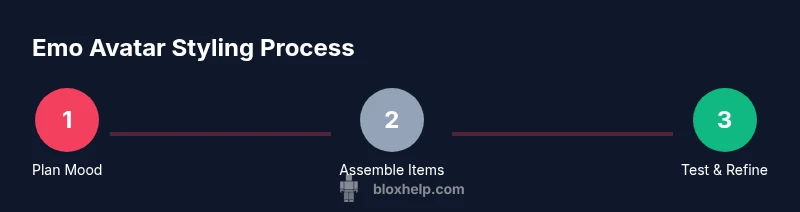
To achieve a Roblox emo look, follow a clear plan: pick a somber color palette, curate emo-appropriate accessories, and apply avatar animations that match the mood. This quick path outlines the essential steps to build a cohesive emo avatar without violating Roblox guidelines. By the end, you'll have a ready-to-play Roblox emo character.
What is Roblox Emo?
The term Roblox emo describes a particular aesthetic applied to your in-game avatar and wardrobe, emphasizing mood, contrast, and minimalist styling. It blends darker color schemes with subdued accessories and subtle emotes to convey introspection, melancholy, or brooding attitude without resorting to party-like or overly flashy items. According to Blox Help, the core idea is coherence: every chosen item should support the emotional vibe rather than clash with it. To players who want to stand out in a crowded catalog, the emo look offers a distinct, recognizable silhouette that stations your character in a unique niche within Roblox communities. As you learn more about Roblox emo, you’ll discover that the most memorable avatars source inspiration from mood boards, bands, and early-2000s fashion while still respecting Roblox’s content guidelines and item availability.
Understanding this style helps you curate a wardrobe that feels intentional. It isn’t about piling on rare accessories; it’s about selecting pieces that share a common mood, from hair texture to footwear, and aligning them with the environment you intend to play in. The emo look works well with short-lived seasonal items and timeless basics alike, as long as the overall palette remains focused and consistent. In practice, players often pair charcoal, navy, and muted maroon tones with simple silhouettes to avoid visual clutter while preserving character. This approach makes it easy to expand your emo aesthetic in future updates without starting from scratch.
-5
Tools & Materials
- Roblox account(Ensure the account is in good standing and has access to avatar customization features.)
- In-game avatar editor(Found in the character customization menu; enables skin tone, clothing, and accessory changes.)
- Mood board or color swatches(Optional but helpful for planning palettes before shopping the catalog.)
- Catalog access or inventory list(Identify items that fit the emo mood without violating guidelines.)
- Notebook or digital doc(Track chosen colors, items, and combinations for quick reference.)
- Stable internet connection(Ensures quick loading of catalog items and avatar previews.)
Steps
Estimated time: 60-90 minutes
- 1
Define your emo mood
Start by outlining the vibe you want (brooding, melancholic, moody punk, etc.). Create a mini mood board with 4-6 color swatches and 2-3 keyboard shortcuts you want to emphasize (hair shade, jacket, or accessory). This helps prevent random item selection and keeps your look cohesive.
Tip: Write down the core mood on a single page; reuse it as you pick items. - 2
Audit your catalog for mood-aligned items
Browse the catalog for hair, clothing, and accessories that align with your palette. Favor silhouettes that are clean and timeless to avoid clashes with complex patterns. Exclude items with bright logos or overly vibrant colors that break the mood.
Tip: Use filters like color or style to narrow options quickly. - 3
Choose a base outfit with cohesive colors
Pick a base outfit or torso/hands color combo that anchors the look. Neutrals like charcoal, midnight blue, and muted burgundy often work well as foundations. Keep patterns limited to small accents if you want a minimalist appearance.
Tip: Test several bases against your mood board to see which feels most natural. - 4
Layer accessories thoughtfully
Add one or two understated accessories such as a subtle necklace, simple bracelet, or minimalist glasses. Avoid anything flashy or oversized that could overpower the mood. Accessories should complement, not shout, the emo vibe.
Tip: Limit to 1-2 accessories to maintain balance. - 5
Select emotes and poses that match the mood
Choose emotes that convey restraint or introspection—soft wave, small shrug, or subtle head nods—rather than high-energy gestures. Pair your emotes with a calm idle stance to keep the look cohesive in-game.
Tip: Prioritize emotes with low motion to maintain the mood. - 6
Preview and iterate across games
Test your avatar in different Roblox games to ensure the mood translates across environments. Some games have lighting that can intensify or mute tones; adjust your palette if needed for legibility and mood in each setting.
Tip: Take screenshots in diverse games to compare how it reads. - 7
Finalize and document your build
Lock in your chosen pieces and save a reference list, including item names and colors. This makes it easier to recreate the look or tweak it later without re-planning from scratch.
Tip: Keep a one-page guide for fast future edits.
Questions & Answers
What does 'roblox emo' mean in avatar design?
Roblox emo refers to an avatar styling approach that uses a subdued color palette, minimalistic accessories, and restrained emotes to convey a moody, introspective vibe. The look emphasizes mood and coherence over flashy trends.
Emo in Roblox is about a moody, cohesive vibe rather than loud, flashy gear.
Are there Roblox guidelines I should watch for emo styling?
Yes. Avoid copyrighted logos, ensure items are allowed in the catalog, and don’t use content that violates Roblox terms. Keep the overall look tasteful and appropriate for all ages.
Follow the catalog rules and Roblox terms while keeping the mood aligned.
Can I mix emo items with non-emo pieces?
You can blend elements, but maintain a consistent mood. When in doubt, test the combination in various lighting to see if the mood holds.
Yes, but keep the mood cohesive across items.
How can I quickly test if my emo look works in games?
Load your avatar in different games with varying lighting and environments. Observe readability, mood, and whether accessories read clearly from a distance.
Try it in several games to see if your mood shows up well.
What if items don’t appear in-game after customization?
Refresh catalogs, re-equip items, and check compatibility with the game’s avatar system. Some items may be temporarily unavailable in certain games.
If items don’t show, re-select them and try again in another game.
How do I share my Roblox emo look with others?
Take screenshots or short clips, post in Roblox groups or social media, and invite feedback. Document the exact items used to help others replicate your look.
Share screenshots and get feedback from the community.
Watch Video
The Essentials
- Plan your mood before shopping
- Keep colors cohesive and muted
- Limit accessories to 1–2 pieces
- Use emotes that match the mood, not the hype
- Test across games to ensure mood reads clearly