Roblox Proxy: Risks, Legality, and Safe Alternatives
A practical how-to guide explaining what a Roblox proxy is, legal considerations, risks to accounts, and safer alternatives for accessing Roblox if blocks exist. Learn how proxies work, how to verify legitimacy, and how to discuss access with network admins.


Definition: A Roblox proxy is a gateway that routes Roblox traffic through a remote server to access the service when direct access is blocked or restricted. This guide explains what it is, why people consider it, and the key risks and safer alternatives. You’ll learn when proxy use might be considered and what to avoid.
What is a Roblox proxy?
A Roblox proxy is a network intermediary that forwards your Roblox traffic through a middleman server. In simple terms, it makes your connection appear to originate from a different location. This can be tempting when access to Roblox is blocked by a school, workplace, or country-level filter. According to Blox Help, understanding the basic mechanism helps you evaluate whether a proxy is worth considering. Proxies differ from VPNs in how they route traffic, but both can impact latency and data privacy. When used responsibly, proxies can be explained as one of several tools for network access, but they come with important caveats.
- Proxies can be public or private; public options often expose users to data risk.
- A proxy may only route Roblox traffic or all internet traffic, depending on configuration.
- Using a proxy may impact anti-cheat systems and game performance, potentially triggering account flags.
Understanding these facets helps you decide if a proxy is appropriate in your situation.
Legal and policy considerations
Using a Roblox proxy intersects with terms of service and local network policies. Roblox’s terms emphasize fair use and security; bypassing filters can violate rules and lead to account discipline. Institution policies often prohibit altering network traffic, which means attempting to route Roblox through a proxy could be grounds for warnings or more serious consequences. The safety takeaway is to treat proxies as a last resort, and only after you have confirmed permissible use with an administrator. When in doubt, contact Roblox support or your network administrator for guidance and alternatives that stay within policy boundaries.
How proxies work at a high level
A proxy acts as an intermediary between your device and Roblox servers. Your request goes to the proxy, which forwards it to Roblox and then returns the response to you. Because the proxy can mask your IP address, Roblox sees the proxy’s IP instead of yours. This can help in environments with strict outbound rules, but it also adds potential points of failure and latency. Trustworthy proxies implement encryption and logging policies, but free or shady options often compromise privacy and data.
Key takeaway: proxies alter routing, not the game code, but they influence security, privacy, and performance.
Safer alternatives to proxies for Roblox access
Before choosing a proxy, explore legitimate routes. If you’re in a school or work environment, request access through official channels or use a school-approved guest network. Consider contacting Roblox support for information about regional availability or official programs that may reduce restrictions. If you must access Roblox from a restricted network, ensure you have written permission and use only approved services that prioritize user privacy and data protection. In many cases, the simplest solution is to play on a device or network that isn’t blocked, or to await policy changes from the network admin.
Risks and consequences of proxy use
Proxies can introduce several risks: data interception by untrusted intermediaries, leakage of personal information, and difficulty in securing accounts if credentials pass through a compromised node. Proxies may also violate Roblox ToS, resulting in account suspensions or bans, especially if the proxy is used to circumvent security measures or anti-cheat systems. Latency spikes can degrade gameplay, causing rubber-banding, longer load times, and disconnects. Lastly, some proxies inject ads or malicious code, creating a direct safety risk for minors and players alike.
How to evaluate proxy services safely
If you determine that a proxy use case is permissible, assess services based on privacy, security, and reliability. Look for clear privacy policies, no-logging assurances, and strong encryption. Avoid free proxies that require excessive permissions or display intrusive ads. Prefer providers with transparent operation and independent reviews. Remember to verify compatibility with Roblox’s terms and ensure the proxy does not interfere with game integrity or anti-cheat mechanisms.
How to talk to your network admin about Roblox access
Approach a network admin with a respectful, concise plan: explain why access matters for learning or collaboration, present alternatives (official channels or permitted guest networks), and request a time-bound, policy-aligned solution. Offer to share the exact game requirements and expected hours of use. A prepared, cooperative tone increases the likelihood of a positive outcome and reduces security concerns.
Myths vs reality about Roblox proxies
Myth: Proxies guarantee unblockage in all networks. Reality: Block policies vary, and proxies can fail or cause account issues. Myth: Any proxy will keep your data private. Reality: Many proxies log data or inject ads; only trusted, vetted services provide higher privacy promises. Myth: Using proxies has no risk to accounts. Reality: Roblox can flag or suspend accounts if proxies are misused or detected. Always prioritize policy-compliant methods.
Troubleshooting connectivity and performance with proxies (if permitted)
- Check proxy server status and latency; high ping can ruin gameplay.
- Confirm the proxy supports the required Roblox regions and ports; misconfigurations lead to failed connections.
- Ensure your device’s firewall or antivirus isn’t blocking Roblox traffic when routed through a proxy.
- Validate that only Roblox traffic passes through the proxy if you are restricted to a single app path.
Quick-start checklist for safe access decision-making
- Understand the network policy and Roblox ToS.
- Explore official access options and admin-approved methods.
- If a proxy is allowed, select a trusted service with privacy protections and minimal data exposure.
- Document the approval and maintain ongoing compliance checks.
Tools & Materials
- Stable internet connection(Reliable connectivity to avoid interruptions during gaming and testing.)
- Device capable of running Roblox(PC, Mac, iOS, Android, or Xbox with an updated Roblox client.)
- Official or approved network access plan(Written permission or approved VPN/proxy usage policies from your administrator.)
- Privacy-conscious browser or client setup(Prefer environments that support secure connections and minimize data exposure.)
Steps
Estimated time: 30-60 minutes
- 1
Define goal and policy check
Identify why you want Roblox access and verify whether proxies are allowed by the network policy and Roblox ToS. This prevents wasted effort and potential policy violations.
Tip: Document the policy language you reference for future reference. - 2
Explore official access options
Ask your administrator about approved methods or temporary access for education or collaboration. If permitted, obtain the exact steps or credentials needed.
Tip: Always prefer policy-approved routes over ad-hoc tools. - 3
Evaluate alternatives first
Consider legitimate routes such as school-approved networks, Roblox’s official client, or device- and network-compliant access options before any proxy attempt.
Tip: Safer options reduce risk to your account and data. - 4
If allowed, select a trusted approach
Choose a reputable, privacy-focused service with clear terms and no suspicious data collection. Ensure it explicitly supports Roblox traffic and is compliant with policies.
Tip: Avoid free, opaque proxies that demand extensive permissions. - 5
Test connectivity in a controlled environment
Perform tests on a test account or non-production environment when possible. Monitor latency and stability carefully.
Tip: Record test results to share with admins if issues arise. - 6
Monitor compliance and safety
Continuously verify that usage remains compliant with Roblox ToS and your network policy. Stop immediately if any policy concerns arise.
Tip: Regularly review terms and any policy updates.
Questions & Answers
What exactly is a Roblox proxy?
A Roblox proxy routes traffic through a remote server to bypass local blocks or filters. While it can restore access in some environments, it carries privacy and policy risks and may violate Roblox ToS.
A Roblox proxy routes your traffic through a remote server to bypass blocks. It can restore access in some cases but may violate rules and pose security risks.
Is it legal to use a Roblox proxy?
Legality depends on local network policies and Roblox terms. In many settings, bypassing restrictions without permission is against policy and can lead to account penalties.
Whether it's legal depends on your network policies and Roblox terms; permission is crucial to avoid penalties.
Will using a Roblox proxy harm my account?
There is a real risk of account flags or suspension if proxies are detected or used to circumvent protections. Always align with policy and use safer alternatives when possible.
Yes, proxies can trigger account flags if detected or misused. Stick to policy-compliant options whenever possible.
What are safe alternatives to proxies for Roblox access?
Safer options include official network access routes, school-approved VPNs, or Roblox-supported channels. These approaches reduce risk while maintaining access.
Official access options or approved networks are the safest route to keep access and security intact.
Can I use a VPN to access Roblox?
VPNs can be considered in some environments, but they may violate policies and affect game integrity or security. Verify with admins before using one.
VPN use depends on your policy; always confirm with admins before enabling one.
How should I discuss access with a school or workplace?
Prepare a brief plan outlining your needs, potential alternatives, and a proposed safe usage window. Seek written approval and follow up with any policy updates.
Explain your need, propose safe options, and obtain written approval from the admin.
Watch Video
The Essentials
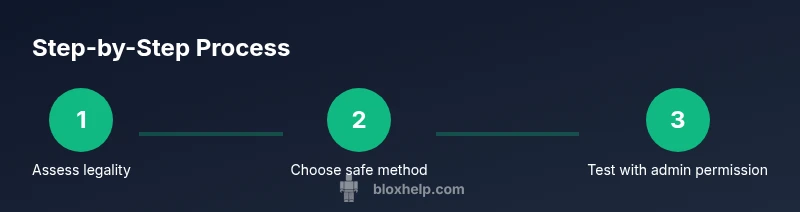
- Assess legality and policy before attempting any proxy use.
- Prefer official access routes over proxies.
- Choose trusted services with security safeguards.
- Monitor latency and privacy risks.
- Document approved access with admin consent.